
A Deep Dive into Terraform
The Architecture of Infrastructure as Code

A deep dive into the Directed Acyclic Graph, gRPC provider plugins, and the mechanics of the State file.

Before Infrastructure as Code (IaC), provisioning a server meant clicking through web consoles—a fragile, unscalable process known as “ClickOps.” If a server died, or an environment needed replicating, engineers relied on memory or outdated wiki pages to rebuild it.

Enter Terraform by HashiCorp. It revolutionized cloud engineering by allowing us to write our infrastructure as plain text. But to truly understand why Terraform became the industry standard, we have to look past the HCL (HashiCorp Configuration Language) syntax and explore the engineering engine underneath.
1. The Philosophy: Declarative over Imperative
With imperative scripting (like Bash or Python), you write the how: “Check if a server exists. If not, make an API call to create it. Then wait for it to boot. Then check if the IP is attached...” This requires writing complex, error-prone logic to handle every possible failure state.
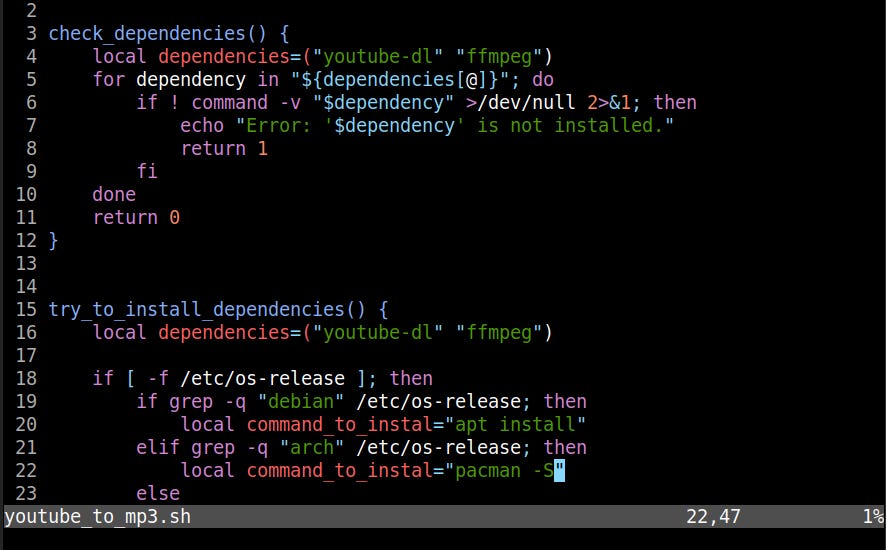
Terraform is declarative. You write the what. You simply declare: “I want a server attached to this specific network.” Terraform’s engine figures out the complex series of API calls required to make reality match your code.
2. The Architecture: Core and Providers
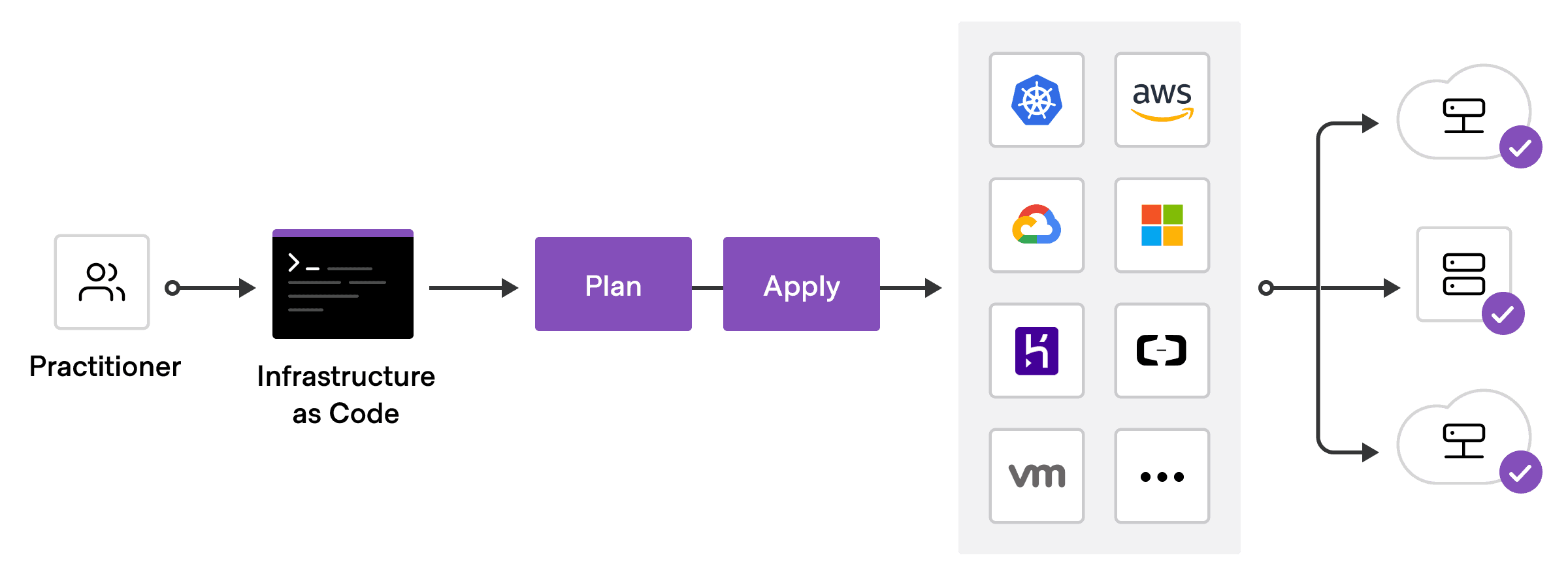
A common misconception is that Terraform inherently knows how to talk to AWS, Google Cloud, or Azure. It doesn’t. The architecture is actually split into two distinct, decoupled components:
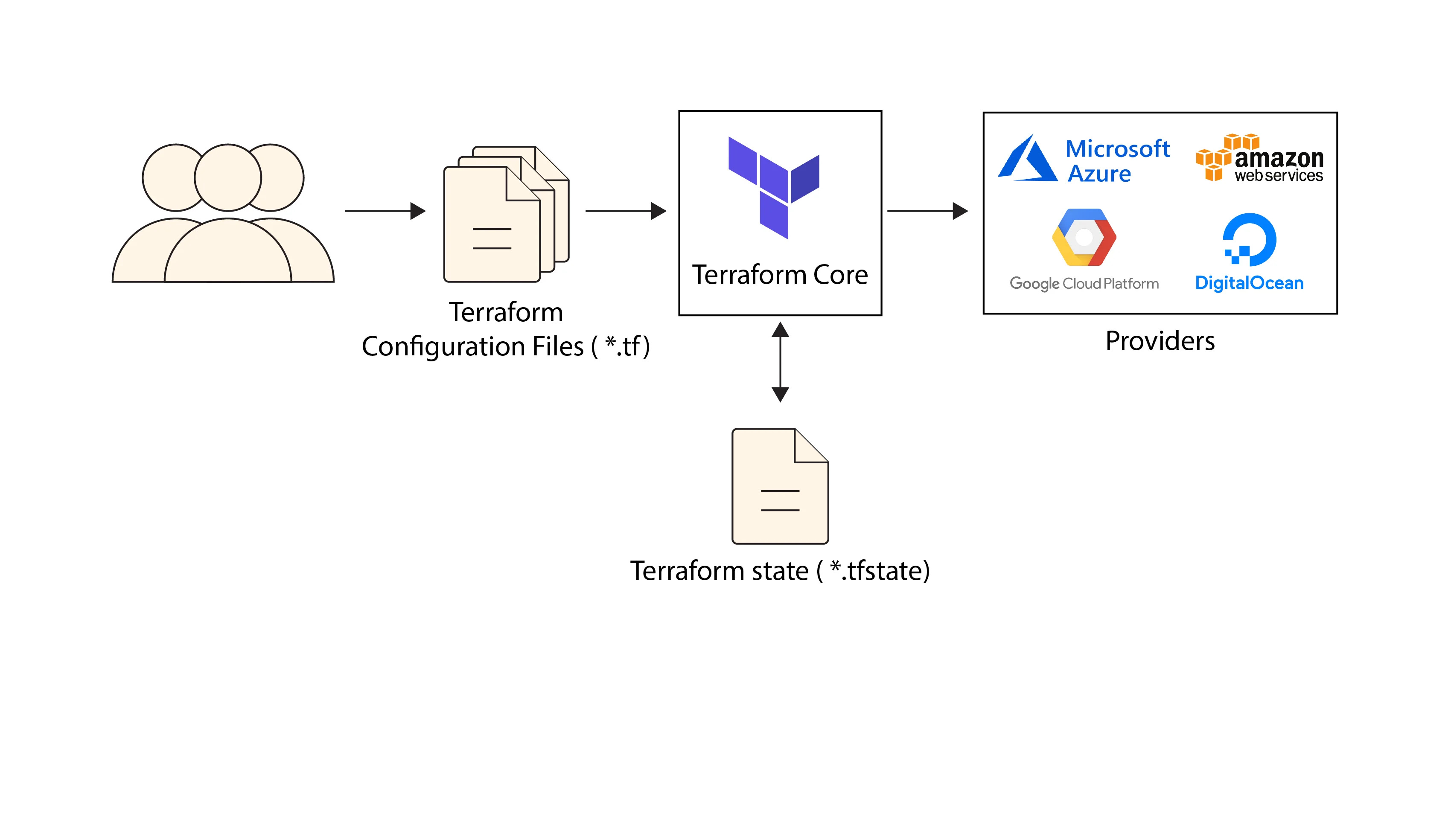
Terraform Core: A statically compiled binary written in Go. Its only job is to read your configuration files, build dependency graphs, and manage state. Core knows absolutely nothing about specific cloud APIs.
Note: A statically compiled binary is an executable program where all the necessary library code is copied directly into the final executable file during the compilation and linking process. This means the resulting binary is a single, self-contained file that runs without relying on external shared libraries at runtime.
Terraform Providers: These are separate, standalone plugins (like the AWS Provider, Kubernetes Provider, or even a Datadog Provider). When Core needs to create an EC2 instance, it sends a Remote Procedure Call (RPC) over gRPC to the AWS Provider plugin. The Provider translates that generalized request into the specific REST/GraphQL API calls required by the cloud vendor.
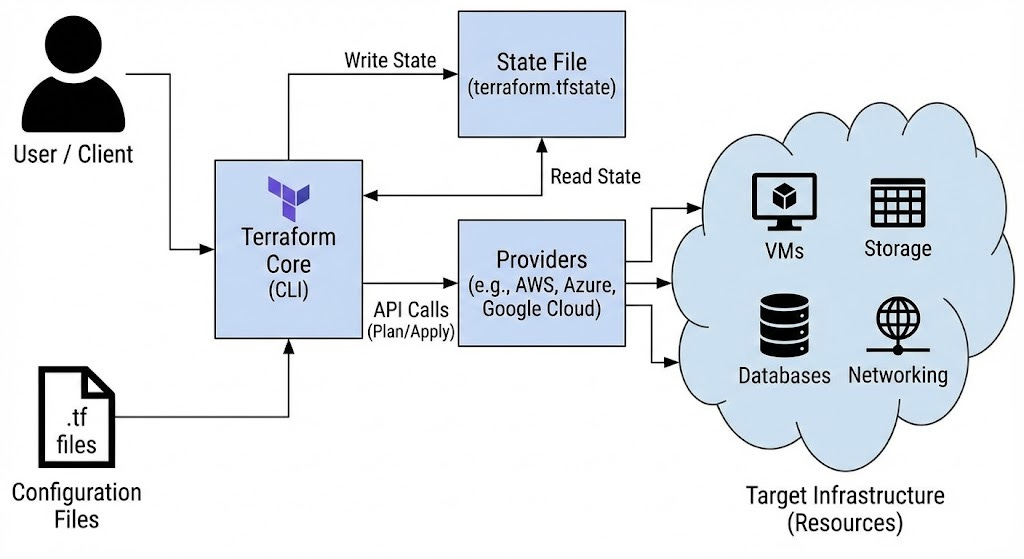
This plugin architecture is why Terraform is so extensible. If a tool has an API, someone can write a Terraform Provider for it.
3. The Brain: The Directed Acyclic Graph (DAG)
How does Terraform know the correct order to build things? You cannot attach a subnet to a Virtual Private Cloud (VPC) before the VPC itself exists.
Instead of relying on the top-to-bottom order you wrote your code in, Terraform Core reads your files and builds a mathematical model called a Directed Acyclic Graph (DAG).
Nodes represent your resources (e.g., a database, a server, a provider configuration).
Edges represent the dependencies between them.
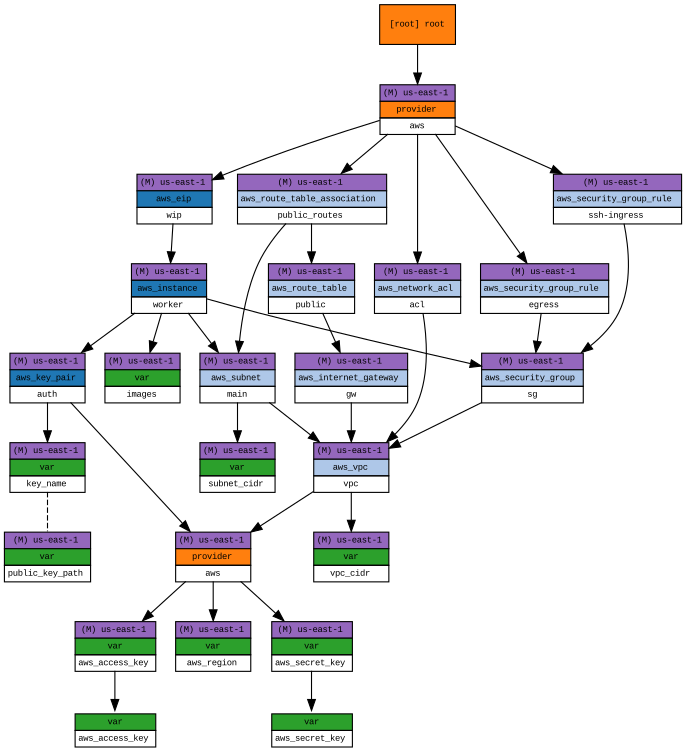
If Resource B relies on the ID of Resource A (e.g., vpc_id = aws_vpc.main.id), Terraform draws a dependency edge from A to B. It then “walks” this graph to determine the exact execution order.
The absolute superpower of the DAG is parallelism: if the graph shows that ten resources share no dependencies with each other, Terraform will spawn multiple concurrent threads and create them all simultaneously, drastically reducing your deployment time.
𝐋𝐞𝐚𝐫𝐧 𝐭𝐨 𝐛𝐮𝐢𝐥𝐝 𝐆𝐢𝐭, 𝐃𝐨𝐜𝐤𝐞𝐫, 𝐑𝐞𝐝𝐢𝐬, 𝐇𝐓𝐓𝐏 𝐬𝐞𝐫𝐯𝐞𝐫𝐬, 𝐚𝐧𝐝 𝐜𝐨𝐦𝐩𝐢𝐥𝐞𝐫𝐬, 𝐟𝐫𝐨𝐦 𝐬𝐜𝐫𝐚𝐭𝐜𝐡. Get 40% OFF CodeCrafters: https://app.codecrafters.io/join?via=the-coding-gopher
4. The Source of Truth: The State File
If you run terraform apply twice, why doesn’t it create two identical servers? The answer is the State file (terraform.tfstate).
Note: The
terraform applycommand is used to execute the operations proposed in an execution plan and provision the defined infrastructure in the real world.
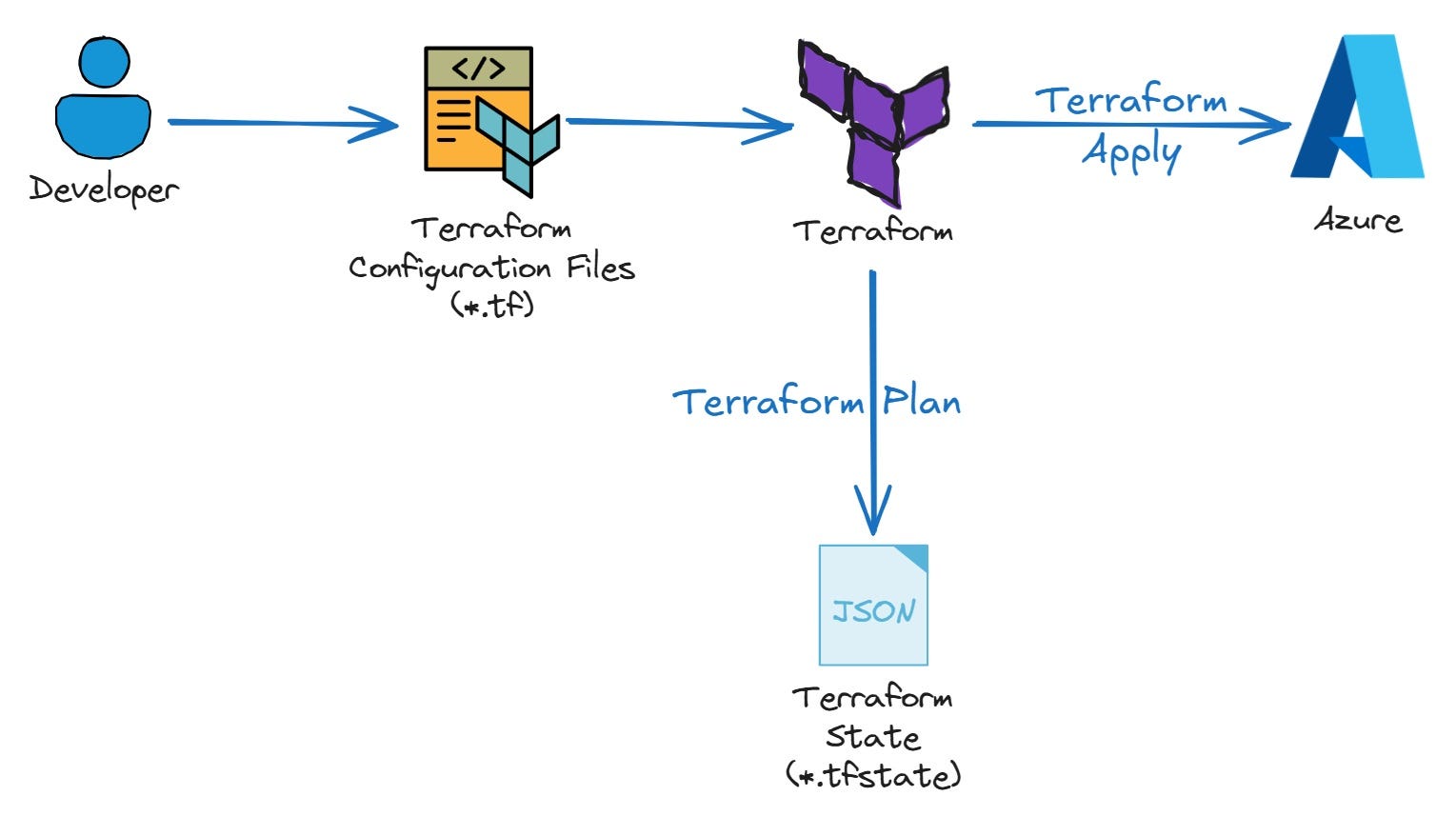
Terraform needs a way to map the conceptual resources in your code (e.g., aws_instance.web) to the physical resources in the real world (e.g., AWS instance ID i-1234567890abcdef0). The state file is a massive JSON ledger that tracks this exact mapping.
When you run a command, Terraform:
Reads your code (Desired State).
Refreshes the State File via API calls to the cloud to see what actually exists (Actual State).
Compares the two to calculate the delta (The Plan).
The Locking Dilemma
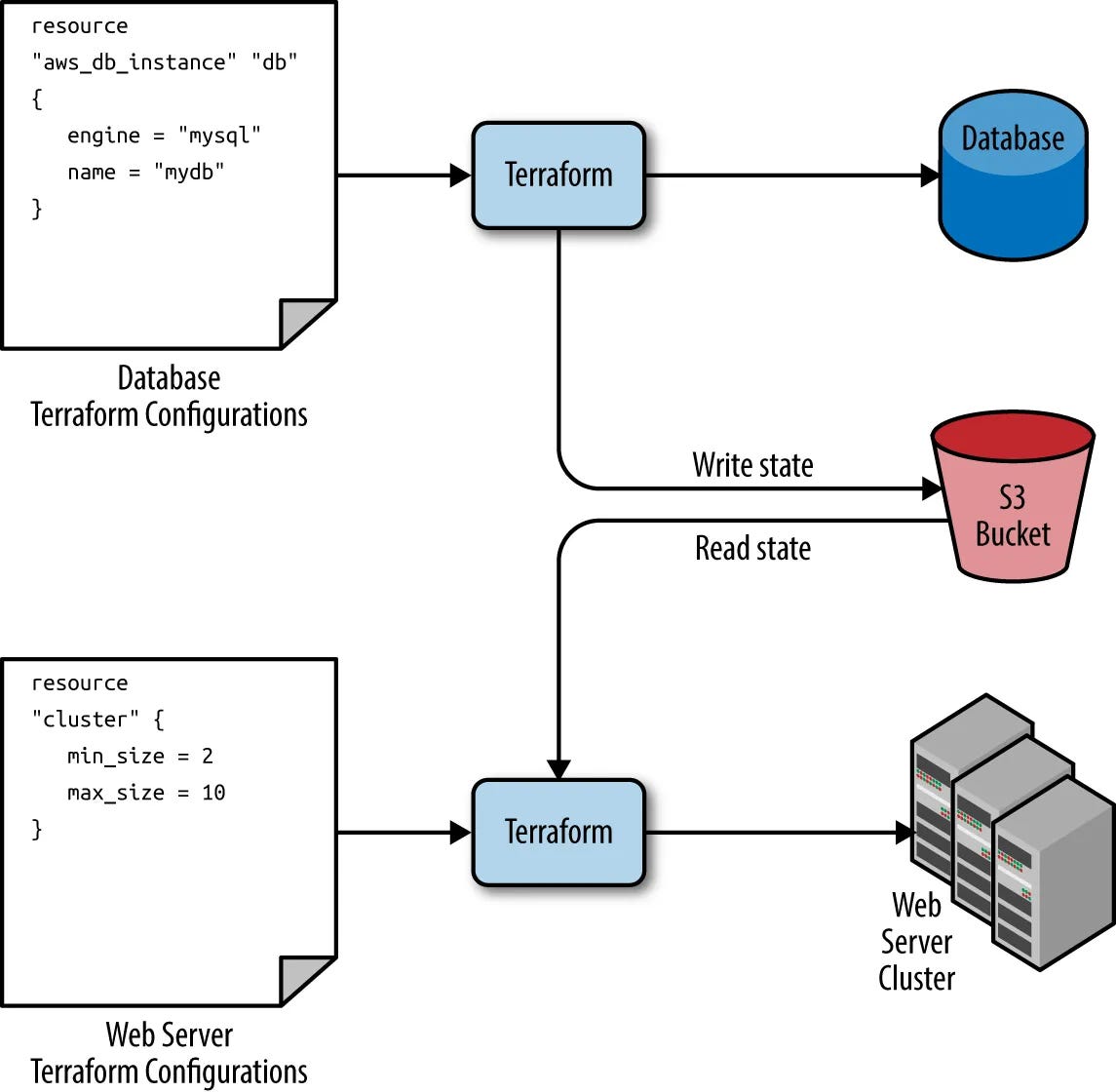
In a team environment, keeping this terraform.tfstate file locally on your laptop is a disaster waiting to happen. If two engineers run apply at the same time, the state will corrupt. Modern workflows solve this by using Remote State (storing the file in an AWS S3 bucket or Terraform Cloud) combined with State Locking (using a database like DynamoDB to ensure only one process can mutate the infrastructure at a time).
5. The Execution Workflow
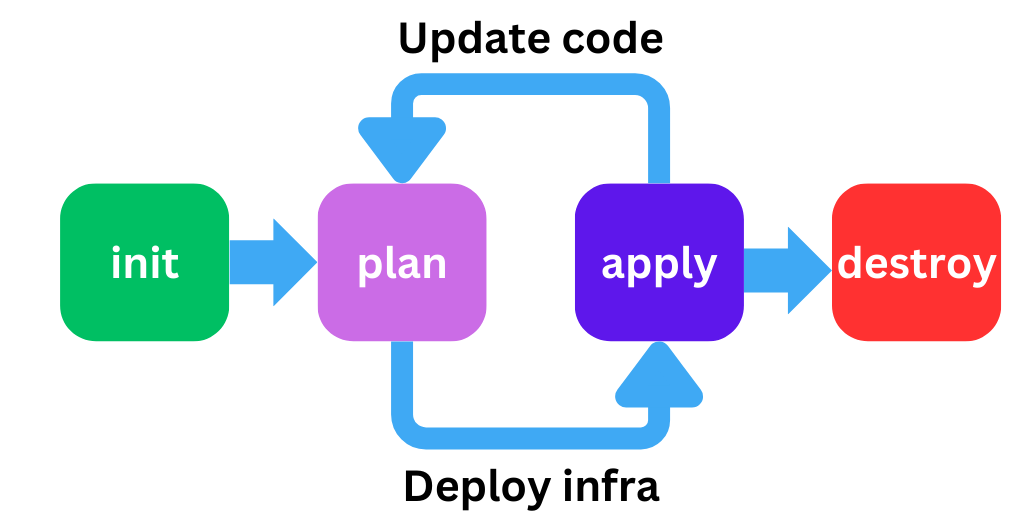
The lifecycle of Terraform is strictly governed to prevent catastrophic mistakes:
terraform init: The bootstrapping phase. It parses your code to see which clouds you are using and downloads the necessary Provider binaries into a hidden.terraformdirectory.terraform plan: The dry run. It evaluates the DAG and the State, outputting a highly readable “diff” of exactly what will be created (+), updated (~), or destroyed (-).terraform apply: Executes the plan, making the gRPC calls to the providers to mutate the real world, and updates the state file with the new reality.terraform destroy: Walks the DAG in reverse, safely tearing down the infrastructure in the correct dependency order.
The Verdict
Terraform isn’t just a templating engine; it is a sophisticated graph-evaluation state machine. By decoupling the core engine from the cloud-specific API logic via gRPC Providers, and strictly enforcing a declarative, state-backed workflow, it brought software engineering rigor to the notoriously messy world of hardware provisioning.
good read