
Containers vs. Virtual Machines
Understanding Modern Virtualization and Containerization

A technical deep dive into hypervisors, shared kernels, and the evolution of cloud infrastructure.
For decades, deploying software was a nightmare of dependency conflicts. If you needed to run a Python web scraper and a Java backend on the same physical server, they would inevitably fight over system resources, environmental variables, and library versions.
To solve this, the industry introduced isolation. We needed a way to draw strict boundaries around applications so they could run on the same hardware without ever knowing the other existed.
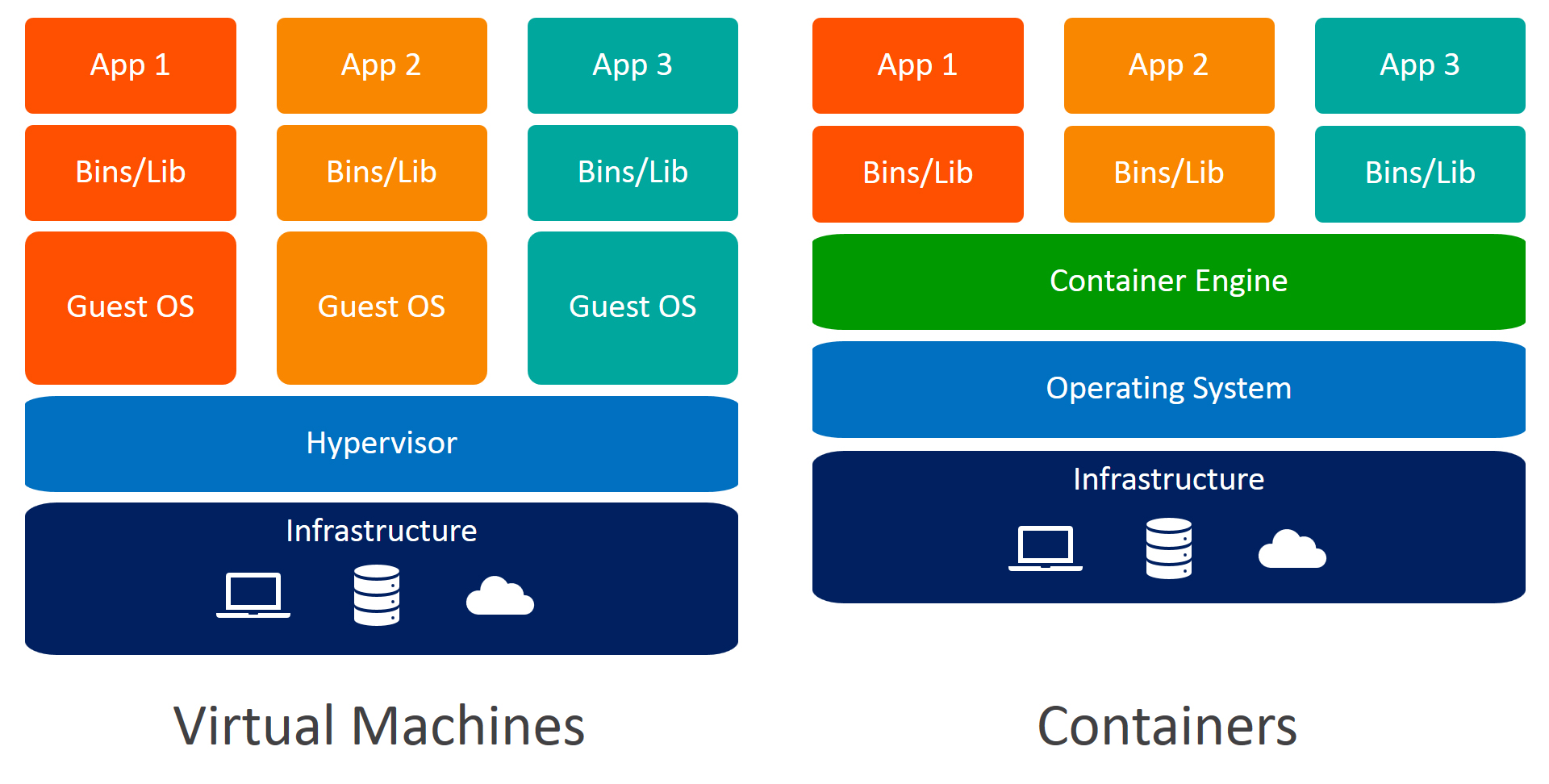
The two dominant architectures that emerged to solve this problem are the Virtual Machine (VM) and the Container. While they are often mentioned in the same breath, they achieve isolation at completely different layers of the computing stack.
Here is a look under the hood at how they work and why the industry shifted from one to the other.
1. The Virtual Machine: Hardware-Level Virtualization
The Virtual Machine was the original solution to the isolation problem. It takes a sledgehammer approach: if two applications can’t share a server, we will simply use software to trick them into thinking they each have their own physical server.
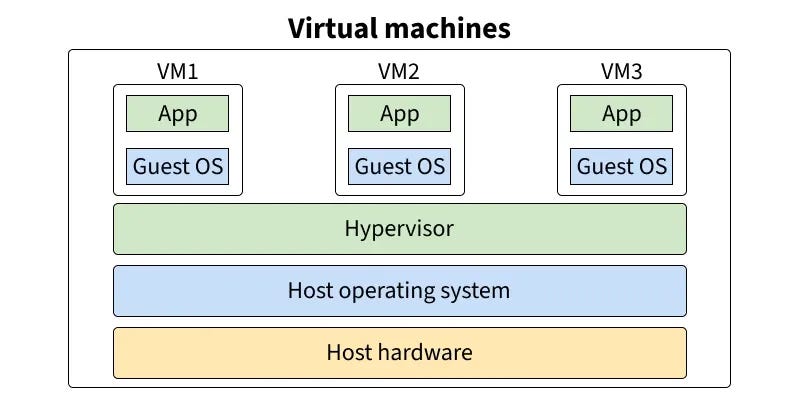
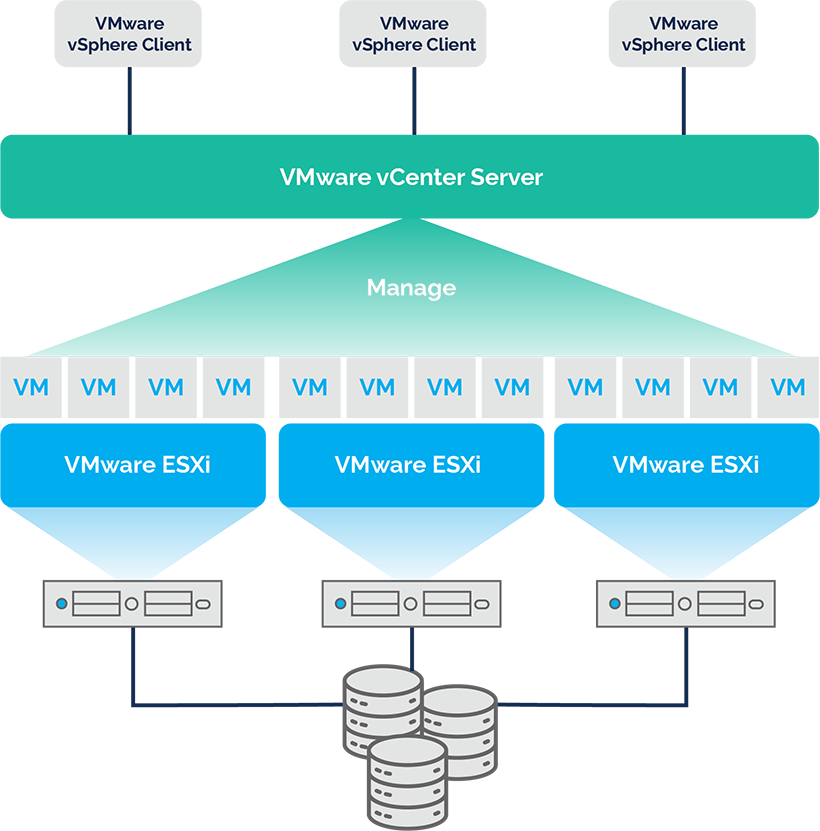
To do this, VMs rely on a piece of software called a Hypervisor (like VMware ESXi or Microsoft Hyper-V). The hypervisor sits directly on top of the physical hardware (CPU, RAM, Disk) and carves it up into smaller, virtualized pieces.
When you boot up a VM, you are booting a completely independent Guest Operating System.
If you have a 16GB physical server and you want to run four isolated Node.js apps, you have to spin up four separate VMs.
Each VM requires its own full installation of Linux or Windows, its own kernel, and its own simulated hardware drivers.
The Hypervisor Divide: Type 1 vs. Type 2
Not all hypervisors are created equal. The performance and security of a Virtual Machine depend entirely on where the hypervisor sits in the computing stack. The industry divides them into two distinct categories:
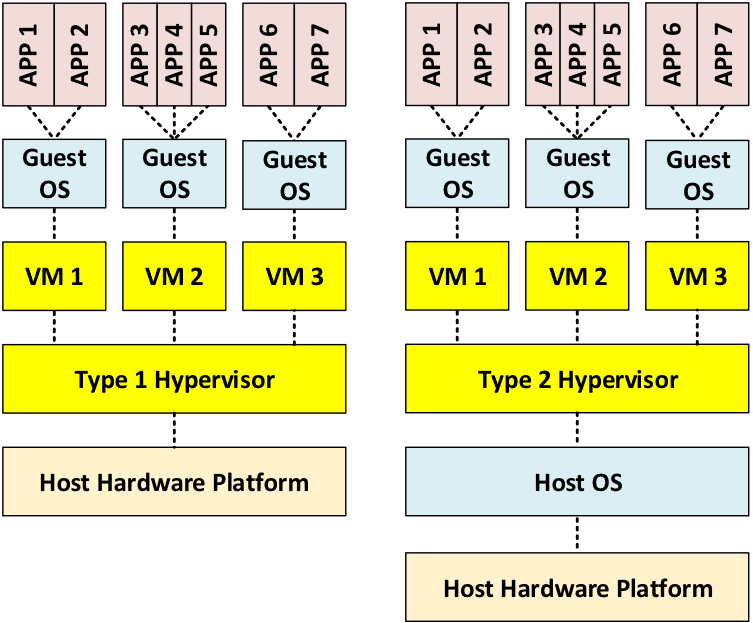
Type 1: Bare-Metal Hypervisors
In a massive enterprise data center, you don’t install Windows or Ubuntu on a server and then run your VMs on top of it. That wastes resources. Instead, the hypervisor is the operating system. It is installed directly onto the bare metal of the server. Because there is no middleman operating system eating up RAM and CPU, Type 1 hypervisors offer massive performance, stability, and security.
Examples: VMware ESXi, Microsoft Hyper-V, Proxmox (KVM).
Best for: Cloud providers, enterprise servers, and production environments.
Type 2: Hosted Hypervisors
If you have ever run a Linux VM on your MacBook to test some code, you used a Type 2 hypervisor. This software runs as a standard application on top of your existing “Host” operating system. When your VM needs to write a file to the hard drive, it asks the Type 2 hypervisor, which then asks your Mac’s OS, which finally talks to the hardware. This extra layer of translation introduces significant latency and overhead.
Examples: Oracle VirtualBox, VMware Workstation, Parallels Desktop.
Best for: Local development, testing, and running legacy apps on a personal laptop.
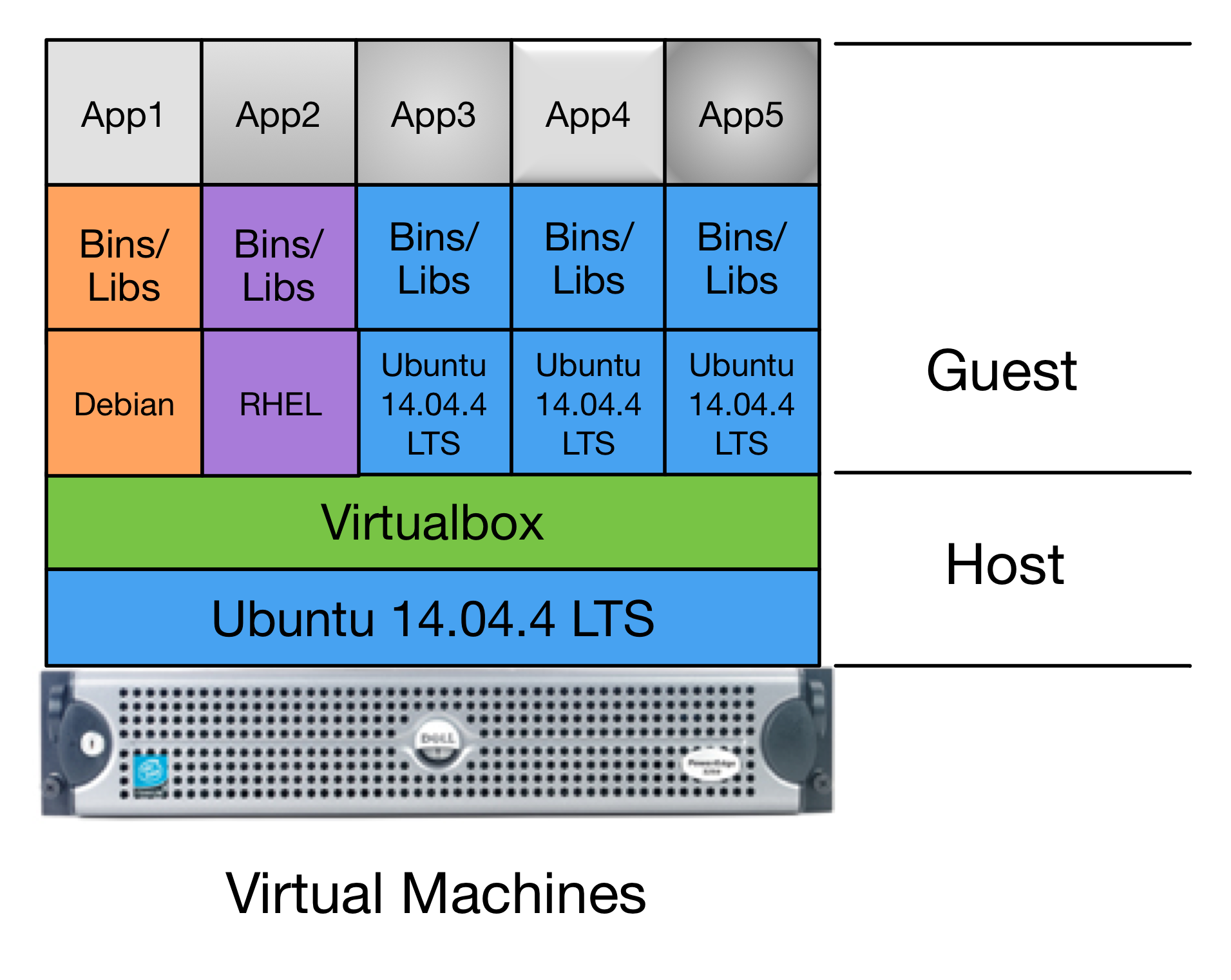
The Problem: Massive Overhead
VMs provide incredible security because the isolation is absolute. If a hacker compromises App A, they are trapped inside that specific Guest OS. However, this comes with a massive performance tax. To run a 50MB application, you are forced to boot and run a 2GB operating system. You waste CPU cycles just keeping four duplicate OS kernels running simultaneously. Furthermore, booting a VM takes minutes, making rapid scaling nearly impossible.
2. The Container: OS-Level Virtualization
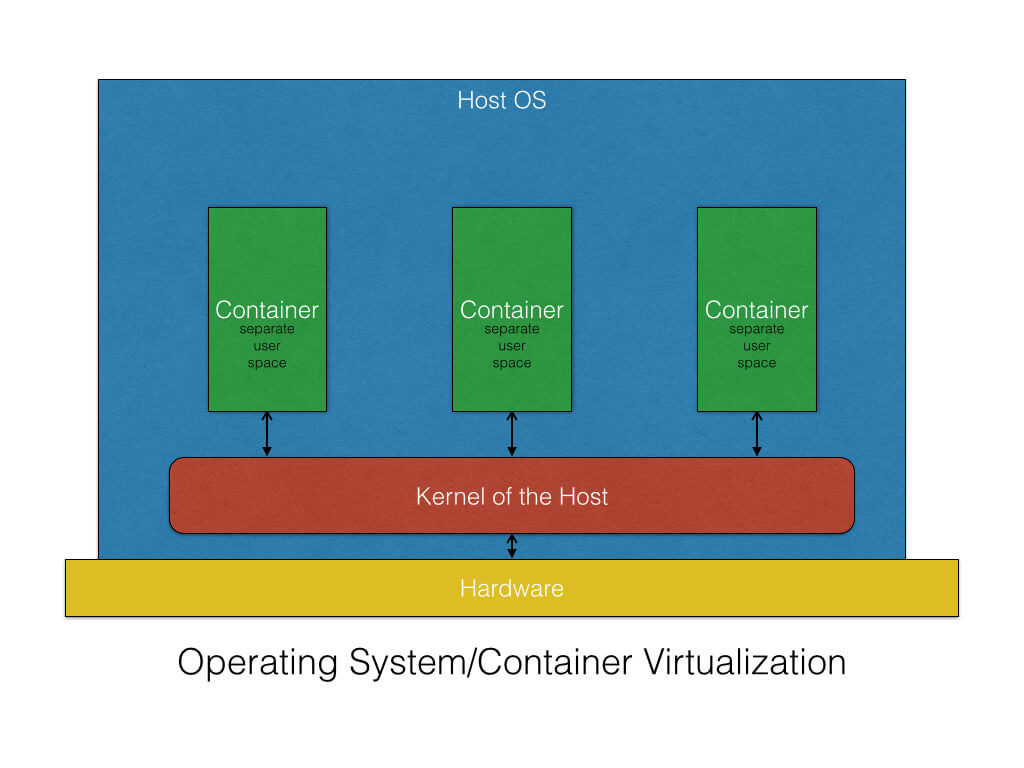
If a Virtual Machine virtualizes the hardware, a Container virtualizes the operating system.
Instead of slicing up the physical server and installing multiple operating systems, containers share a single underlying OS Kernel. This is achieved using a Container Engine (like Docker or containerd).
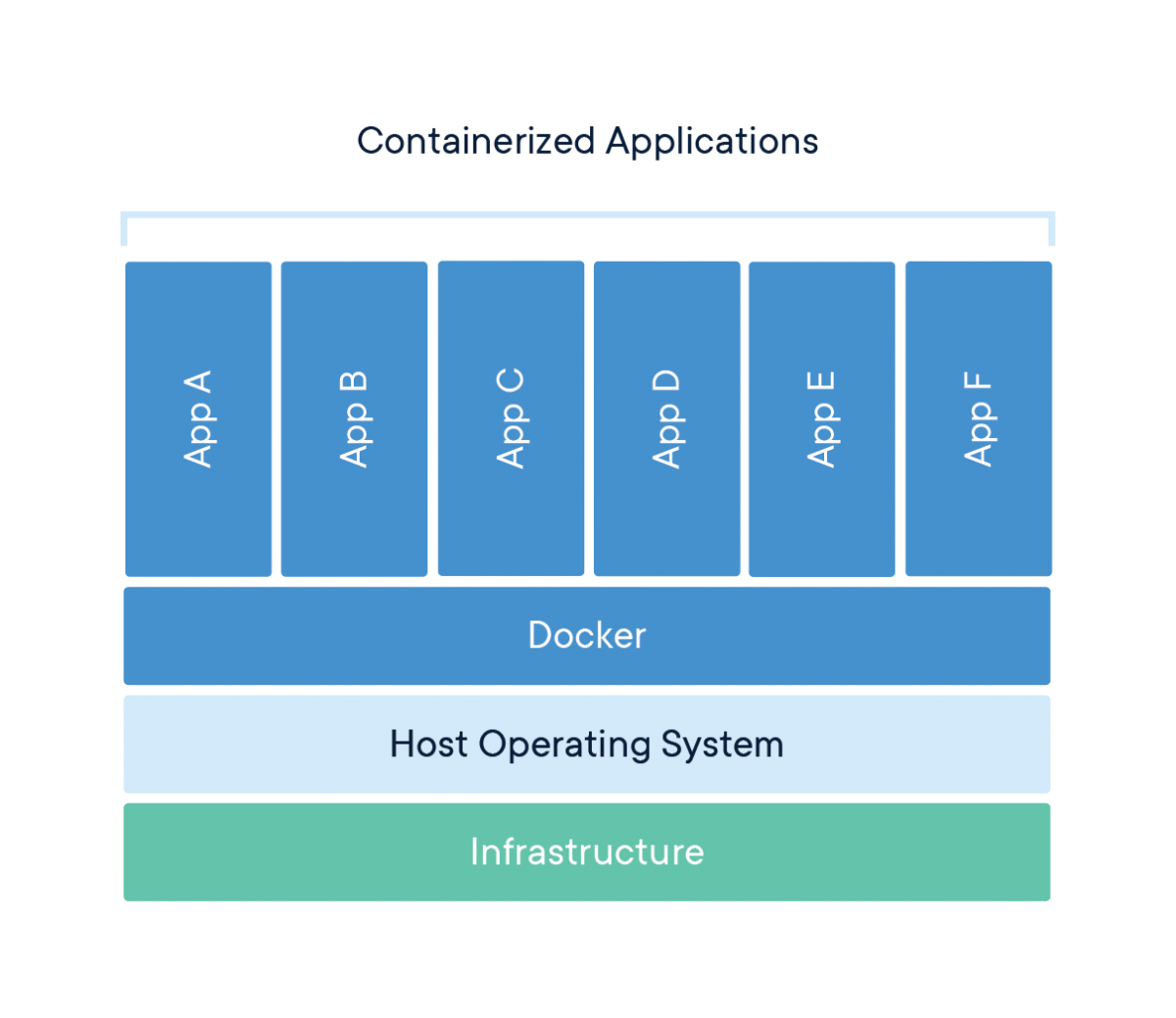
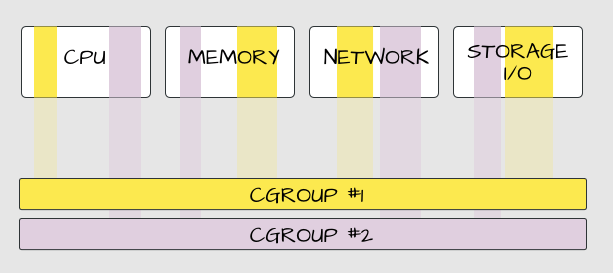
When you run a container, the engine uses two specific Linux kernel features to create the illusion of isolation:
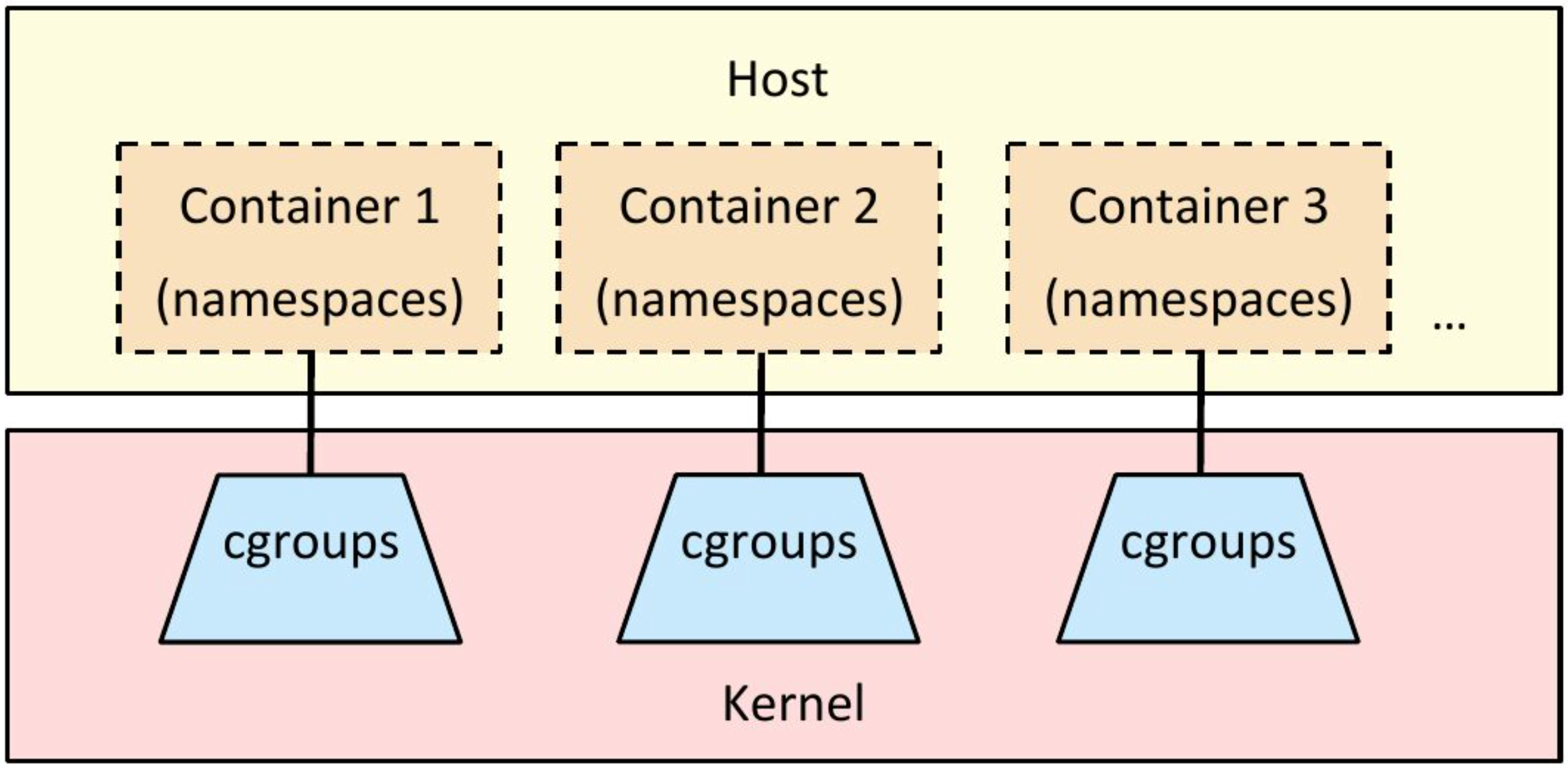
Namespaces: This controls what the process can see. A namespace restricts the container’s view of the system, so it only sees its own files, its own network ports, and its own process IDs. It thinks it is alone on the machine.
Cgroups (Control Groups): This controls what the process can use. A cgroup limits how much RAM or CPU the container is allowed to consume, preventing a rogue application from taking down the whole server.
The Advantage: Near-Zero Overhead
Because containers share the host machine’s kernel, they don’t need to boot an operating system. When you start a Docker container, you are literally just starting a standard Linux process.
Boot Time: Drops from minutes to milliseconds.
Density: Instead of running 4 VMs on a server, you can run 400 containers on the exact same hardware because you aren’t wasting RAM on duplicate operating systems.
Portability: A container packages the application and its exact dependencies into a single binary. If it runs on your laptop, it is mathematically guaranteed to run exactly the same way in the cloud.
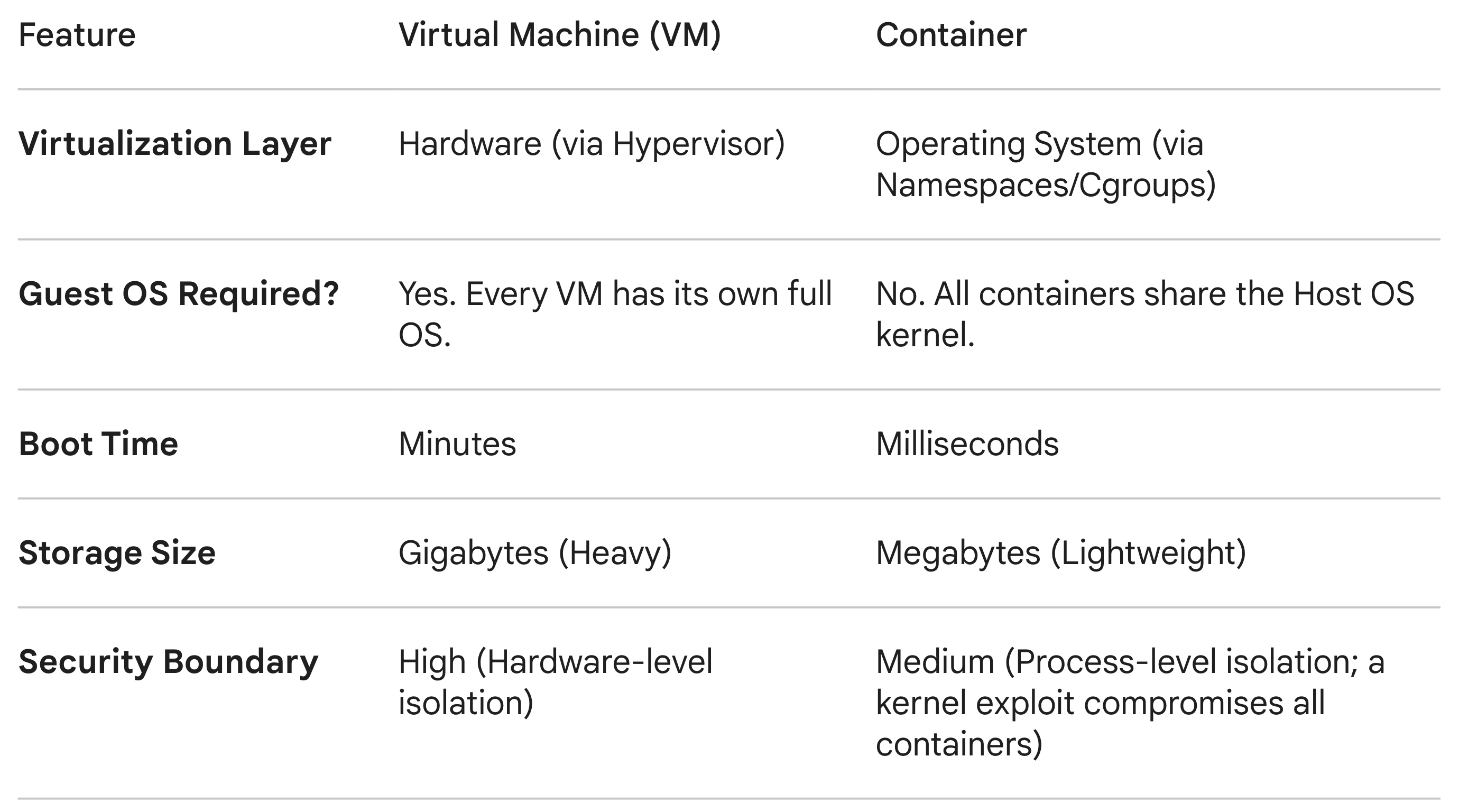
The Direct Comparison
The Verdict: Mutually Exclusive?
A common misconception is that containers killed Virtual Machines. In reality, modern infrastructure uses both simultaneously.
Because containers share the host kernel, a compromised kernel means the hacker has access to every container on that machine. To mitigate this, cloud providers (like AWS, GCP, and Azure) don’t run your containers directly on bare metal. They provision a Virtual Machine to act as a secure, hardware-isolated boundary, and then they pack that VM full of highly efficient containers.
VMs provide the secure foundation; containers provide the scalable, lightweight delivery mechanism.