
Mastering Grep
The Swiss Army Knife of Text Search

Imagine you are standing in a library with millions of books, and you need to find every single page where the phrase “quantum entanglement” is mentioned. Doing this manually is impossible. In the world of computing—specifically Linux and Unix systems—this library is your file system, and the tool you use to find that phrase instantly is grep.
Whether you are a system administrator hunting through server logs, a developer searching for a specific function definition, or a data analyst filtering datasets, grep is one of the most powerful tools in your command-line arsenal.

What is Grep?
grep stands for Global Regular Expression Print.
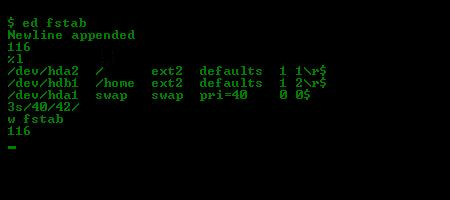
Originating from the ed text editor command g/re/p, its job is simple yet profound: it scans input (files or data streams), searches for lines that match a specific pattern, and prints those lines to your screen.
The Core Concept: Grep is a filter. It takes a wall of text, discards what you don’t need, and shows you exactly what you asked for.
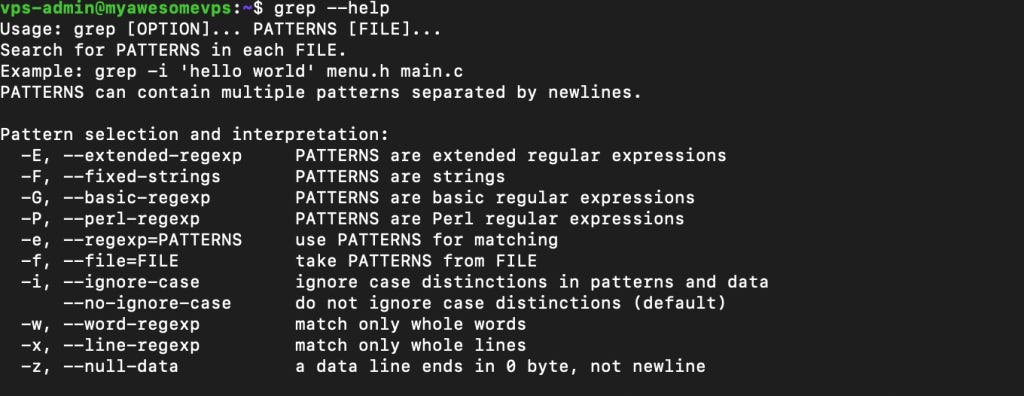
The Basic Syntax
To use grep, you generally need three things: the command itself, the pattern you are looking for, and the file you are searching in.
grep "search_term" filename.txtIf you ran grep "error" application.log, the terminal would print every line in that log file containing the word “error”.
The Power of Piping
One of the reasons grep is so legendary is how it interacts with other commands via the pipe (|). The pipe takes the output of one command and feeds it as input into another.
For example, if you want to see if a specific program (like Python) is running, you can take the output of the process list command (ps aux) and filter it:
ps aux | grep pythonHere, grep isn’t reading a file; it’s reading the live stream of data coming from the ps command.
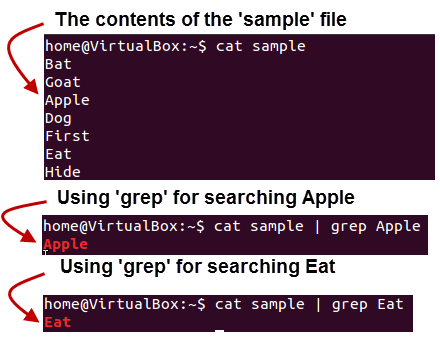
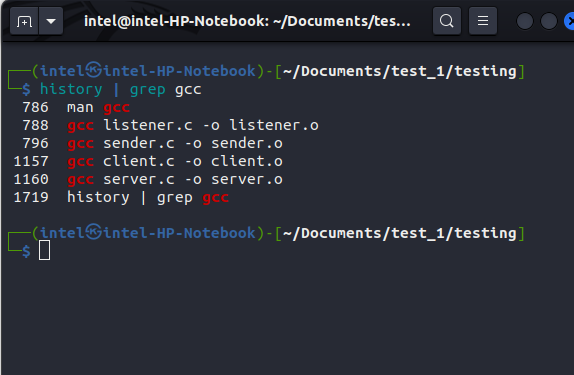
In Linux, a pipe is a powerful feature that allows you to connect the standard output of one command to the standard input of another command for further processing. This enables complex tasks to be accomplished by chaining together multiple simple, single-purpose commands into a sequence, or "pipeline". The pipe operator is represented by the vertical bar symbol (
|).
𝐋𝐞𝐚𝐫𝐧 𝐭𝐨 𝐛𝐮𝐢𝐥𝐝 𝐆𝐢𝐭, 𝐃𝐨𝐜𝐤𝐞𝐫, 𝐑𝐞𝐝𝐢𝐬, 𝐇𝐓𝐓𝐏 𝐬𝐞𝐫𝐯𝐞𝐫𝐬, 𝐚𝐧𝐝 𝐜𝐨𝐦𝐩𝐢𝐥𝐞𝐫𝐬, 𝐟𝐫𝐨𝐦 𝐬𝐜𝐫𝐚𝐭𝐜𝐡. Get 40% OFF CodeCrafters: https://app.codecrafters.io/join?via=the-coding-gopher
Essential Flags: The “Big Five”
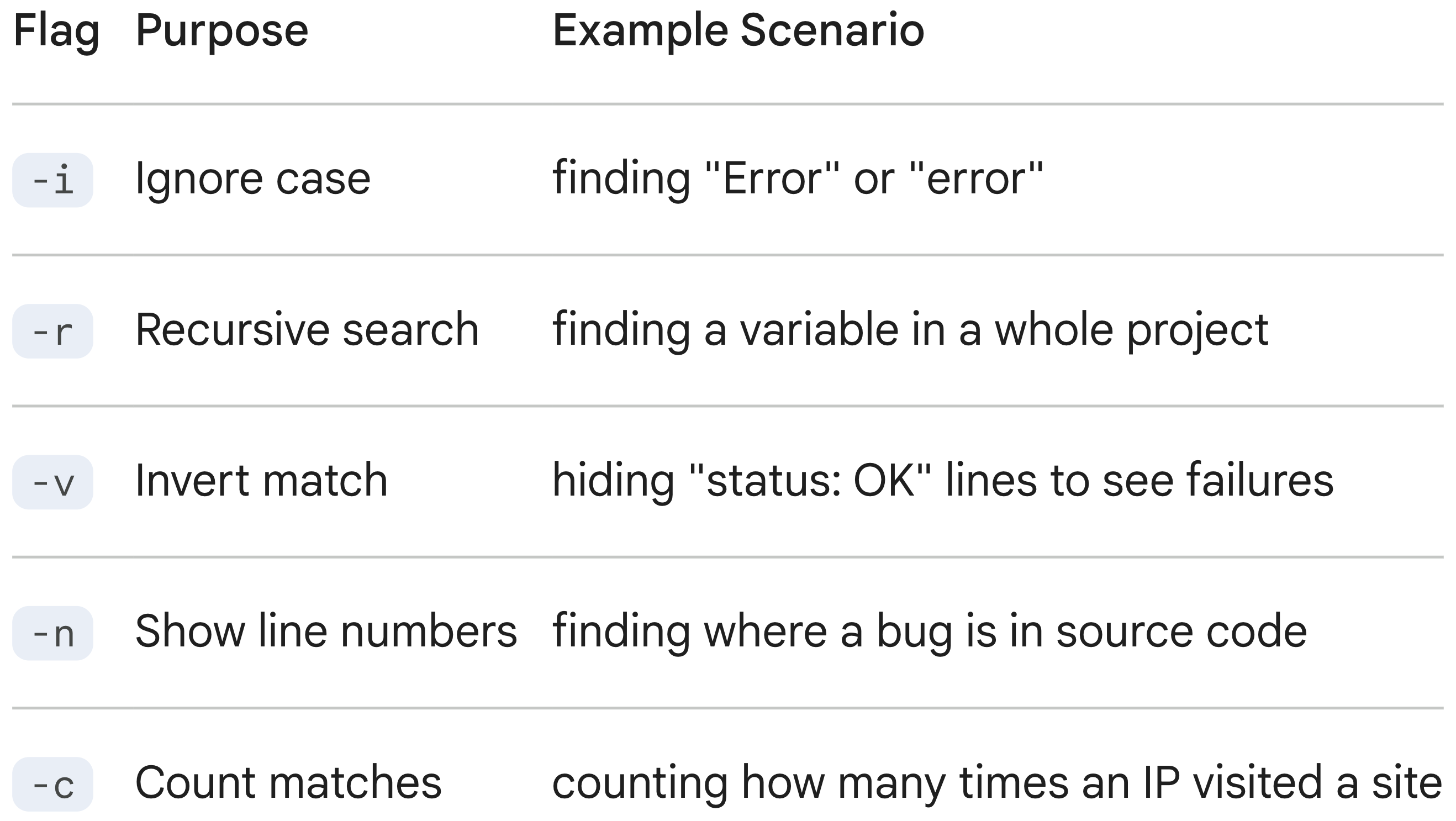
While the basic search is useful, the command-line flags (options) turn grep into a precision instrument. Here are the five you will use 90% of the time:
-i(Ignore Case):Makes the search case-insensitive. Searching for “Apple” will match “apple”, “APPLE”, and “Apple”.
grep -i "user" auth.log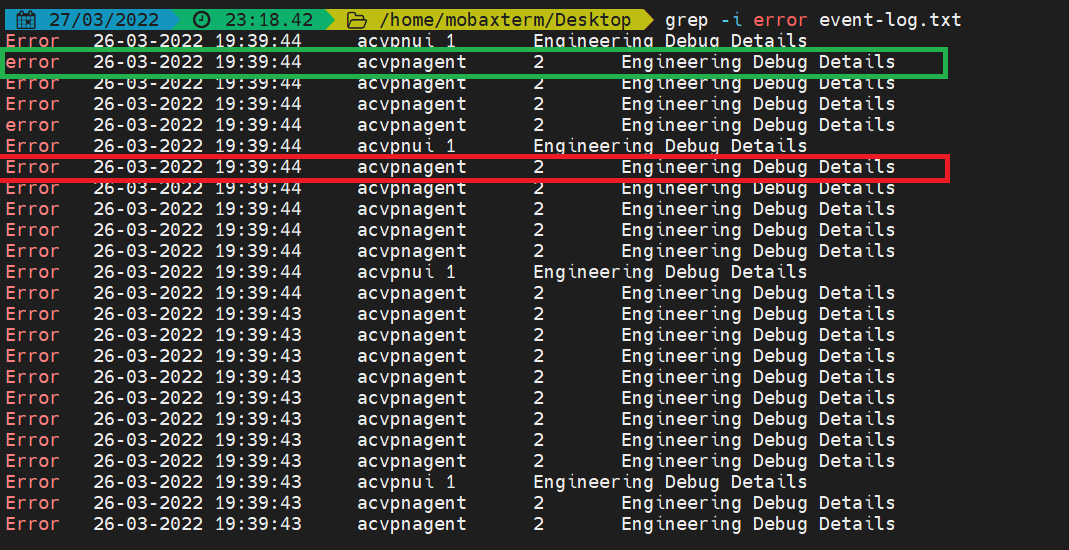
-r(Recursive):Searches inside the current directory and all subdirectories. This is vital for developers searching a whole codebase.
grep -r "function_name" /path/to/project-v(Invert Match):Flips the logic. It prints every line that does NOT contain the pattern. Great for filtering out noise.
grep -v "deprecated" output.log-n(Line Number):Prints the line number where the match was found. This is incredibly helpful when debugging code.
grep -n "TODO" main.c-l(List Files Only):Instead of printing the matching lines, this just tells you the names of the files that contain the match.
grep -l "config" *.json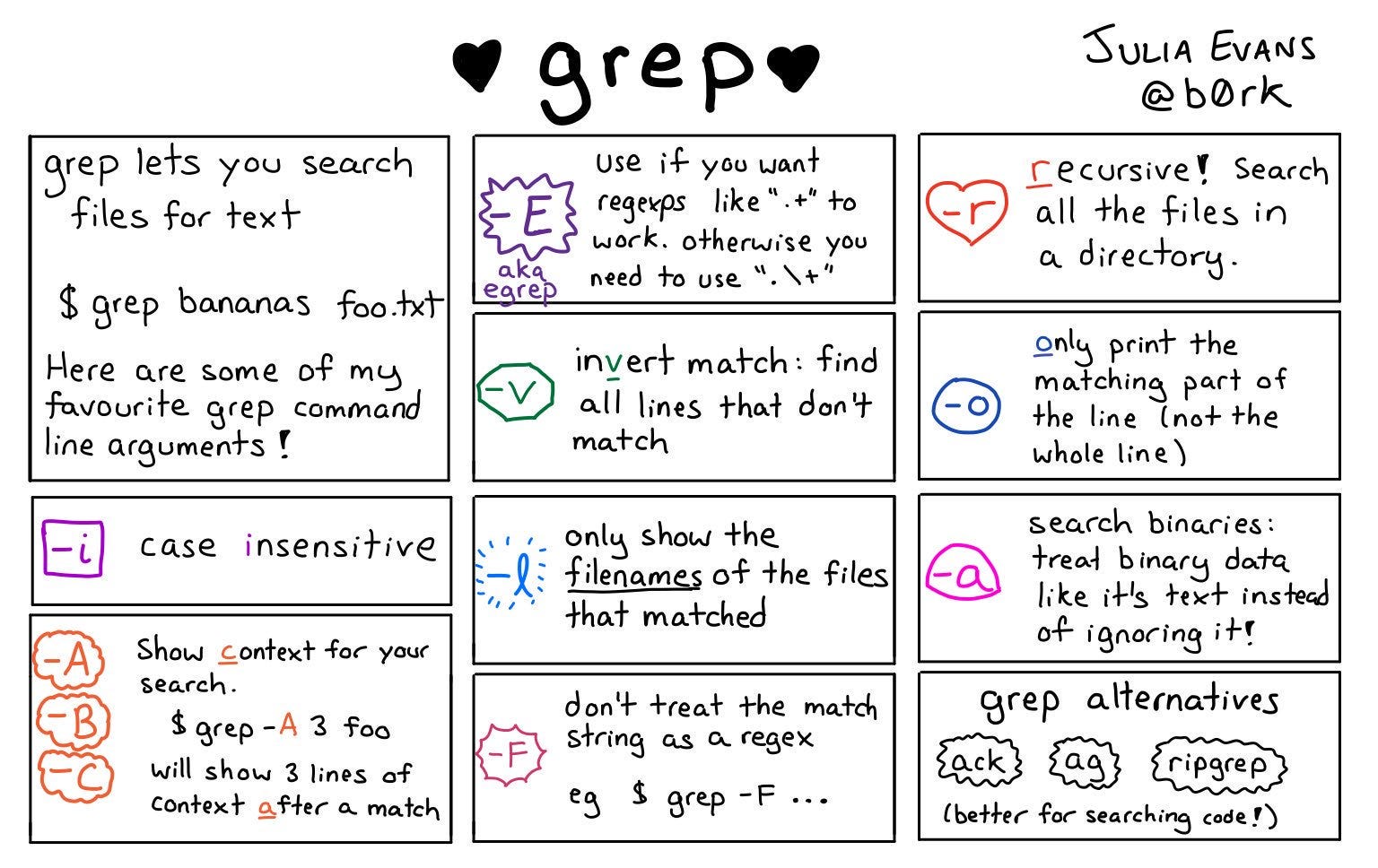
Level Up: Regular Expressions (Regex)
The “re” in grep stands for Regular Expressions. This allows you to search for patterns rather than just fixed strings.
Wildcards:
.matches any single character.grep "c.t"matches “cat”, “cut”, “cot”.Anchors:
^matches the start of a line;$matches the end.grep "^Error"finds lines starting with “Error”.grep "success$"finds lines ending with “success”.Ranges:
[0-9]matches any digit.grep "User ID: [0-9]"matches “User ID: 5”, “User ID: 9”, etc.
Summary Table
Conclusion
Grep is a timeless utility because it adheres to the Unix philosophy: do one thing and do it well. It does not try to edit files or manage your system; it simply finds text. By mastering grep, you stop reading files line-by-line and start querying your system like a database.
hidden gem! hope ur substack makes it big one day :)