
Running Out of RAM? Virtual Memory to the Rescue
How the OS convinces every program it owns the machine

“All problems in computer science can be solved by another level of indirection.”
— David Wheeler
I didn’t fully appreciate that quote until I learned how virtual memory actually works. Before that, memory felt simple: put data somewhere, read it back later. But once you look under the hood, you discover that the memory your program thinks it’s touching isn’t the memory the hardware is really using. Every load and store goes through a translation layer that makes modern computing feel simple, even though the machinery underneath is anything but.
Virtual memory gives every process its own private, enormous, flat address space, even though real RAM is fragmented, limited, and shared. It hides the chaos and makes systems safe and scalable.
Virtual vs Physical Addresses
Your program never speaks to physical memory directly. Every pointer you use is a virtual address. The operating system maintains page tables that map those addresses to physical RAM (or disk).
Here’s a tiny Go snippet that shows what your program thinks is happening:
x := 42
fmt.Printf(”%p\n”, &x)   // prints a virtual address (not physical)
This pointer looks like a real address, but it’s only meaningful inside your process. The OS maps it somewhere completely different in physical memory, and that mapping can change over time.
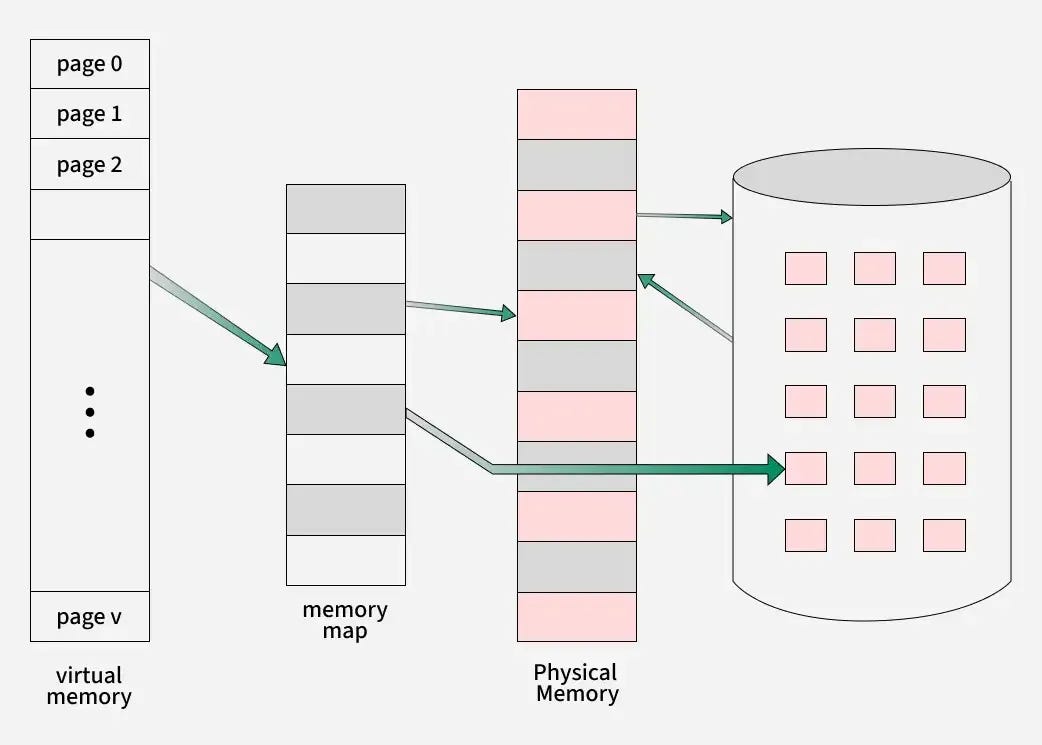
Pages, Frames, and the Mapping Between Them
Memory is divided into fixed-size blocks:
virtual pages, and
physical frames
A page might map to:
a physical frame in RAM
a page currently sitting on disk
no memory at all (which triggers a fault)
This is what allows multiple programs to each believe they’re using address 0x1000 without colliding.
To manage this, the OS maintains a “Page Table” for every process. This is essentially a dictionary that translates these virtual addresses into physical ones. This translation happens instantly via hardware (the Memory Management Unit or MMU). Crucially, the Page Table allows the OS to lie to the process: it can mark a range of virtual addresses as “valid” without actually assigning them physical RAM yet. This allows the OS to overcommit memory, promising more space than the machine actually has, knowing it only needs to fulfill that promise when the memory is actively used.
To demonstrate how nicely this abstraction works, consider allocating a slice:
buf := make([]byte, 1024*1024) // 1MB bufferYou might think Go just grabbed 1MB of RAM.
But virtual memory lets the OS delay real allocation until pages are actually touched. The slice exists, but the physical frames may not yet.
Touching each page forces real RAM to be mapped:
for i := range buf {
    buf[i] = 1  // forces a page to be backed by a physical frame
}
This “on-demand” behavior is powered entirely by virtual memory.
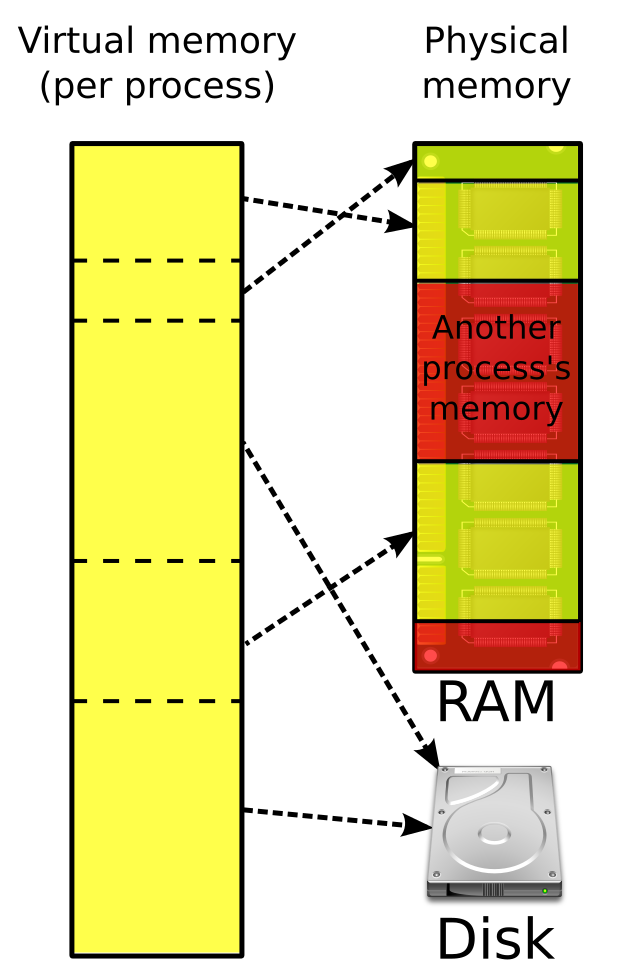
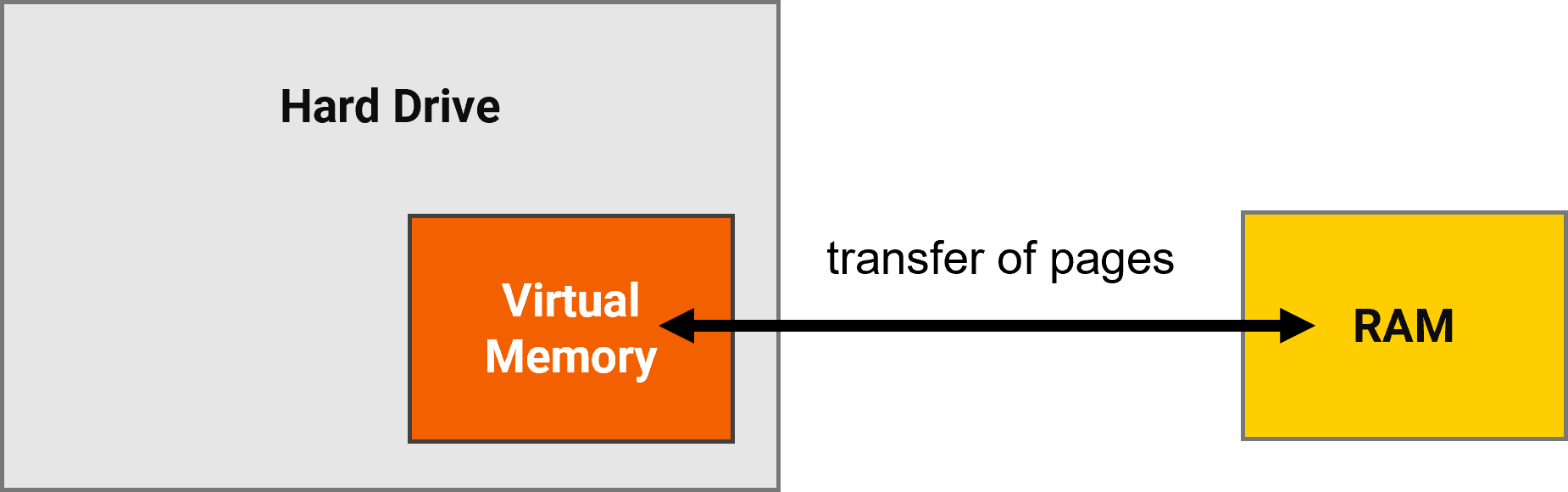
The relationship between RAM and disk is dynamic. When physical RAM fills up, the OS identifies inactive pages and moves them to the disk (often called “swap space”) to free up room. If a program later attempts to access that data, the OS pauses the process, fetches the data back from the disk into RAM, and then lets the program resume. This swapping mechanism allows your system to run heavy applications even when they exceed your actual physical memory capacity.
Why This Indirection Is So Powerful
1. Isolation
Each process gets its own address space. One cannot touch another’s data.
2. Memory Overcommit
Programs collectively can allocate more memory than exists in physical RAM. The OS uses the disk as backup.
3. Copy-on-Write
When a process forks (creates a copy of itself), the OS doesn’t immediately duplicate all the physical RAM. Instead, both the parent and child processes share the exact same physical frames.
To make this safe, the OS marks these shared pages as read-only. As long as both processes are just reading data, they continue to share the same physical memory, saving massive amounts of space.
