
SIGINT vs. SIGTERM vs. SIGKILL
The Anatomy of Process Termination

Understanding how Unix systems manage graceful shutdowns, forced exits, and how to hunt down rogue processes.
In Unix-like operating systems, when you want a running program to stop, you don’t just pull the plug. Instead, the operating system sends a signal to the process. Signals are a fundamental form of inter-process communication, and they act as software interrupts.
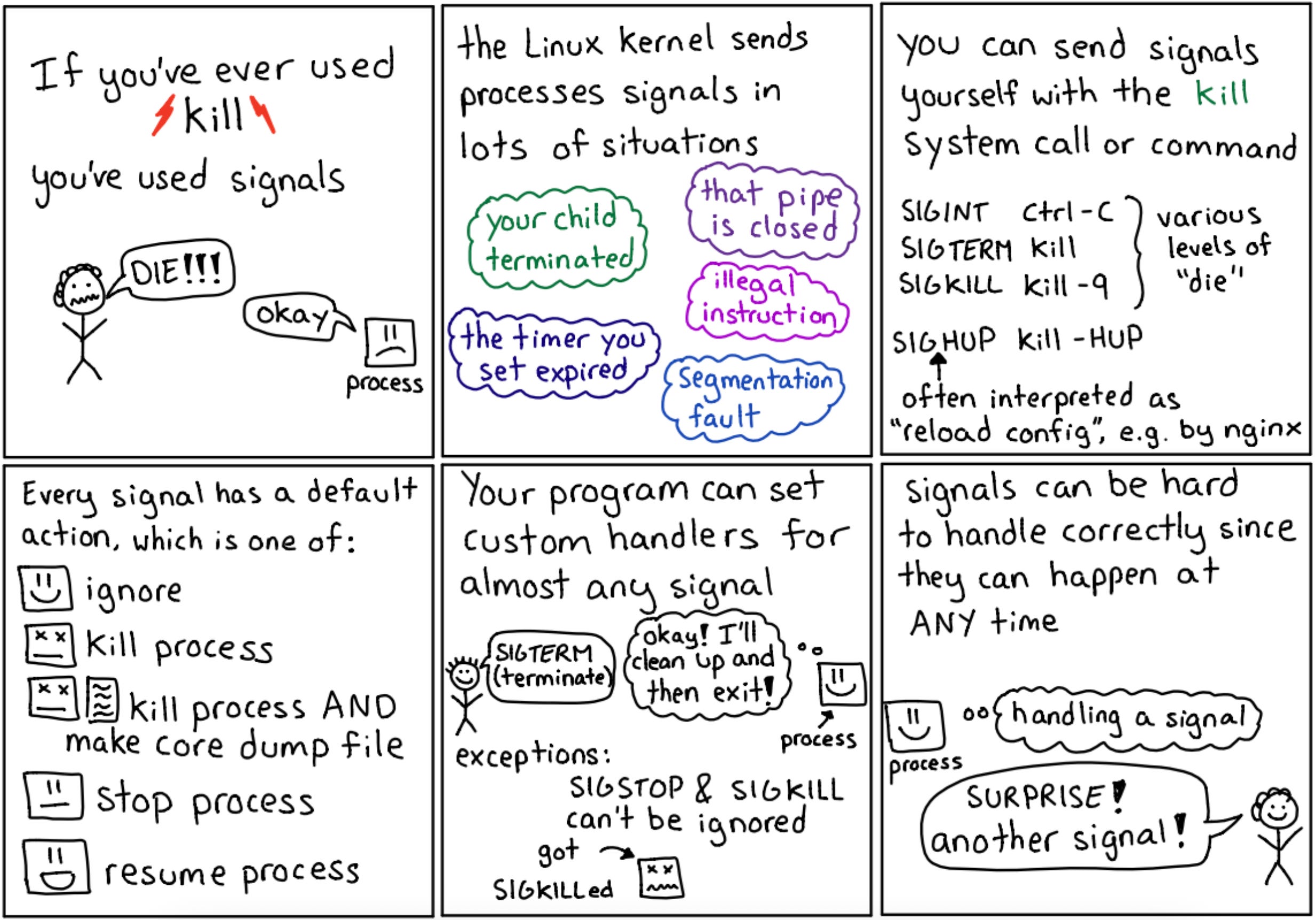
While there are dozens of standard signals, the three most common signals used to stop a process are SIGINT, SIGTERM, and SIGKILL.
Understanding the difference between them is the difference between a system that shuts down cleanly and a database that corrupts its own files.
In Unix-based systems,
SIGINT,SIGTERM, andSIGKILLare signals used for process management, primarily to request or force a process to terminate.
1. SIGINT (Signal Interrupt)
The trigger: Pressing Ctrl+C in your terminal.
SIGINT is an interactive signal. When a user is running a foreground process in a terminal and presses Ctrl+C, the terminal driver sends a SIGINT to that process.
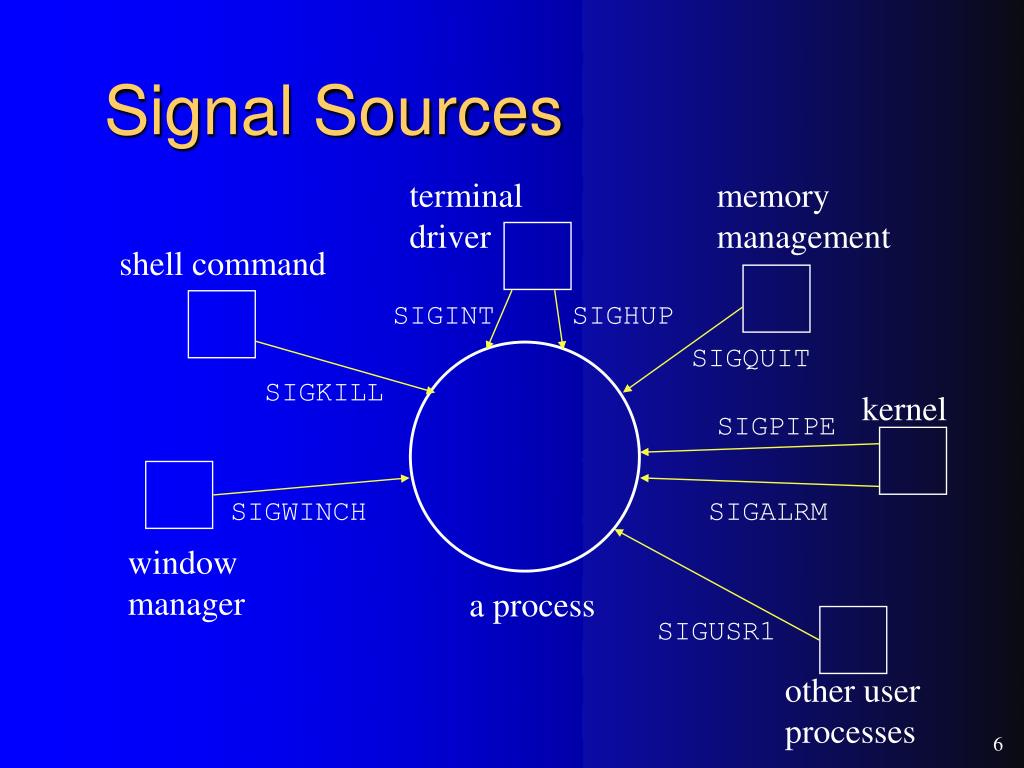
It is essentially the user saying, “Please stop what you are doing and exit.” Because it is a polite request, the application can choose to catch this signal. For example, if you press Ctrl+C while a text editor is running, the editor might catch the SIGINT and prompt you with “Do you want to save your changes?” instead of immediately crashing.
In Linux,
SIGINT(Signal Interrupt) is a signal sent to a process to request its termination, typically initiated by a user pressing theCtrl+Ckey combination in a terminal. It allows the process to perform a graceful shutdown and clean up resources before exiting.
2. SIGTERM (Signal Terminate)
The trigger: The default behavior of the kill command.
SIGTERM is the standard, system-level way to ask a process to terminate. Unlike SIGINT, which comes from a user’s keyboard, SIGTERM is usually sent by the operating system itself (like when the system is shutting down) or by another program or script.
Like SIGINT, SIGTERM is a graceful shutdown request. The application can catch the signal and execute a cleanup routine. This is critical for backend services so they can:
Finish processing the current HTTP request.
Close database connections cleanly.
Flush any in-memory cache to the disk.
Delete temporary files.
If an application does not explicitly have a handler for SIGTERM, the default OS behavior is to terminate the process safely.
SIGTERM (Signal 15) is the default, polite signal sent by the Unix/Linux
killcommand to request a process to terminate. Unlike SIGKILL, it allows programs to perform a graceful shutdown—closing files, finishing requests, and releasing resources—before exiting, making it the preferred method for stopping services, such as in Kubernetes or Docker.
𝐋𝐞𝐚𝐫𝐧 𝐭𝐨 𝐛𝐮𝐢𝐥𝐝 𝐆𝐢𝐭, 𝐃𝐨𝐜𝐤𝐞𝐫, 𝐑𝐞𝐝𝐢𝐬, 𝐇𝐓𝐓𝐏 𝐬𝐞𝐫𝐯𝐞𝐫𝐬, 𝐚𝐧𝐝 𝐜𝐨𝐦𝐩𝐢𝐥𝐞𝐫𝐬, 𝐟𝐫𝐨𝐦 𝐬𝐜𝐫𝐚𝐭𝐜𝐡. Get 40% OFF CodeCrafters: https://app.codecrafters.io/join?via=the-coding-gopher
3. SIGKILL (Signal Kill)
The trigger: The kill -9 command.
If SIGTERM is asking a process to leave the building, SIGKILL is the operating system dropping a concrete block on it.
SIGKILL is the ultimate kill switch. When a process receives this signal, two critical things happen (or rather, don’t happen):
It cannot be caught: The application has absolutely no say in the matter. It cannot intercept the signal to run cleanup code.
It cannot be ignored: The kernel bypasses the application entirely and immediately removes the process from memory.
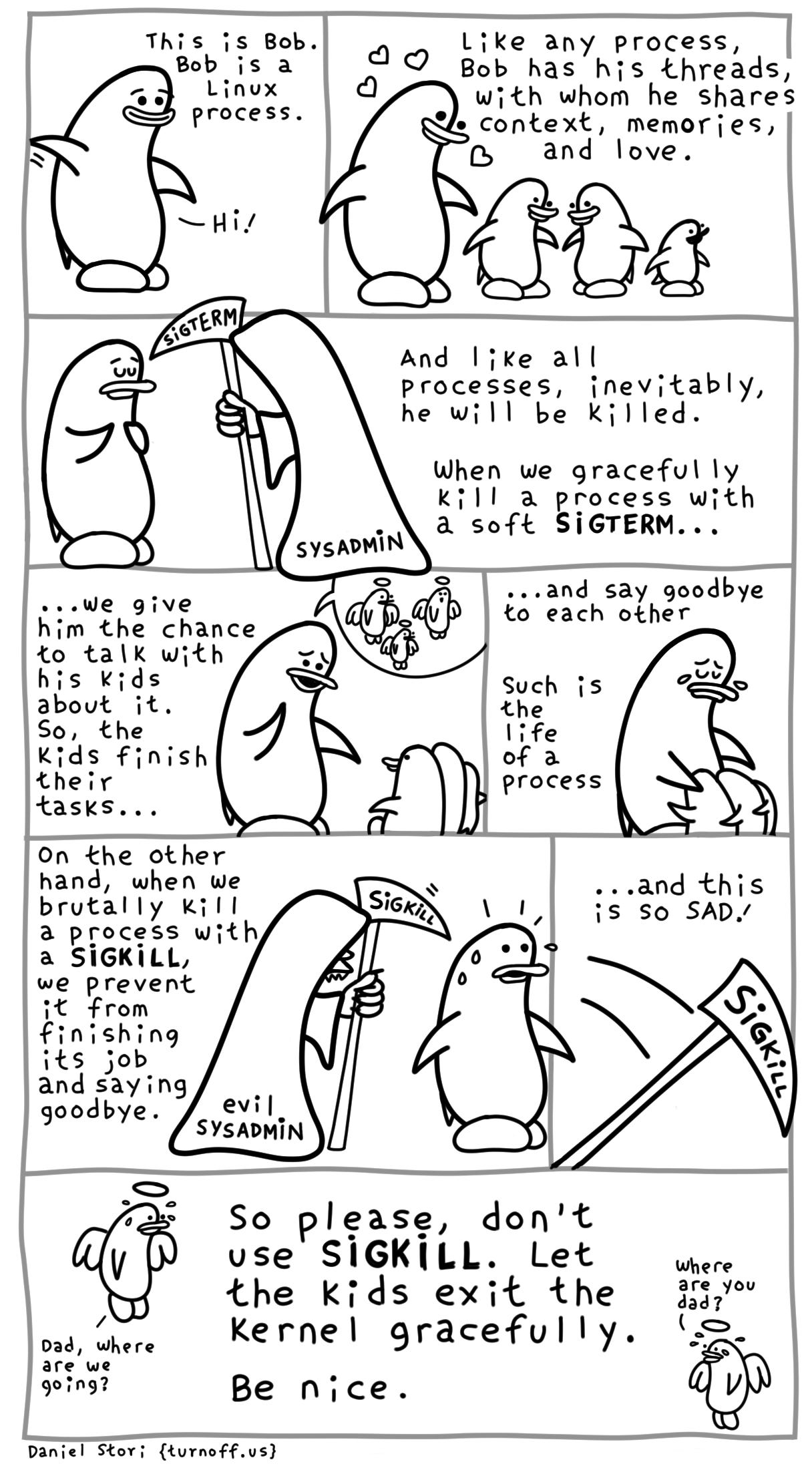
The Danger of SIGKILL: Because the process is instantly destroyed, any files it was writing to might be corrupted, and any child processes it spawned might be left running in the background as “zombies” or orphans. It should only be used as an absolute last resort when a process has frozen, deadlocked, or is actively consuming all system resources and ignoring SIGTERM.
The Hunt: Finding PIDs and Issuing Commands
To send a signal to a background process, you first need its address. In Unix, this is the PID (Process ID). Here is the practical workflow for hunting down a rogue process and terminating it.
Step 1: Find the PID
If you have a runaway Node.js server or a frozen Python script, you need to find its unique number. You have a few tools at your disposal:
The Classic Way (
psandgrep): Runningps auxlists every running process on the system. You can pipe this intogrepto filter for your specific app:ps aux | grep node. The PID will be the first number on the line next to your username.The Clean Way (
pgrep): If you just want the number without the visual clutter, usepgrep:pgrep nodeThis will instantly output the PID(s) of any process matching that name (e.g.,4092).The Visual Way (
toporhtop): Openinghtopgives you a live, interactive dashboard of your system’s resource usage, making it easy to spot a process eating up 100% of your CPU and grab its PID.
Step 2: Pull the Trigger
Once you have the PID (let’s say it’s 4092), you use the kill command to send your signal. Every signal has a corresponding number: SIGTERM is 15, and SIGKILL is 9.
Sending SIGTERM:
kill 4092(By default,killsends a SIGTERM/15. You don’t need to specify the flag).Sending SIGKILL:
kill -9 4092(This forces the kernel to obliterate the process immediately).
The Shortcut (pkill / killall): If you don’t want to bother finding the PID, you can tell the OS to kill processes by their name. Running pkill -15 node will send a SIGTERM to every single running Node.js process.
The Standard Escalation Path
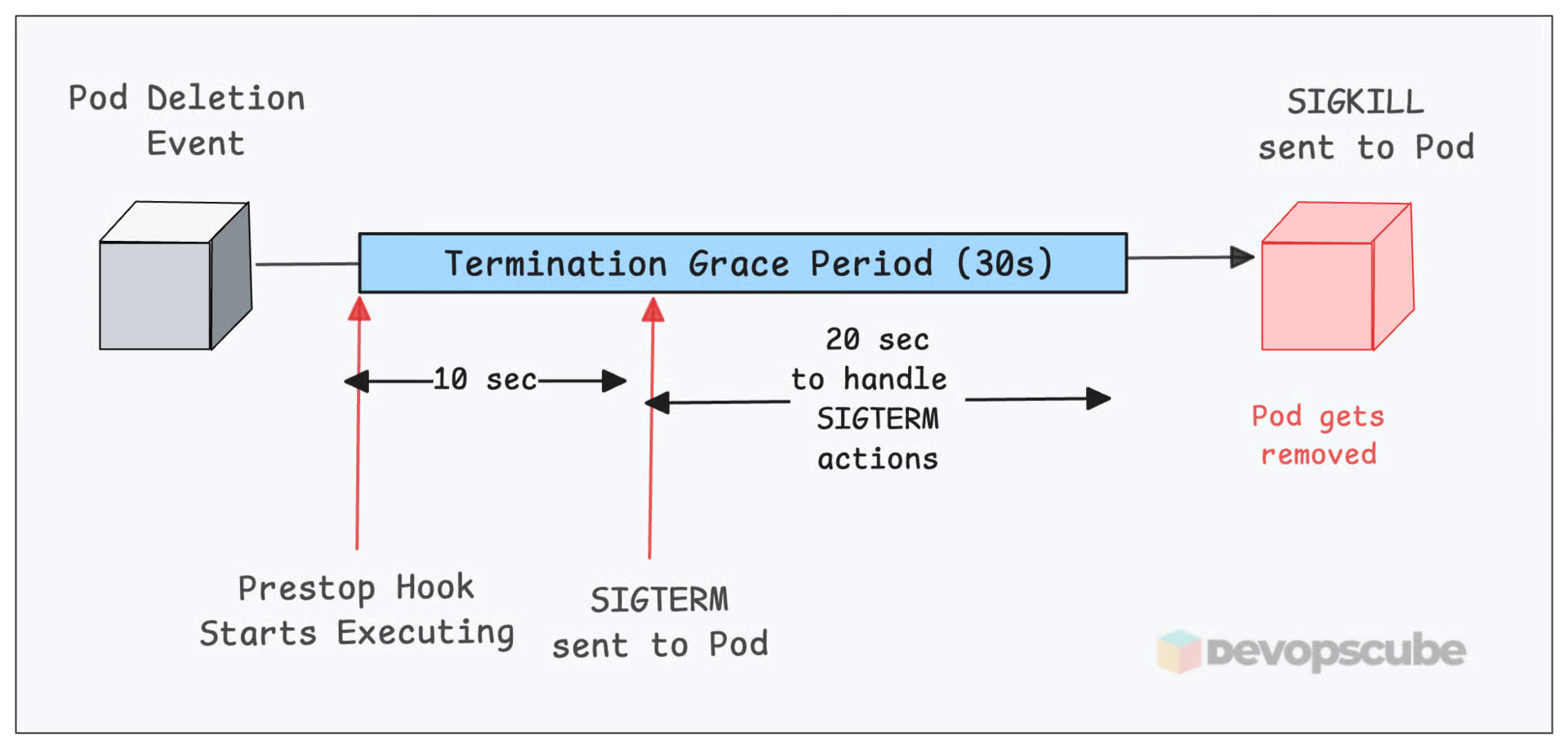
When writing automation scripts, deployment pipelines, or simply managing a server, the industry standard practice for stopping a service is an escalation path:
Send a SIGTERM (
kill <PID>).Wait for a timeout period (e.g., 10 to 30 seconds) to allow the application to clean up and exit gracefully.
If the process is still running after the timeout, send a SIGKILL (
kill -9 <PID>) to forcefully remove it.
This exact pattern is how orchestration tools like Kubernetes handle pod evictions and deployments behind the scenes.
thanks ,