
How to Optimize Docker Image Builds
Building Smaller and Faster Containers

A technical deep dive into layer caching, multi-stage pipelines, and minimizing image bloat.
When you run docker build ., it is easy to treat the Docker daemon as a black box. You feed it a Dockerfile and some source code, and a few minutes later, an executable image emerges.
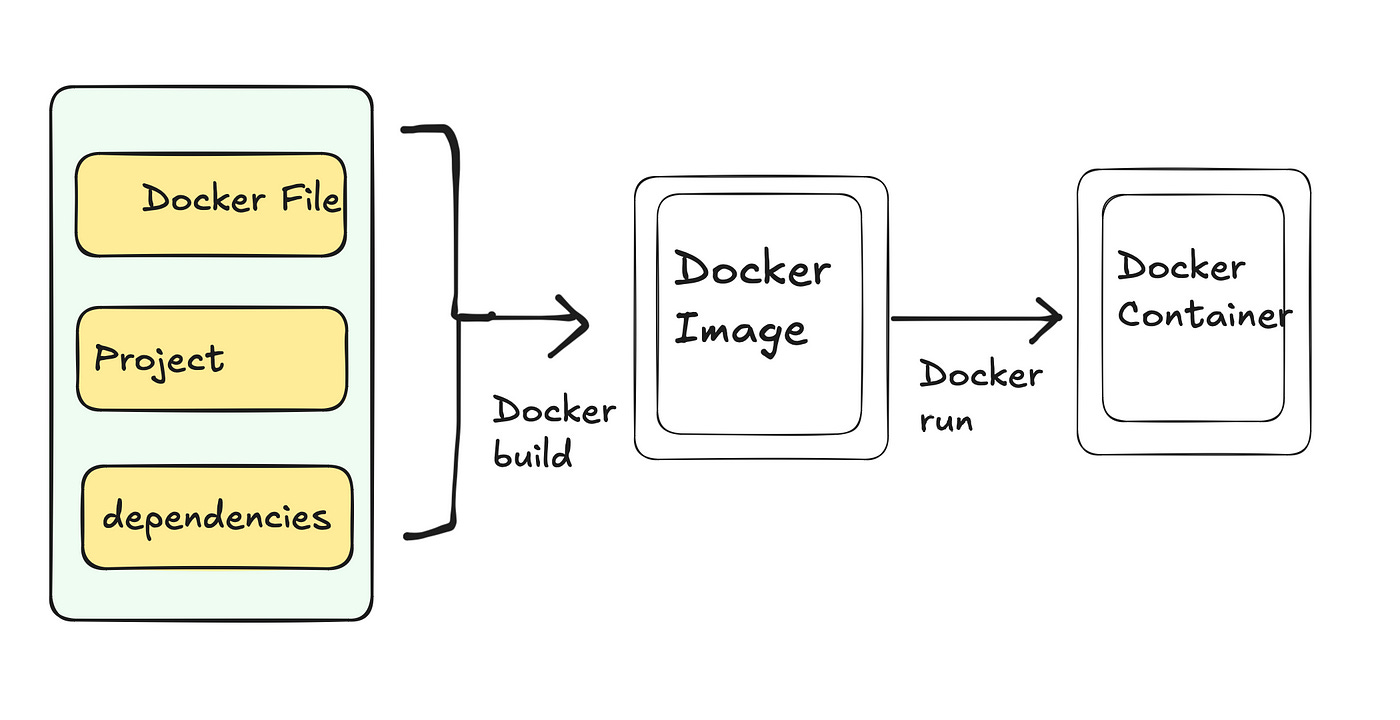
But as applications grow, that “few minutes” can easily turn into twenty. Images swell to gigabytes in size, dragging down CI/CD pipelines, increasing cloud storage costs, and radically expanding your security attack surface.
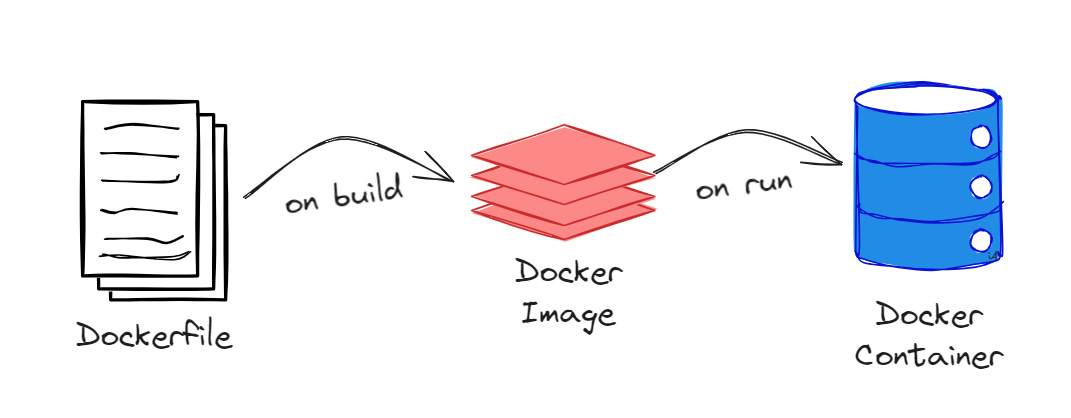
Optimizing a Docker build isn’t just about deleting files; it is about understanding the underlying architecture of the Union File System and how the Docker daemon evaluates instructions. Here are the core engineering principles for optimizing Docker builds.
1. The Build Context and the .dockerignore Black Hole
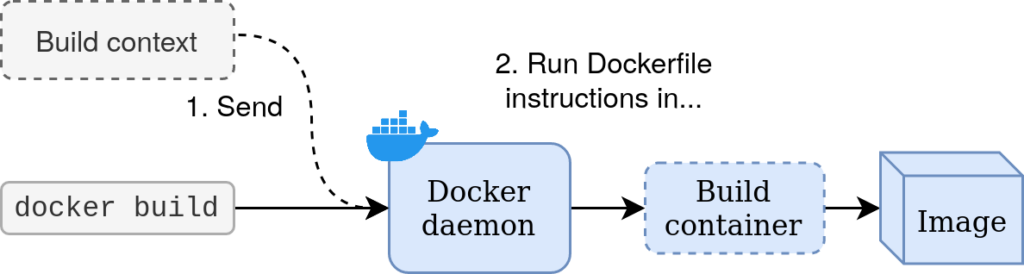
The very first thing you see in your terminal when you run a build is usually:
Sending build context to Docker daemon...
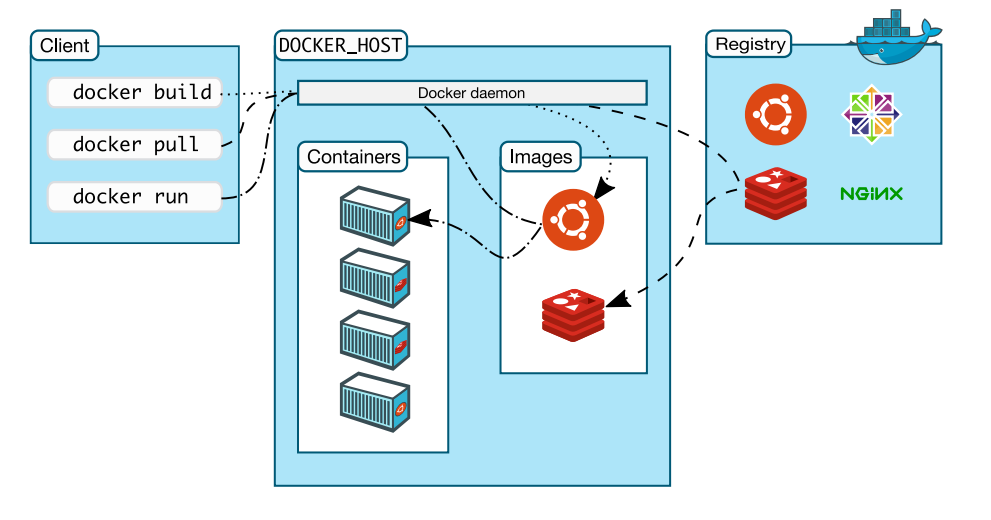
Docker operates on a client-server architecture. Your terminal (the client) has to send all the files in your current directory to the Docker daemon (the server) before the build even begins. If you have a 2GB node_modules folder, a .git history, or heavy local log files, Docker compresses and sends all of it. This is a massive, unnecessary I/O bottleneck.
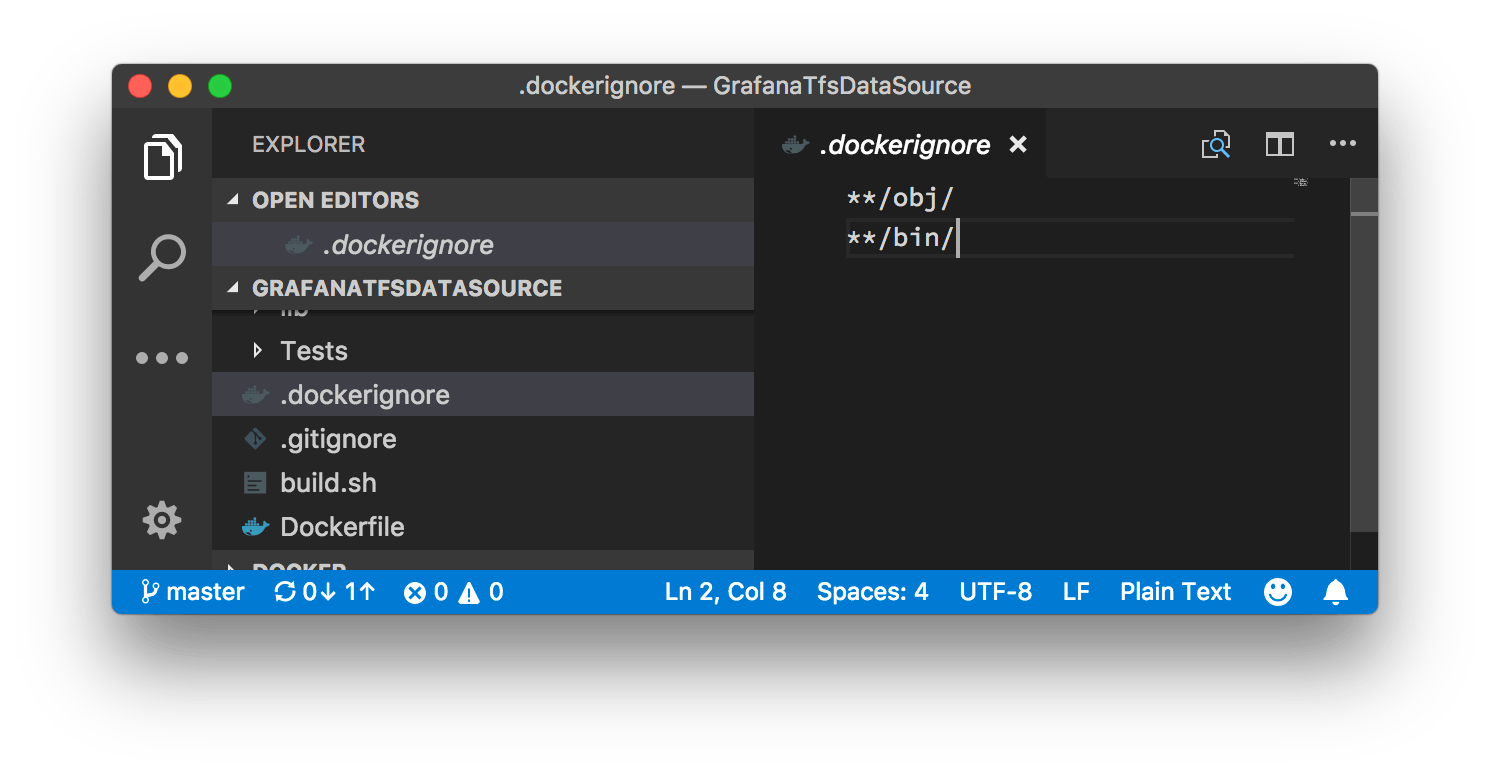
The Fix:
Treat the .dockerignore file with the same strictness as your .gitignore. Explicitly exclude local dependencies, build artifacts, and secret files. This guarantees the daemon only receives the raw source code it actually needs to compile the image.
2. The Mechanics of Layer Caching
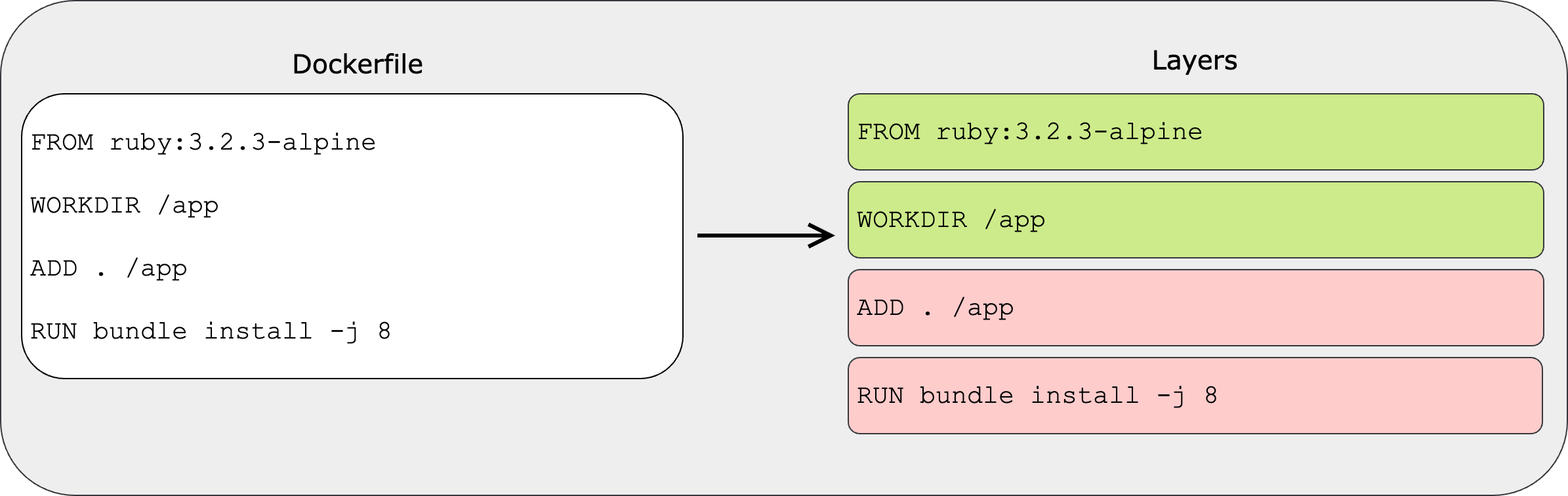
A Docker image is not a single, monolithic file. It is a stack of read-only, immutable layers. Every time you use a RUN, COPY, or ADD instruction in your Dockerfile, Docker creates a new layer on top of the previous one.
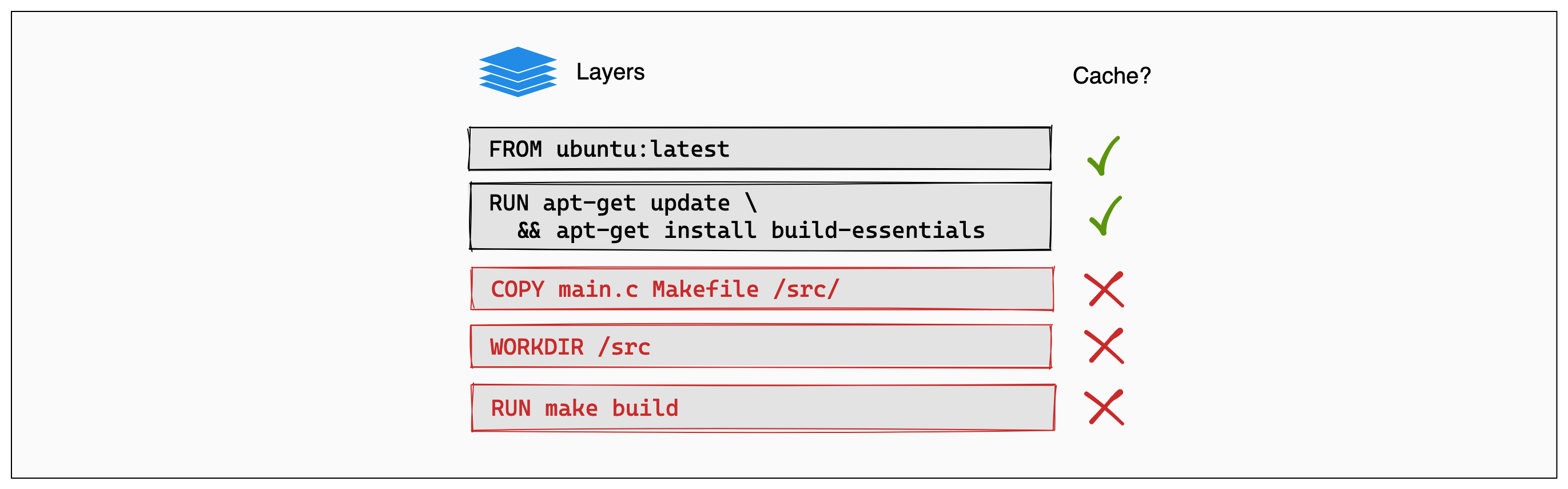
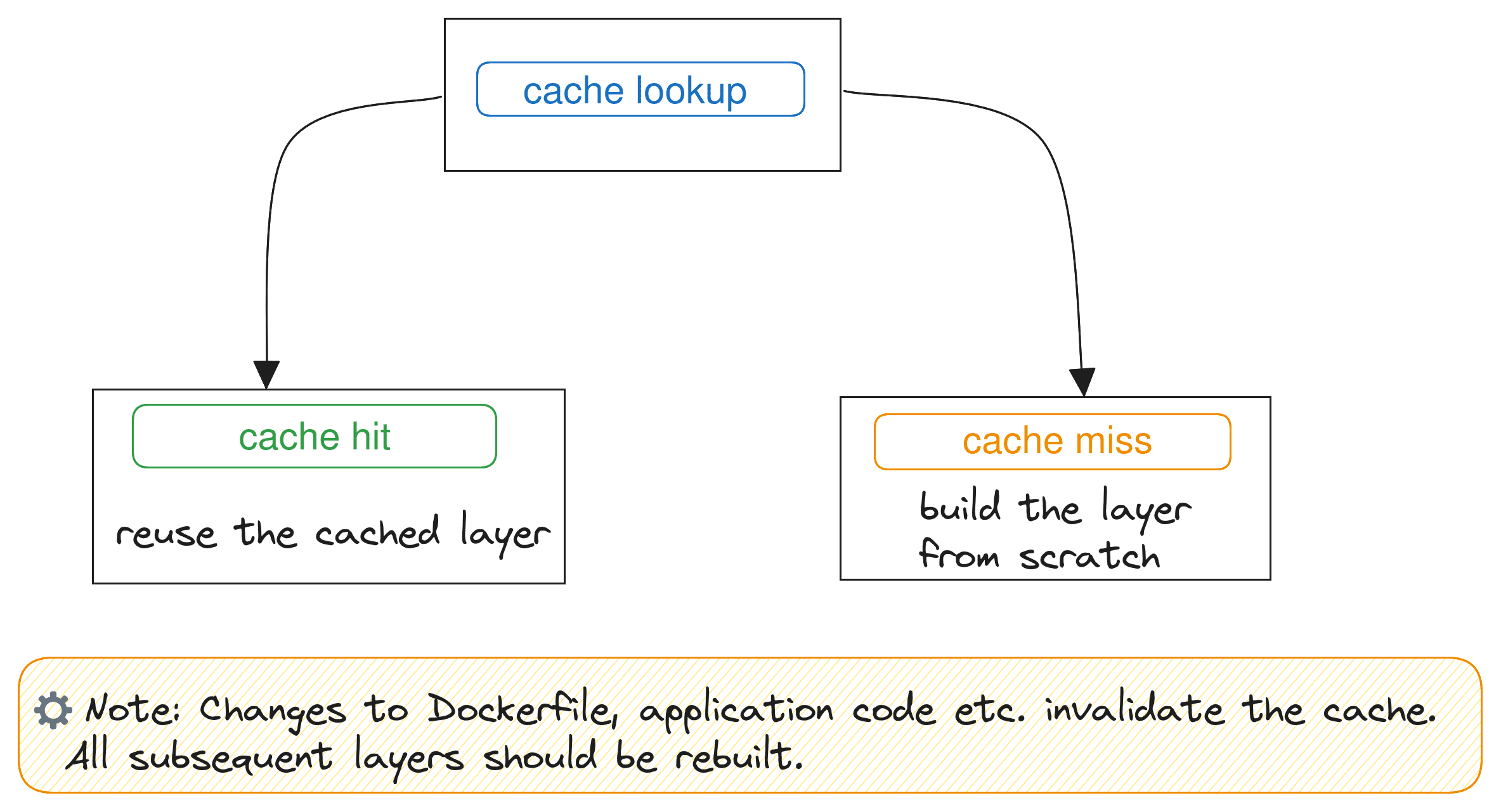
To speed up builds, Docker aggressively caches these layers. However, the cache operates strictly sequentially. If a single layer is modified, every single layer beneath it is instantly invalidated and must be rebuilt from scratch.
The Order of Operations
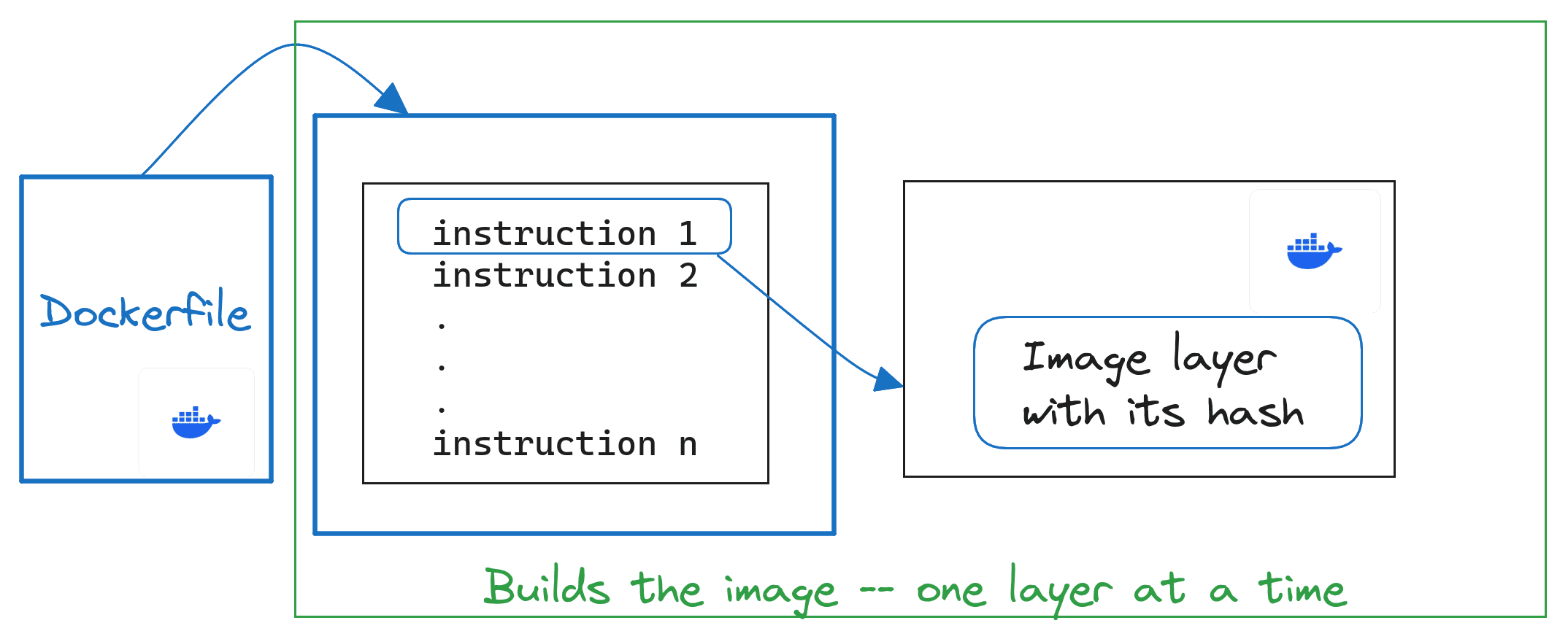
Because of this cache invalidation rule, the order of your instructions is critical. You must structure your Dockerfile from the least likely to change to the most likely to change.
The Anti-Pattern:
COPY . /app
RUN npm install
In this scenario, if you change a single CSS file, the COPY . /app layer is invalidated. This forces npm install to run again, downloading hundreds of megabytes of dependencies even though package.json never changed.
The Optimized Pattern:
COPY package.json package-lock.json /app/
RUN npm install
COPY . /app
By isolating the dependency definitions, npm install is perfectly cached. It will only ever re-run if you actually add or update a package. Changing your source code now only invalidates the final COPY step, reducing build times from minutes to milliseconds.
𝐋𝐞𝐚𝐫𝐧 𝐭𝐨 𝐛𝐮𝐢𝐥𝐝 𝐆𝐢𝐭, 𝐃𝐨𝐜𝐤𝐞𝐫, 𝐑𝐞𝐝𝐢𝐬, 𝐇𝐓𝐓𝐏 𝐬𝐞𝐫𝐯𝐞𝐫𝐬, 𝐚𝐧𝐝 𝐜𝐨𝐦𝐩𝐢𝐥𝐞𝐫𝐬, 𝐟𝐫𝐨𝐦 𝐬𝐜𝐫𝐚𝐭𝐜𝐡. Get 40% OFF CodeCrafters: https://app.codecrafters.io/join?via=the-coding-gopher
