
The Linux tail command
The Live News Ticker of Files

If ps aux is the security camera, tail is the live news ticker scrolling at the bottom of the screen.
When you are monitoring a server or debugging an application, you usually don’t care about what happened three weeks ago (the start of the log file). You care about what is happening right now (the end of the file).
tail lets you skip the history and jump straight to the latest updates.
What is Tail?
tail prints the last part (the “tail”) of a file to the screen.
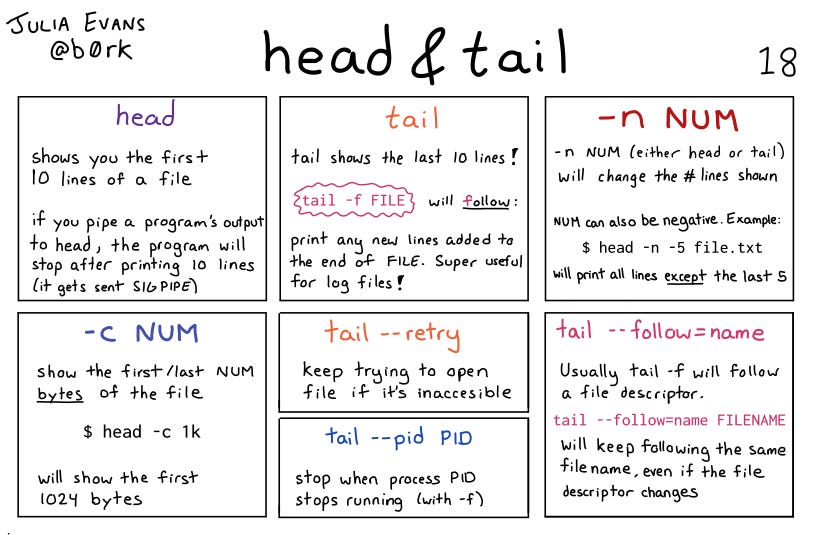
By default, it shows the last 10 lines. This is incredibly efficient because it saves you from opening a 5GB log file just to see the most recent error message.
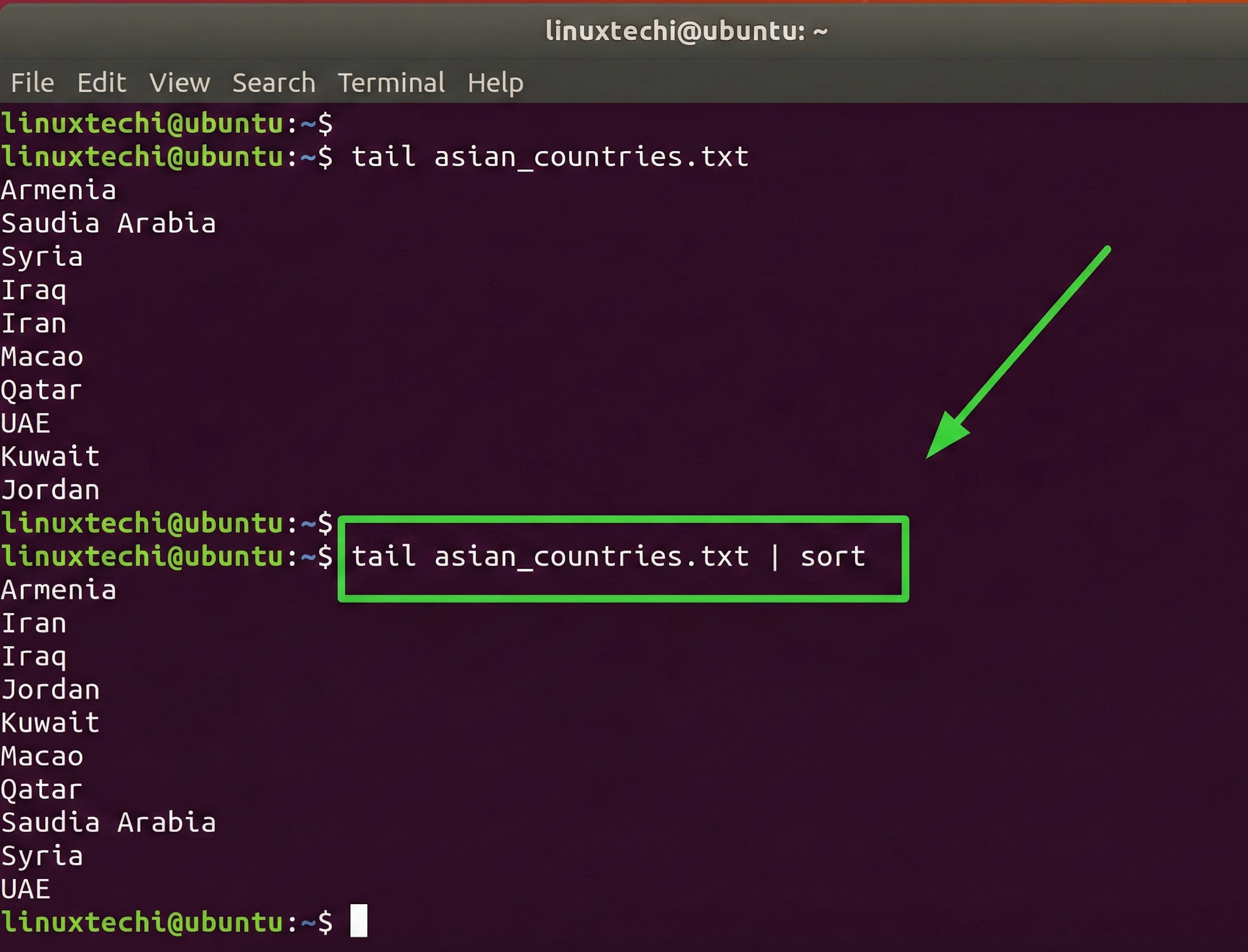
The Basic Syntax
The simplest usage is just the command and the filename:
tail access.logThis will print the final 10 lines of access.log and then exit.
The Killer Feature: -f (Follow)
This is the single most important flag for tail.
-f(Follow):Instead of printing the last lines and quitting,
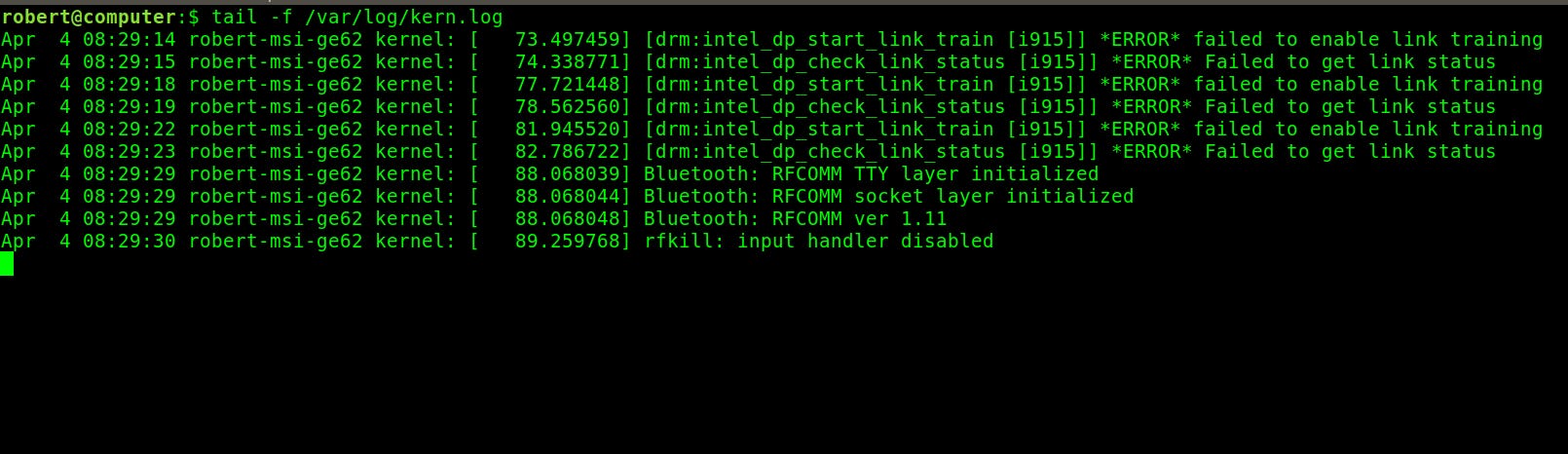
tail -fstays open. It waits for new data to be written to the file and updates your screen in real-time.
tail -f /var/log/syslogWhy it’s essential: Imagine you are trying to fix a bug. You run
tail -f error.login one window, and then trigger the bug in another window. You will see the error pop up instantly in the first window. It is the heartbeat monitor for your application.
To stop following, press
Ctrl + C.
Controlling the Output: -n (Number)
Sometimes 10 lines isn’t enough context. Maybe you need to see the last 50 or 100 lines to understand what led up to an error.
-n(Lines):Specifies exactly how many lines from the end you want to see.
tail -n 100 application.log![Using tail Command in Linux [5 Examples]](https://substackcdn.com/image/fetch/$s_!SJiR!,f_auto,q_auto:good,fl_progressive:steep/https%3A%2F%2Fsubstack-post-media.s3.amazonaws.com%2Fpublic%2Fimages%2F1810e7db-1104-4e06-8a7c-ffdb14b0a5d5_837x325.png "Using tail Command in Linux [5 Examples]")
You can even combine this with
-fto see the last 100 lines and then keep following:
tail -f -n 100 application.log𝐋𝐞𝐚𝐫𝐧 𝐭𝐨 𝐛𝐮𝐢𝐥𝐝 𝐆𝐢𝐭, 𝐃𝐨𝐜𝐤𝐞𝐫, 𝐑𝐞𝐝𝐢𝐬, 𝐇𝐓𝐓𝐏 𝐬𝐞𝐫𝐯𝐞𝐫𝐬, 𝐚𝐧𝐝 𝐜𝐨𝐦𝐩𝐢𝐥𝐞𝐫𝐬, 𝐟𝐫𝐨𝐦 𝐬𝐜𝐫𝐚𝐭𝐜𝐡. Get 40% OFF CodeCrafters: https://app.codecrafters.io/join?via=the-coding-gopher
Pro Tip: Combining with Grep
You can pipe tail into grep to create a real-time filter.
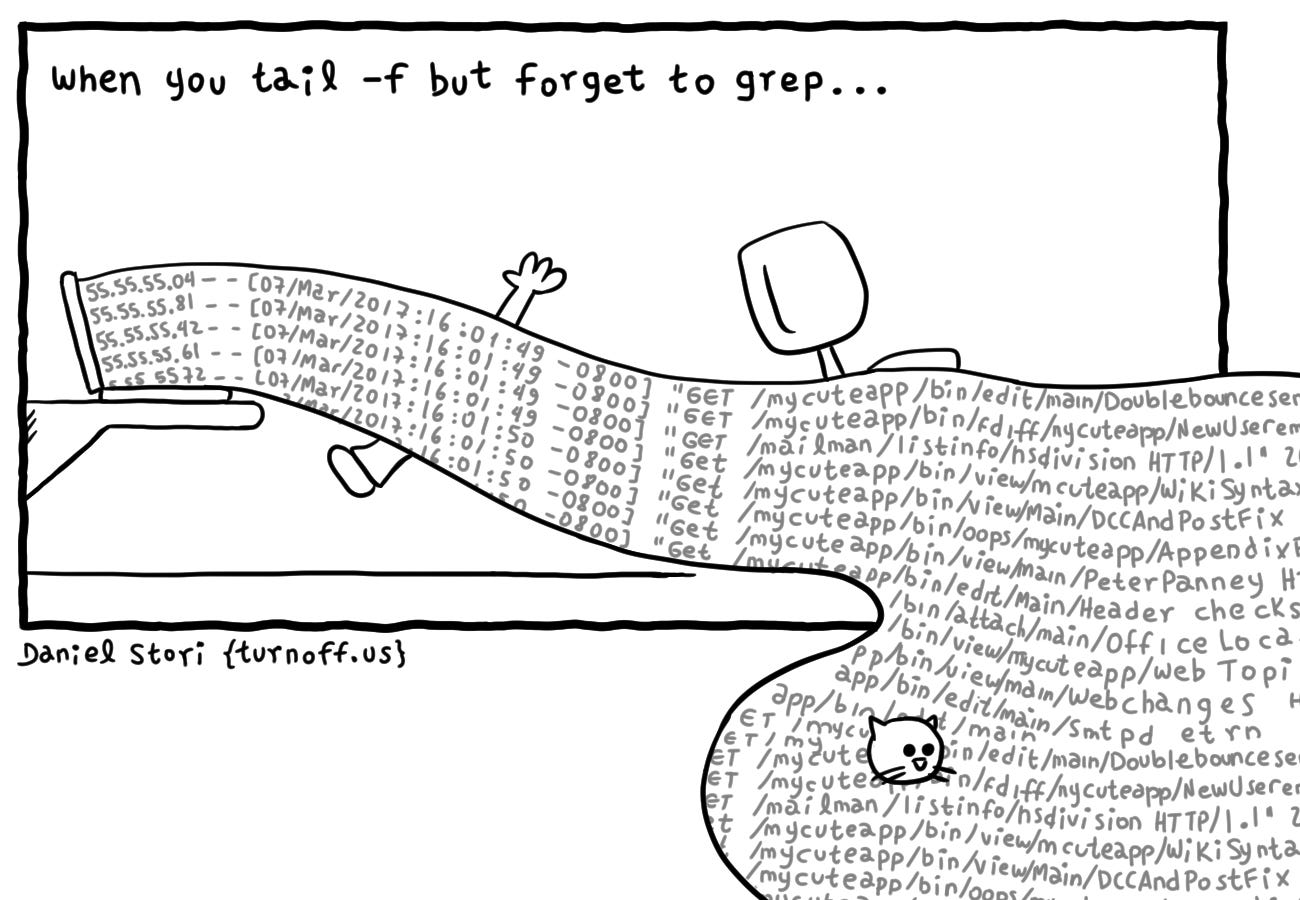
If you are watching a busy web server log, tail -f might scroll too fast to read. If you only care about “404” errors, you can do this:
tail -f access.log | grep "404"Now, your screen will sit quietly and only print a line when a 404 error actually happens.
Summary Table
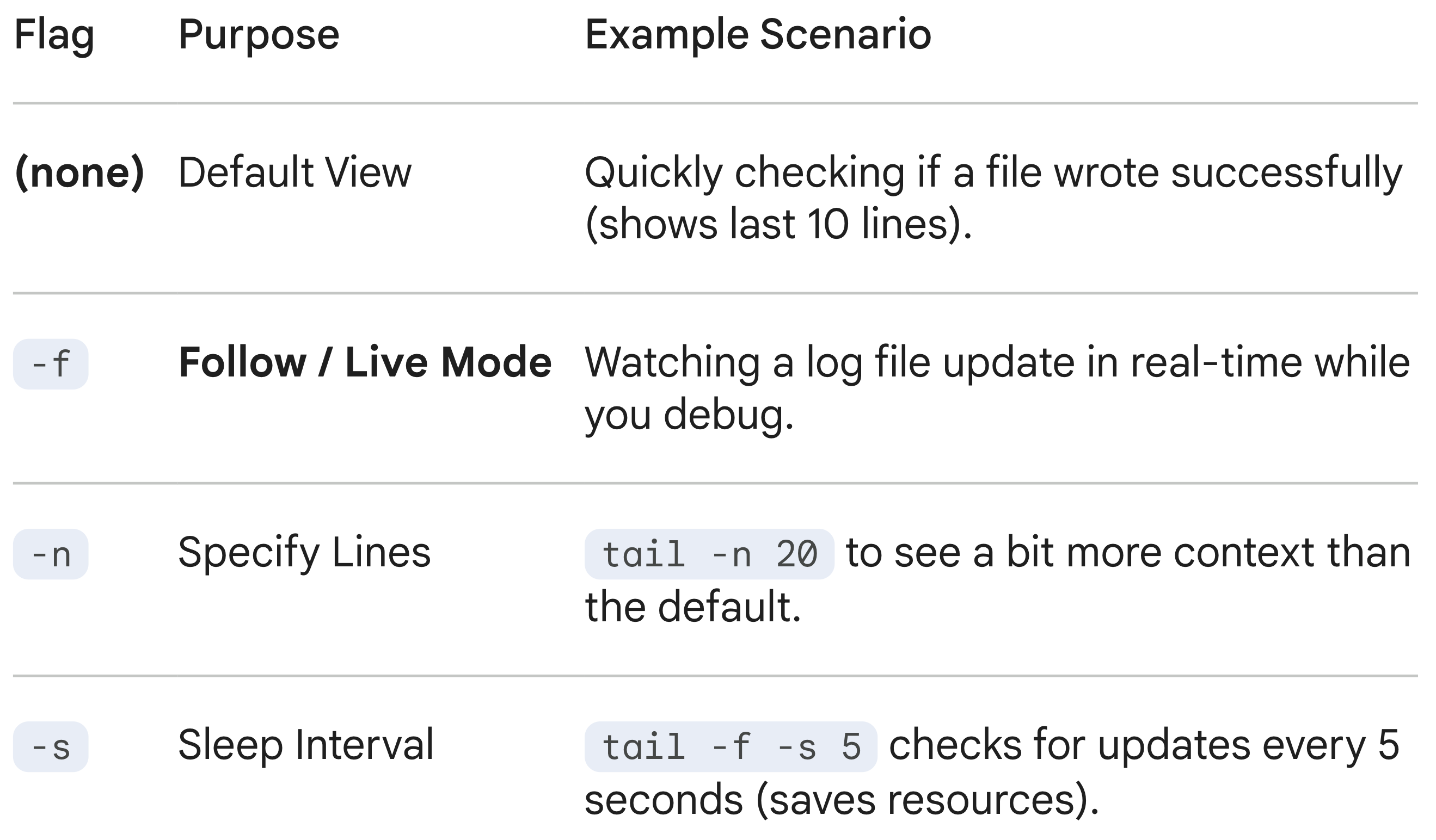
Conclusion
Tail is the bridge between static files and live activity. It turns a stagnant text file into a dynamic stream of information, allowing you to react to events the second they occur.
listened to this one on the train ride to work! great stuff