
Understanding Python Virtual Environments
One Project One World

The Mechanics of Isolation
“Controlling complexity is the essence of computer programming.” — Brian Kernighan
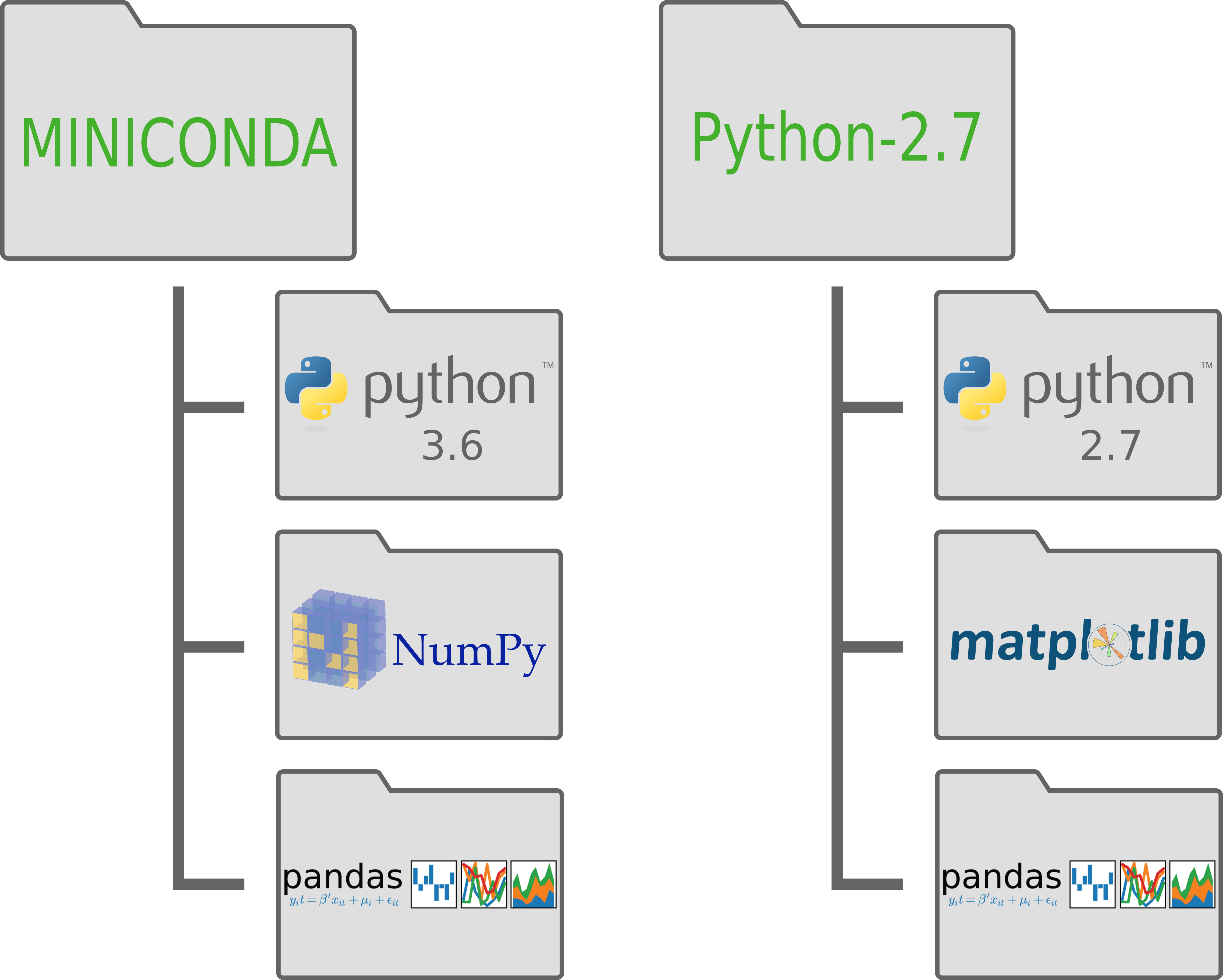
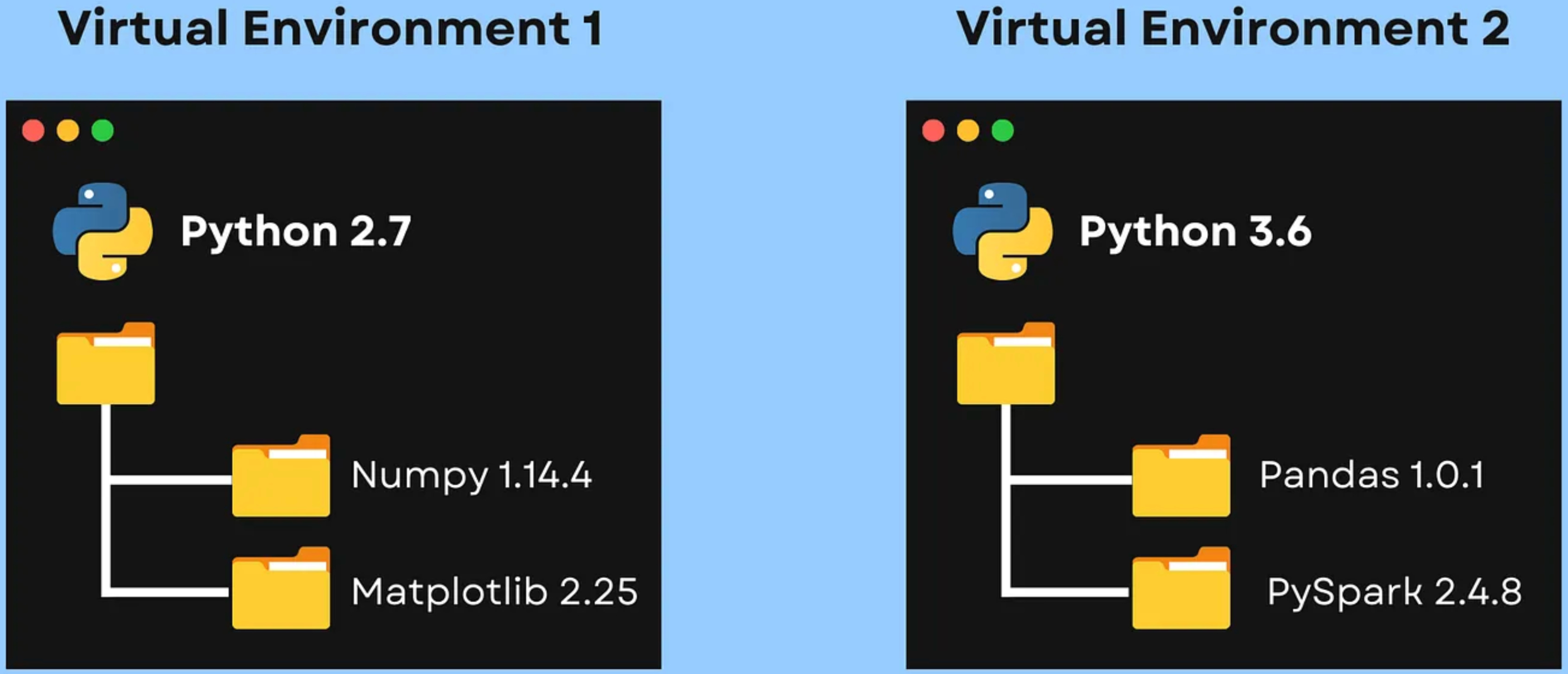
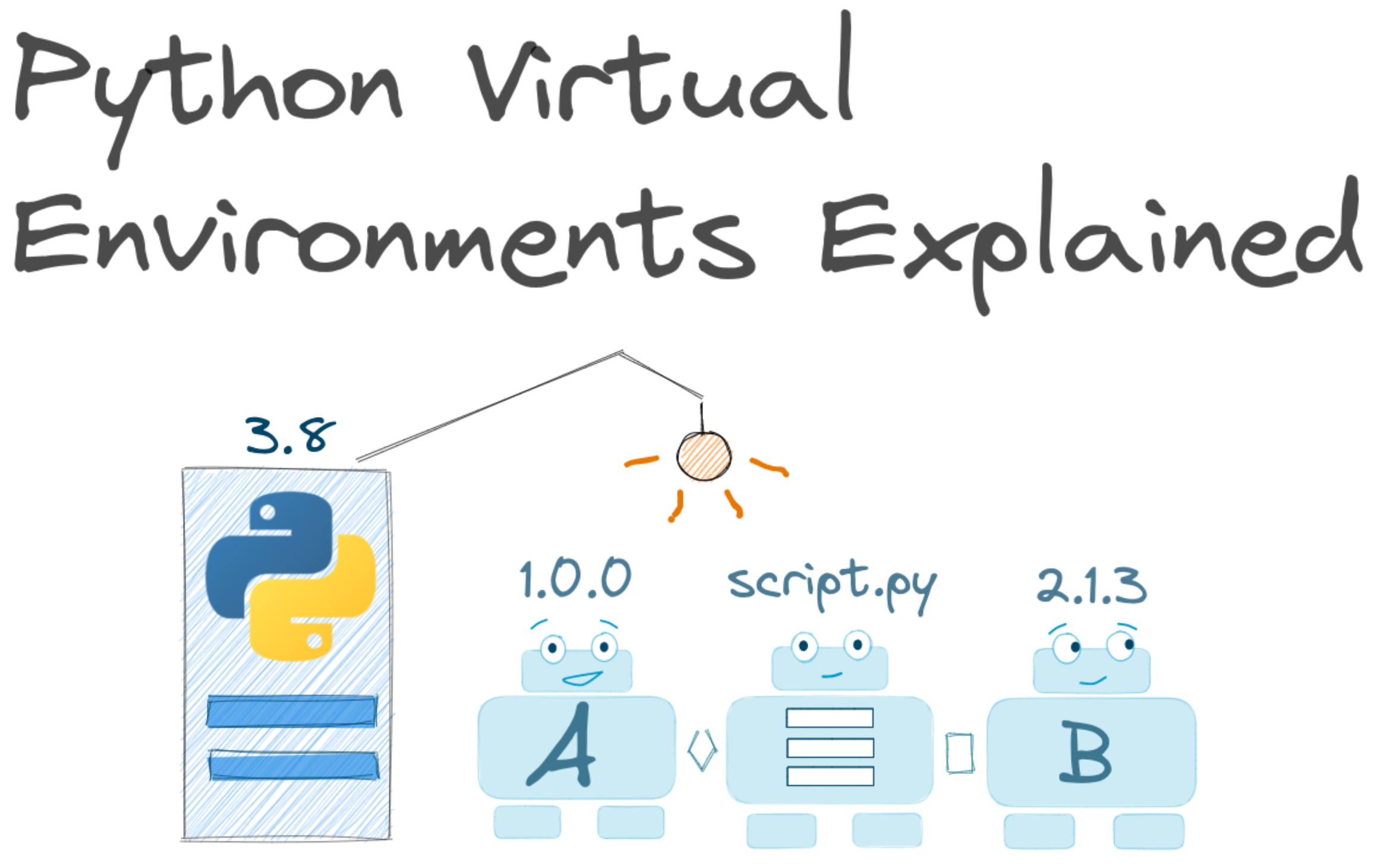
As soon as you work on more than one Python project, you encounter the “Dependency Hell” problem. One project needs pandas==1.0.0, while another requires pandas==2.0.0. If you install everything globally, you create a fragile, tangled environment where upgrading a library for Project A silently breaks Project B.
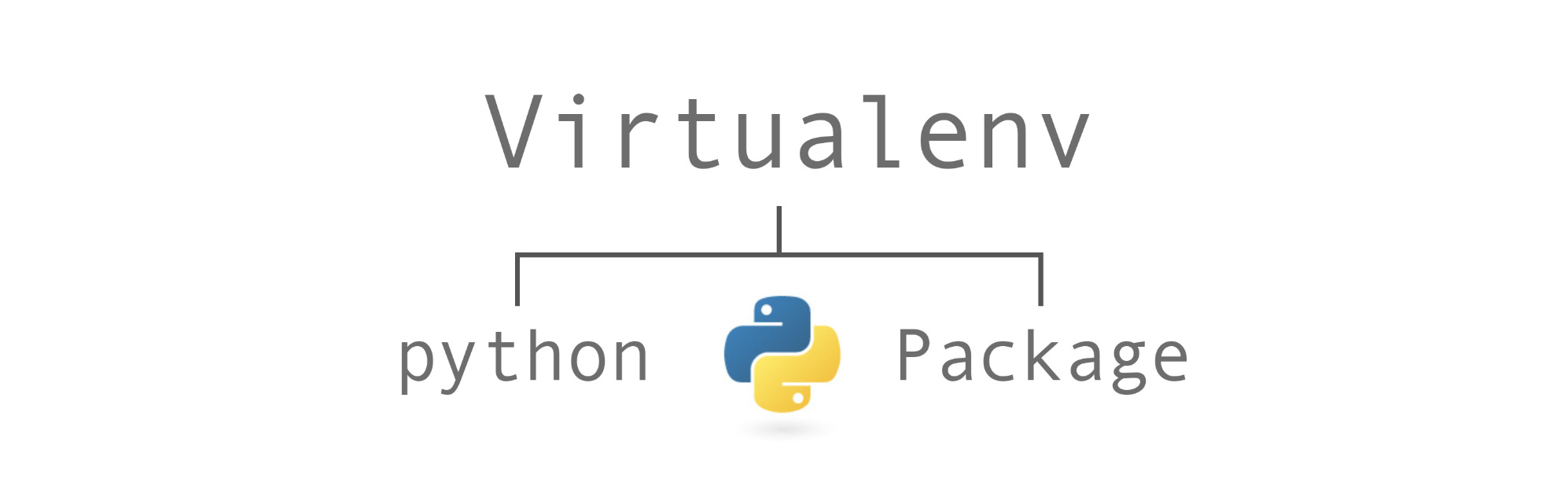
Virtual environments are the standard solution. They provide each project with its own isolated universe—a private interpreter, a private library folder, and private tooling.
What a Virtual Environment Actually Is
A Python virtual environment is not a virtual machine. It is not a Docker container. It is significantly lighter: it is essentially a directory of configuration files and shell scripts that manipulates the Python path.
When a virtual environment is active, your shell instructs Python to look inside that specific directory for modules before looking at the system-wide paths. It creates a sandbox where import requests grabs the version located in your project folder, completely ignoring whatever version is installed on your operating system.
A Python virtual environment is an isolated directory that contains a specific Python interpreter and its own set of installed packages. This isolation allows developers to manage project-specific dependencies without interfering with other projects or the system’s global Python installation.
How venv Works Under the Hood
The venv module (introduced in Python 3.3) is the standard mechanism for this. When you create an environment, venv does three critical things:
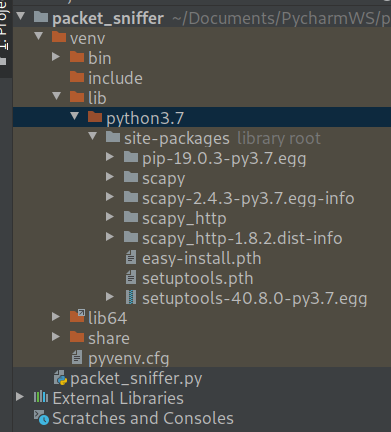
Creates a Directory Structure. It builds a folder (usually named
.venvorenv) containing abin(orScriptson Windows) directory and alibdirectory.Symlinks the Binary. On POSIX systems, it creates a symbolic link to your system’s Python executable. It doesn’t copy the whole binary; it just points to it.
Generates
pyvenv.cfg. This is the most important file in the environment. It tells the Python interpreter that it is running in “virtual” mode.
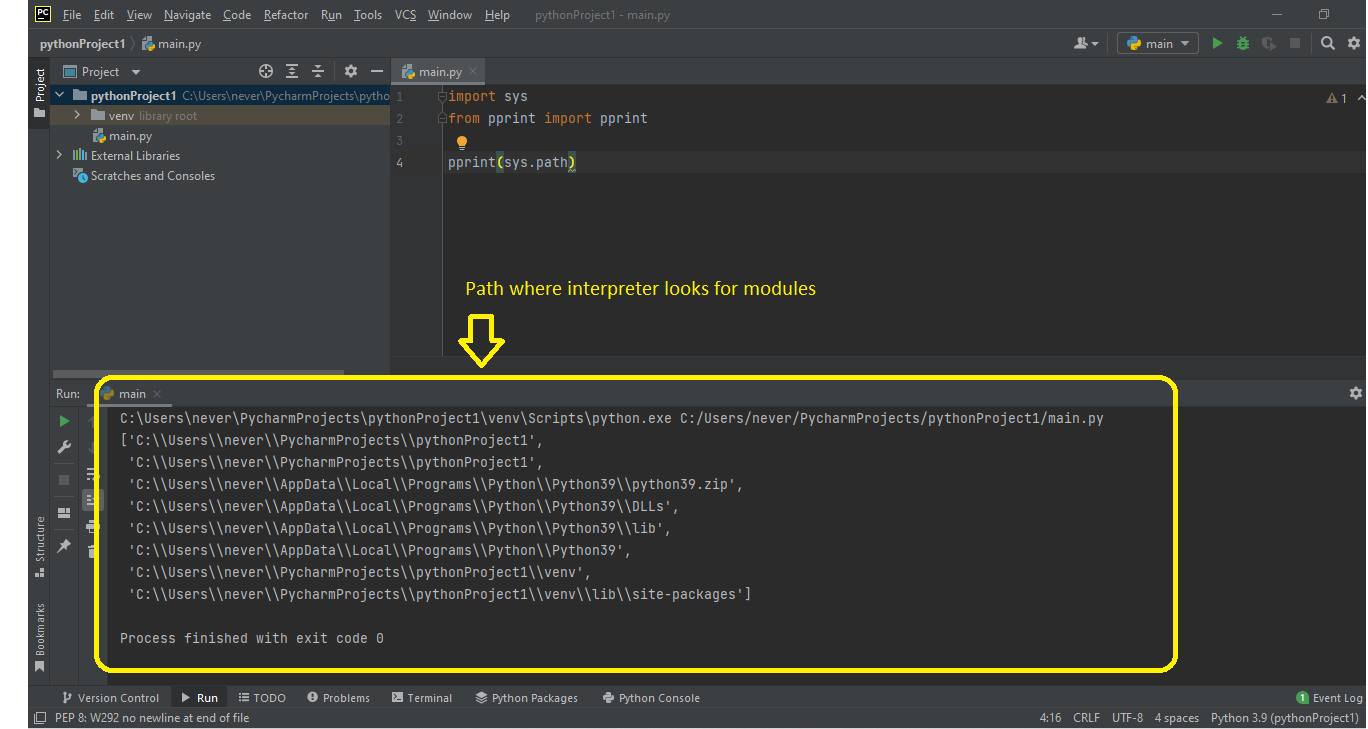
When the Python binary starts, it looks for pyvenv.cfg. If found, it modifies sys.prefix (the path to the platform-independent Python files) and sys.path (the list of directories Python searches for modules).
Effectively, venv tricks the interpreter into believing the “system” libraries are located in your local folder.
Creating and Activating
Creating an environment is explicit. It requires no external tools other than Python itself.
# Create a new environment in a directory named ‘env’
python3 -m venv env
At this stage, env is just a directory on your disk. To use it, you must activate it. Activation is a shell operation that modifies your shell’s $PATH environment variable.
On macOS/Linux:
source env/bin/activateOn Windows:
env\Scripts\activateOnce activated, your shell prompt usually changes to indicate the active environment (e.g., (env) $).
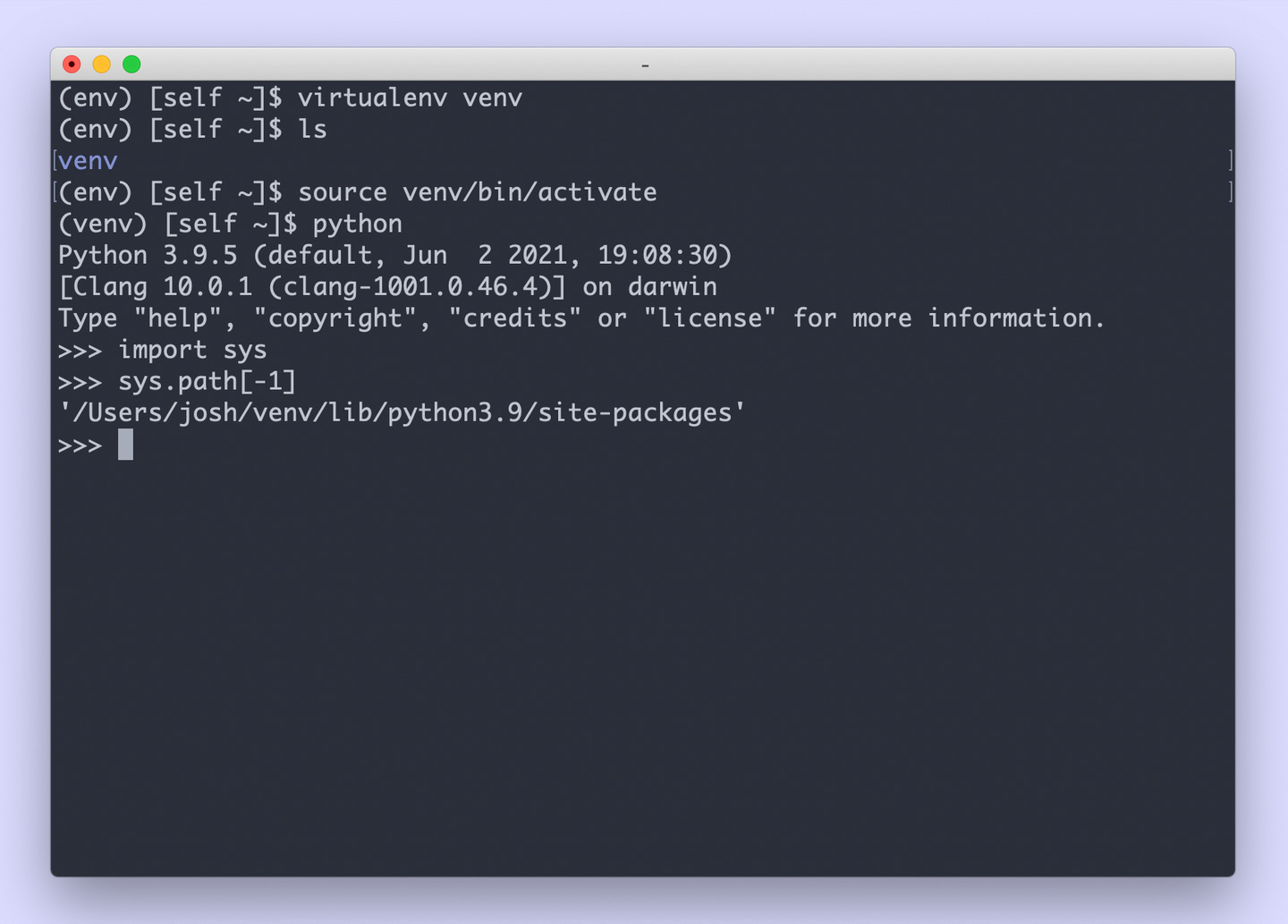
You can verify that the isolation is working by asking the system which Python executable is being used:
which python
# Output: /path/to/your/project/env/bin/python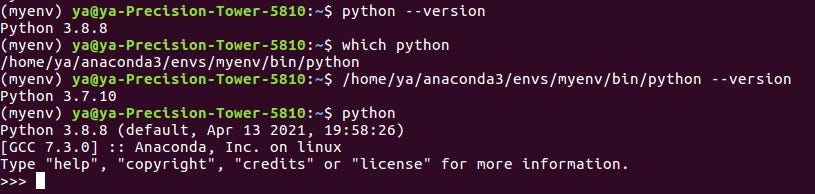
𝐋𝐞𝐚𝐫𝐧 𝐭𝐨 𝐛𝐮𝐢𝐥𝐝 𝐆𝐢𝐭, 𝐃𝐨𝐜𝐤𝐞𝐫, 𝐑𝐞𝐝𝐢𝐬, 𝐇𝐓𝐓𝐏 𝐬𝐞𝐫𝐯𝐞𝐫𝐬, 𝐚𝐧𝐝 𝐜𝐨𝐦𝐩𝐢𝐥𝐞𝐫𝐬, 𝐟𝐫𝐨𝐦 𝐬𝐜𝐫𝐚𝐭𝐜𝐡. Get 40% OFF CodeCrafters: https://app.codecrafters.io/join?via=the-coding-gopher
The Role of site-packages
When you run pip install requests inside an active environment, where do the files go?
They are placed in env/lib/python3.x/site-packages.
This directory is the heart of the virtual environment. Every library you install lands here. Because sys.path places this directory ahead of the system directories, Python loads these files first. This simple precedence rule is what guarantees isolation.
Dependency Reproducibility
A virtual environment is only half the battle. To make a project truly shareable, you must document what you installed.
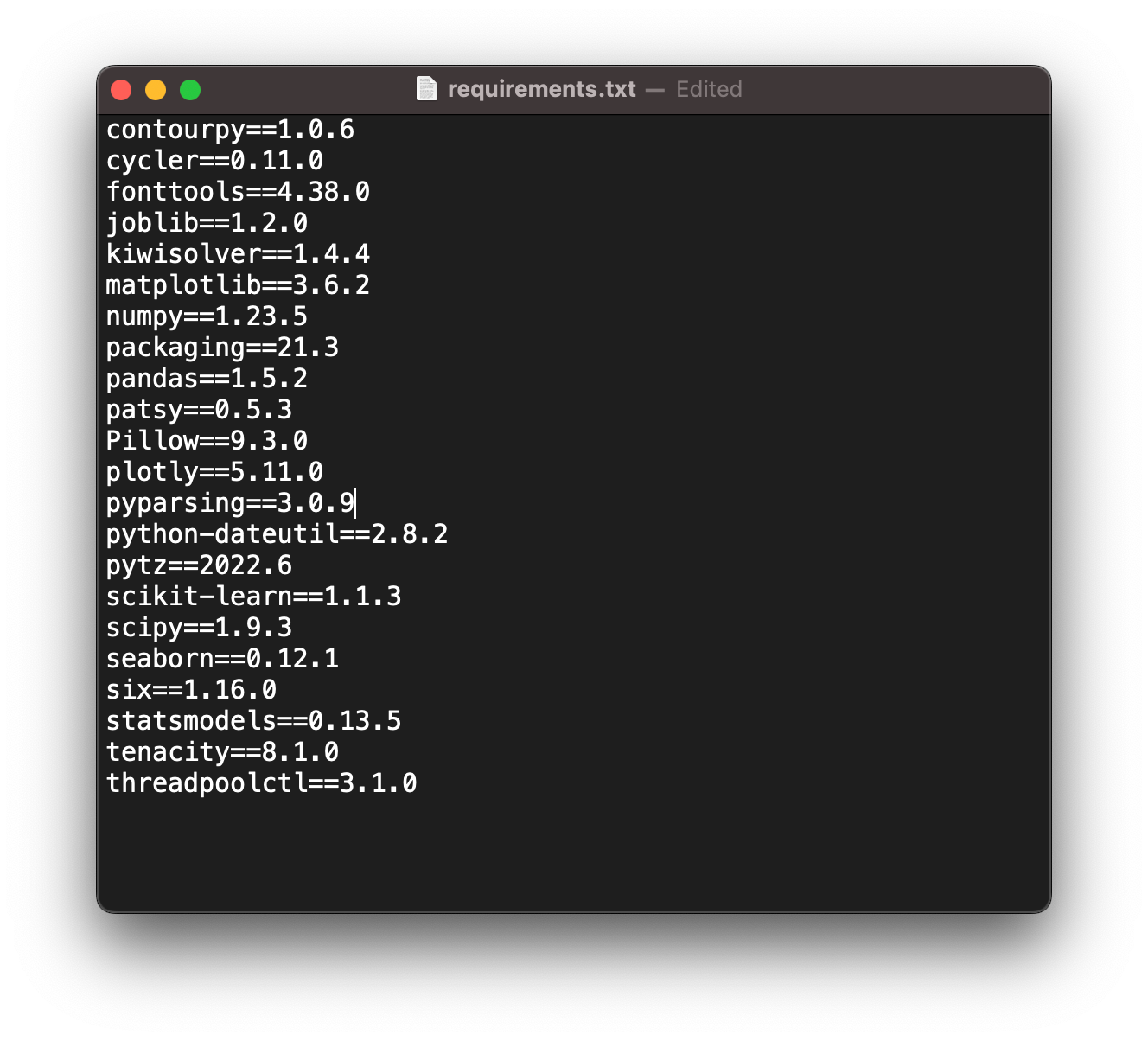
pip freeze > requirements.txtThis command scans your site-packages folder and lists every installed package and its exact version. A coworker can then clone your repository, create a fresh venv, and run:
pip install -r requirements.txtThis ensures that the “works on my machine” phenomenon is replaced by deterministic builds.
Common Pitfalls and Best Practices
1. The “Move” Mistake
You cannot simply move or rename a virtual environment directory. Many scripts inside env/bin/ (like pip or pytest*) have the absolute path to the Python interpreter hardcoded in their shebang line (the top line starting with #!). If you move the folder, these paths break. If you need to move a venv, delete it and recreate it.
*
pipis the standard package manager for Python, used for installing and managing software libraries, whilepytestis a popular testing framework used to write, run, and organize tests for Python code.
2. Git Hygiene
Never commit your virtual environment to version control. The env folder contains binaries specific to your OS and absolute paths specific to your machine. It is useless to anyone else. Always add your environment directory to .gitignore:
# .gitignore
env/
venv/
.venv/
The
.gitignorefile is a plain text file in a Git repository that specifies which intentionally untracked files and directories Git should ignore. This prevents unnecessary, temporary, or sensitive files from being accidentally staged or committed to the shared repository.
3. Nesting
Do not create a virtual environment inside another virtual environment. It causes path resolution headaches that are difficult to debug. Keep them at the root of your project.
Summary
Virtual environments are the bedrock of Python development. They trade a small amount of disk space for massive gains in stability and maintainability.
Isolation. Each project gets its own
site-packages.Safety. You cannot accidentally break your OS tools.
Reproducibility. Combined with
requirements.txt, they ensure consistency across teams.
Once you adopt venv, dependency management stops being a mystery of global state and becomes a predictable, local configuration.
TL;DR.
Why Use Virtual Environments?
Using virtual environments is a crucial best practice in Python development for several reasons:
Avoid Dependency Conflicts. Different projects often require different versions of the same library. For example, Project A might need
requests==2.6.0, while Project B requires a newerrequests==2.7.0. A virtual environment allows both projects to coexist on the same machine without conflicts.Keep the System Python Clean. The operating system may rely on specific Python packages and versions. Installing or upgrading packages globally with
pipcan inadvertently break system tools. Virtual environments prevent this by keeping all project-specific packages contained within the environment’s directory.Reproducibility and Portability. Virtual environments make projects more portable and reproducible. By generating a
requirements.txtfile (usingpip freeze > requirements.txt), you can share the exact list of dependencies and their versions with collaborators, who can then recreate the identical environment on their own systems.No Administrator Privileges Needed. You can install packages within a project’s virtual environment using
pipwithout needing administrator or root privileges.
How They Work
When you create a virtual environment, Python creates a dedicated folder structure that includes:
A copy or symbolic link to a specific Python interpreter.
Its own
bin(orScriptson Windows) directory containing executables forpython,pip, and the activation scripts.A
lib(orLibon Windows) directory where all third-party packages are installed, isolated from the global Pythonsite-packages.
When a virtual environment is “activated” (using a script like source venv/bin/activate on Unix/macOS or venv\Scripts\activate on Windows), the shell’s PATH environment variable is temporarily modified to prioritize the environment’s Python executable and scripts. This ensures that when you run python or pip, you are using the versions specific to that isolated environment. The most common tool for managing environments in modern Python (3.3+) is the built-in venv module, which requires no extra installation.
really loving the python content :)