

Bringing Native Computing to the Browser.
Building on the compilation pipeline we just discussed, the internet presents a unique architectural problem: hardware agnosticism.
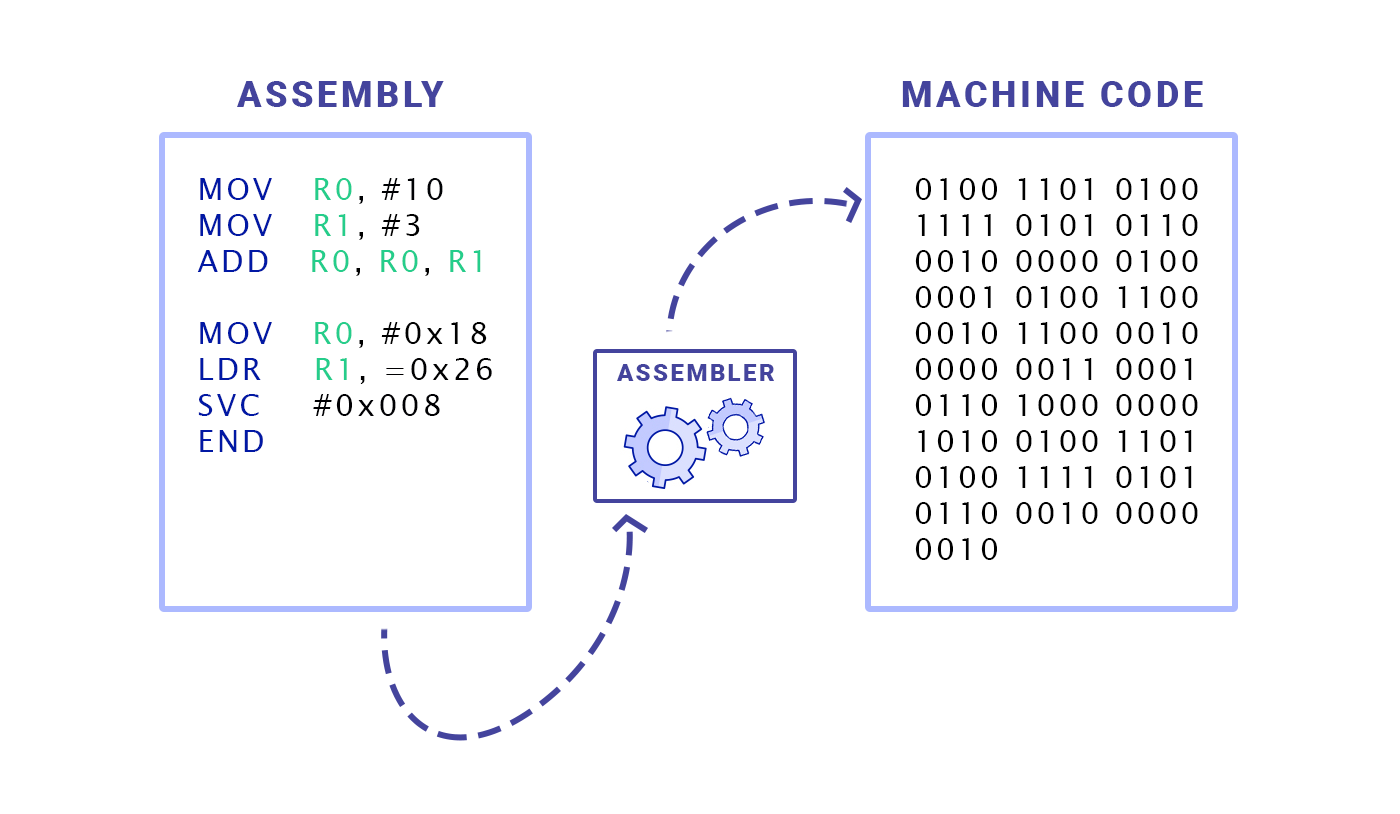
When you compile a C++ program on your computer, the compiler generates machine code specifically for your exact CPU (e.g., an Apple Silicon ARM chip). If you send that executable file to a friend running an Intel x86 Windows machine, it will crash. The CPU architectures speak entirely different binary languages.
Historically, the web bypassed this hardware problem by using JavaScript. You send human-readable text (source code) over the network, and the user’s web browser (using a JIT compiler) figures out how to translate it into the local hardware’s machine code on the fly.
The problem? JavaScript was designed to animate drop-down menus, not to run complex 3D rendering engines or edit 4K video. Parsing, interpreting, and optimizing dynamic JavaScript requires heavy CPU overhead.
Here is the engineering reality of WebAssembly (Wasm), and how it bypasses the JavaScript bottleneck.
1. What is WebAssembly?
Despite the name, WebAssembly is neither a programming language nor assembly code.
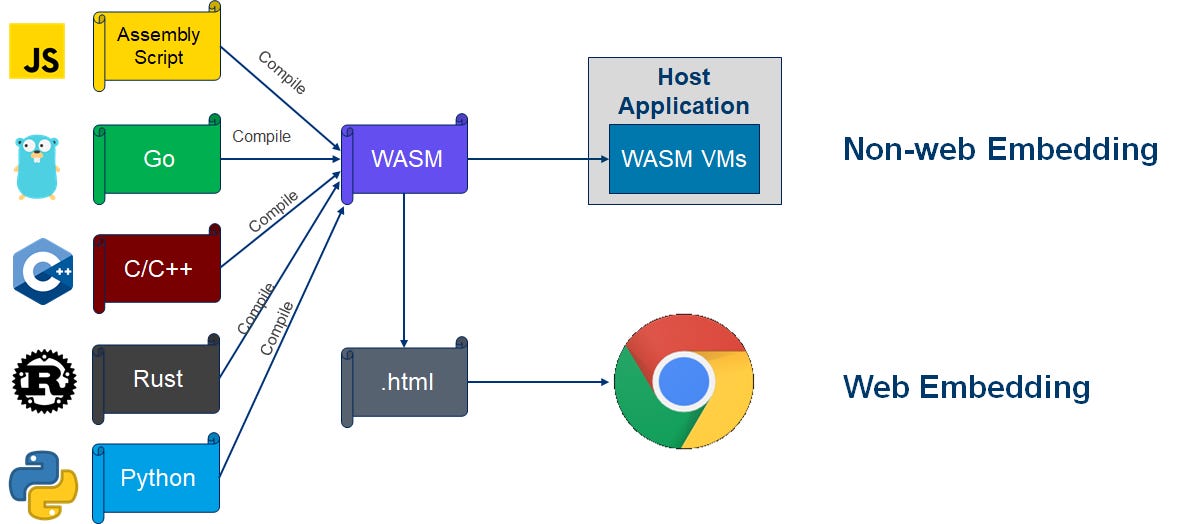
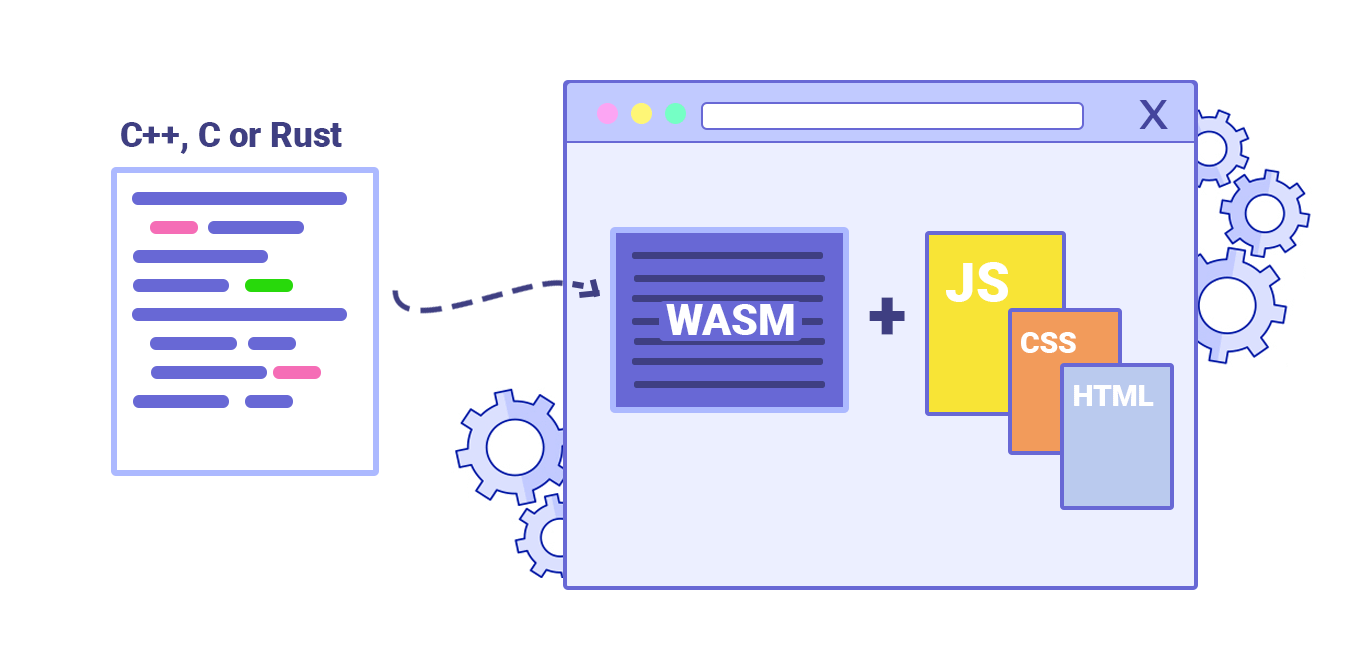
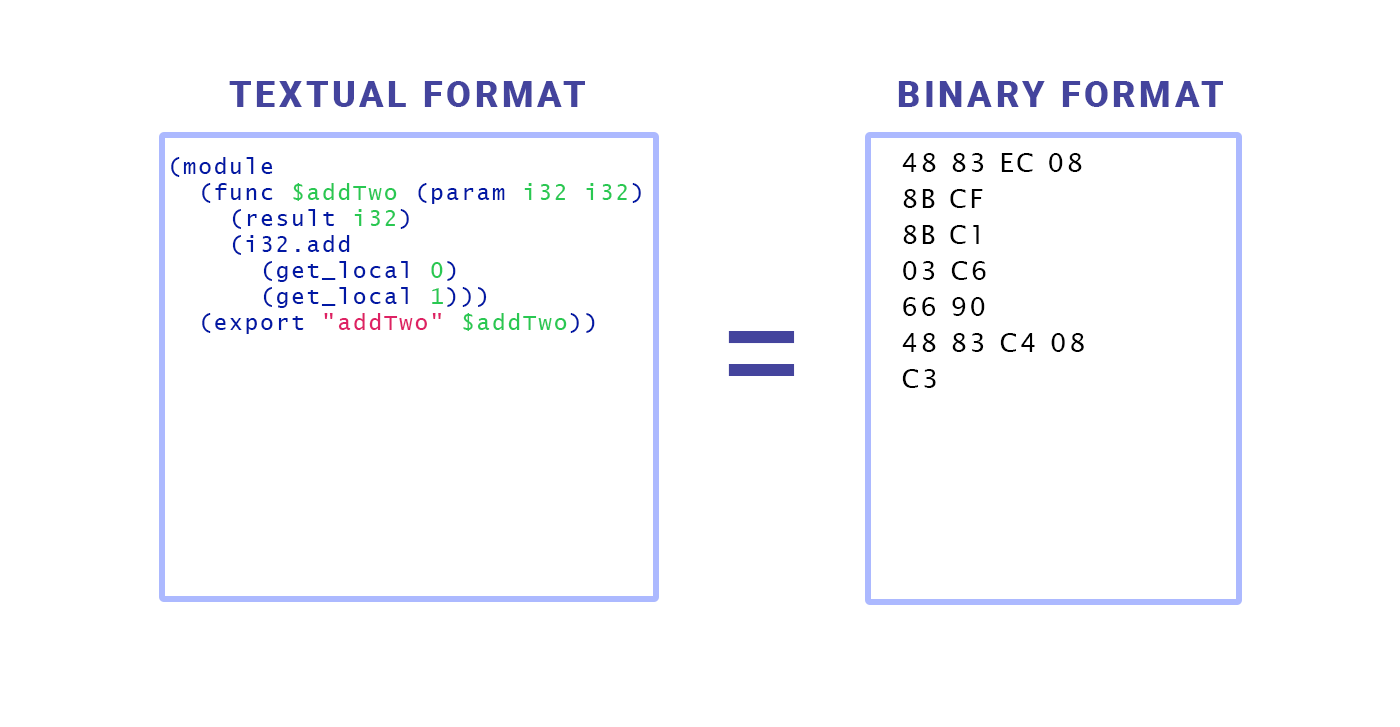
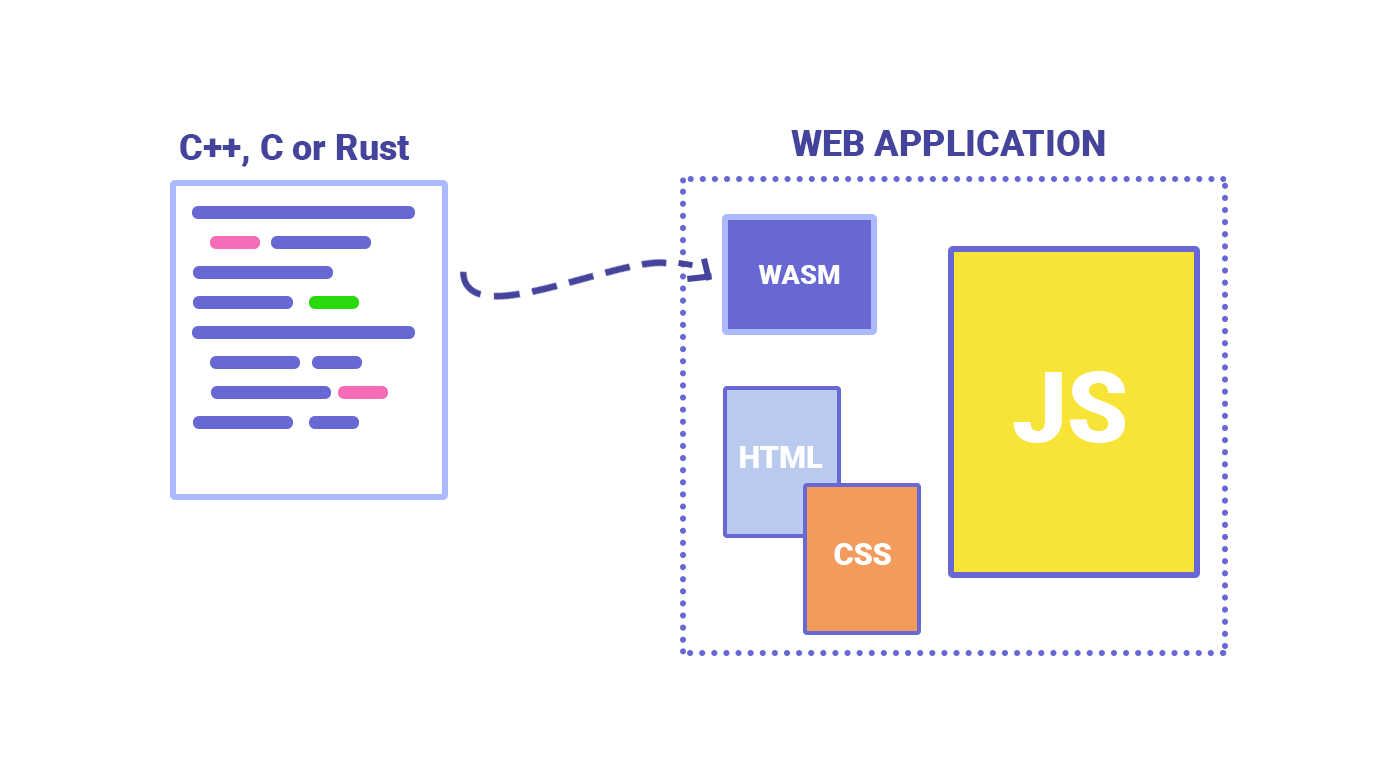
It is a portable, low-level binary instruction format. Instead of writing WebAssembly directly, you write your code in a heavily optimized, strongly typed language like Rust, C++, Go, or C#. You then configure your compiler to target WebAssembly instead of a specific operating system.
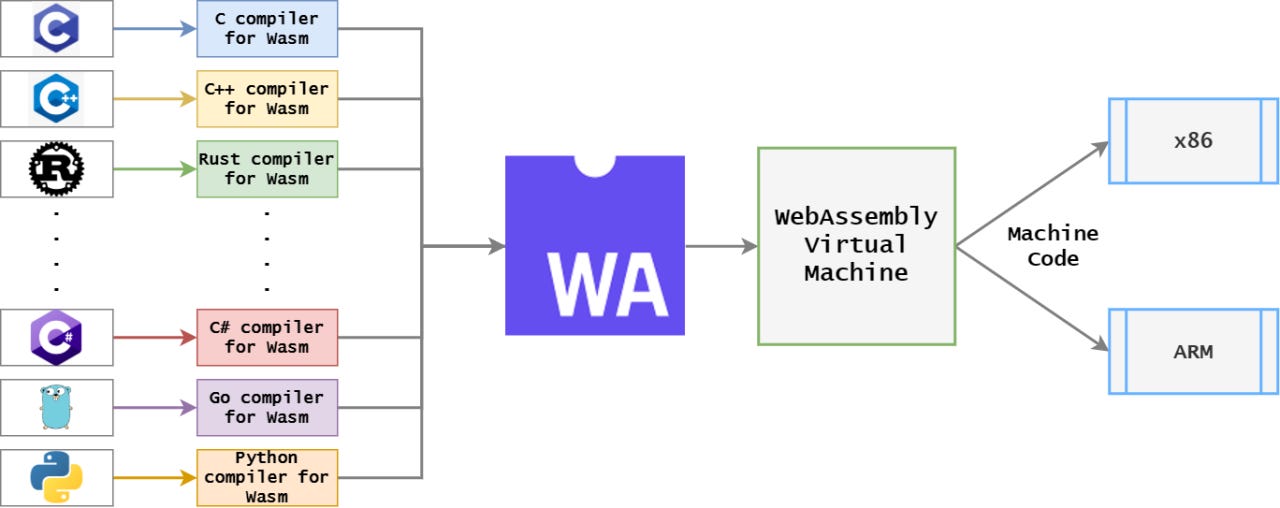
The output is a .wasm file. It is a highly compressed, pre-optimized binary file that the web browser can read and execute at near-native hardware speeds.
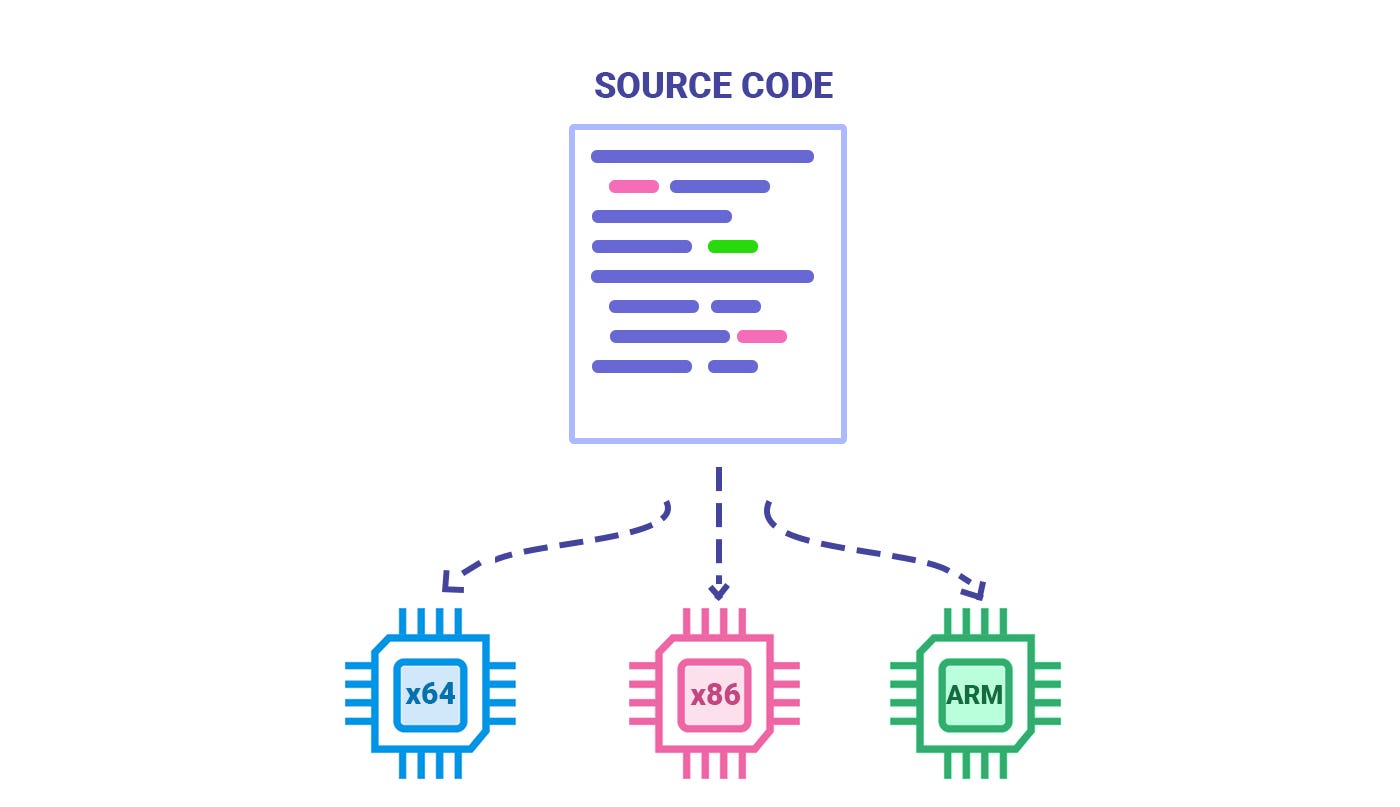
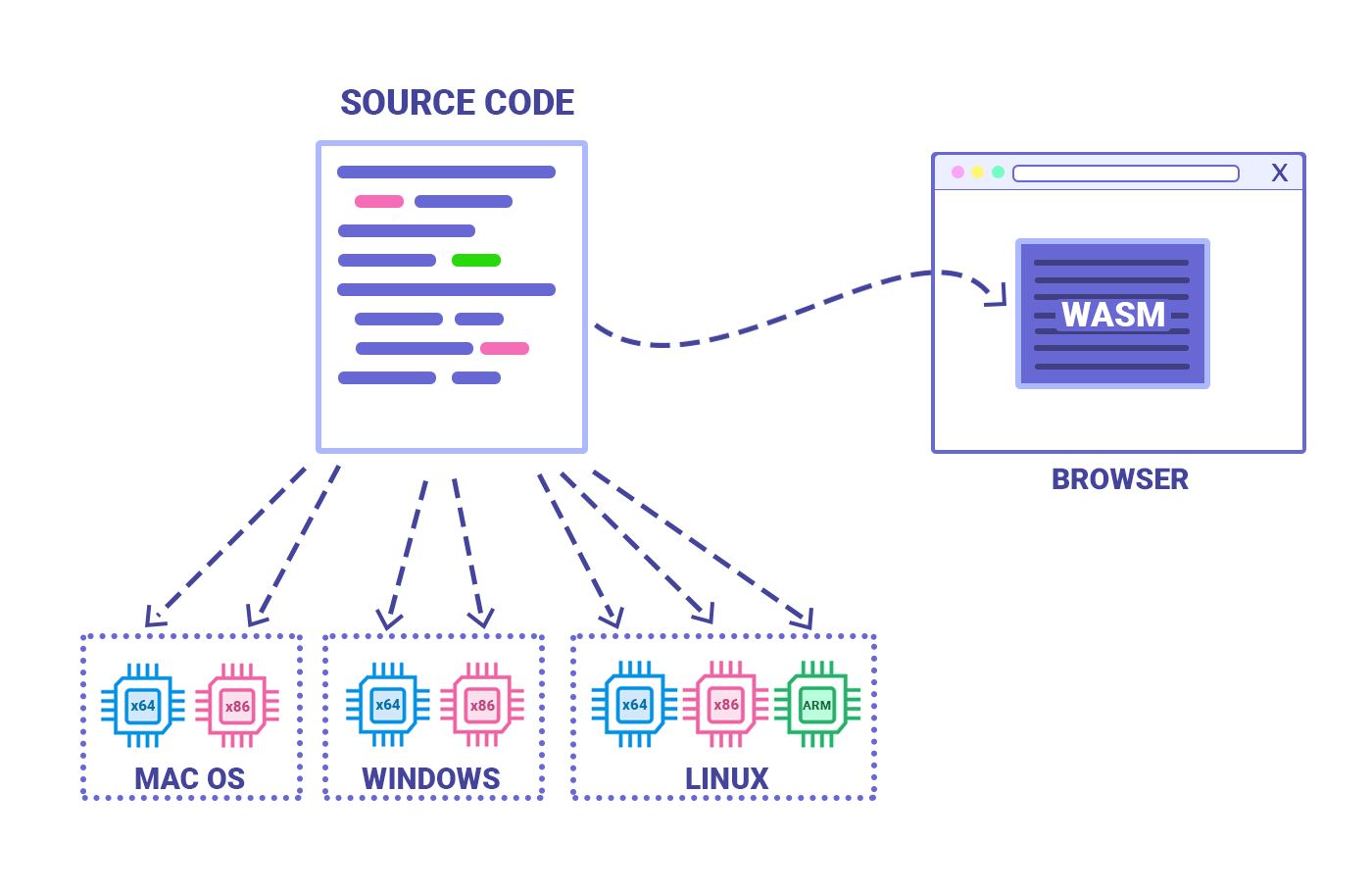
Native code is “platform-dependent,” meaning a program compiled for Windows/x86 will not run on macOS/ARM without being recompiled. Wasm is “platform-agnostic,” allowing the same binary to run anywhere a Wasm runtime exists, including browsers, servers, and IoT devices.
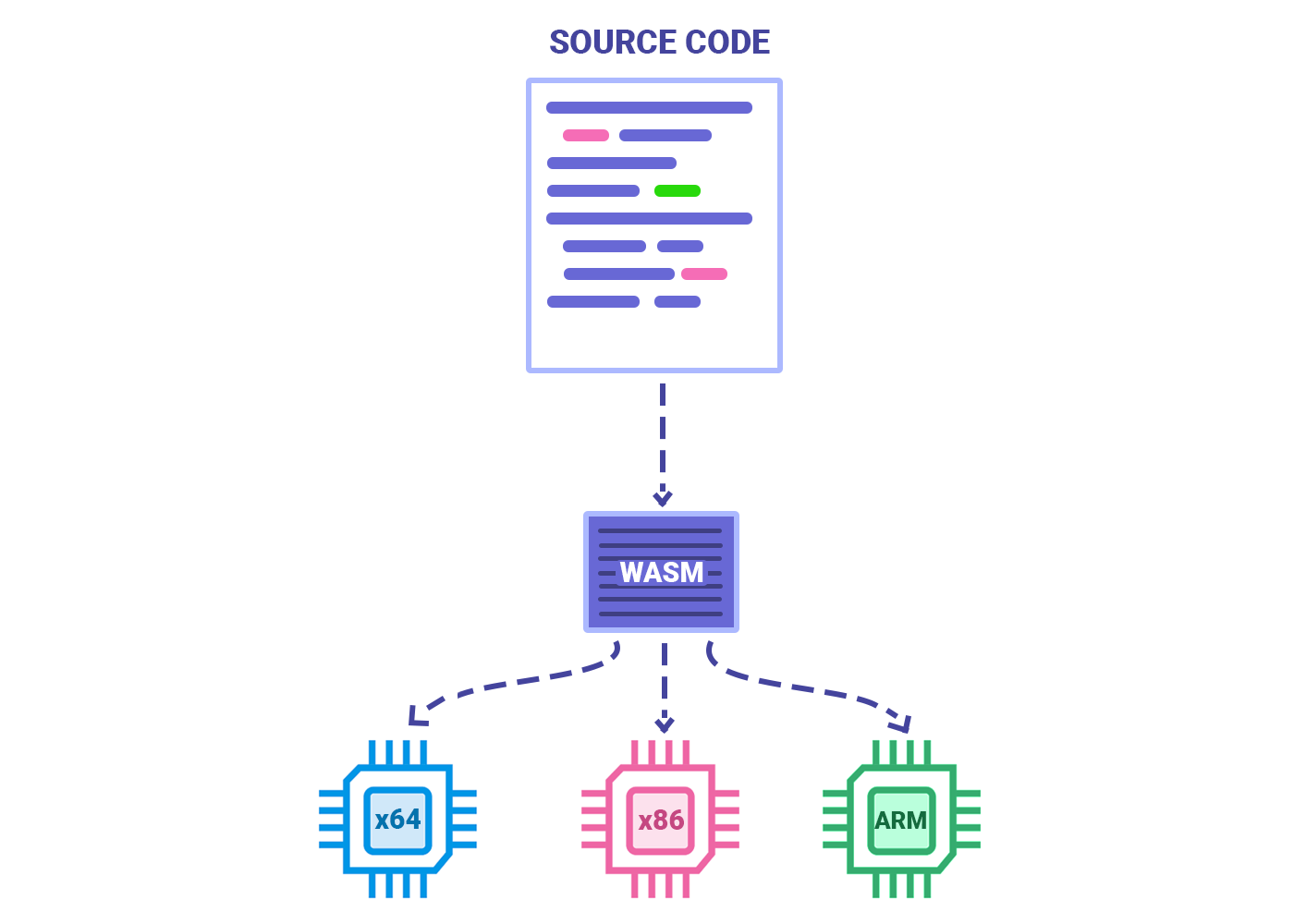
2. The Architectural Pipeline
When you load a web application powered by WebAssembly, the browser handles the file differently than standard JavaScript.
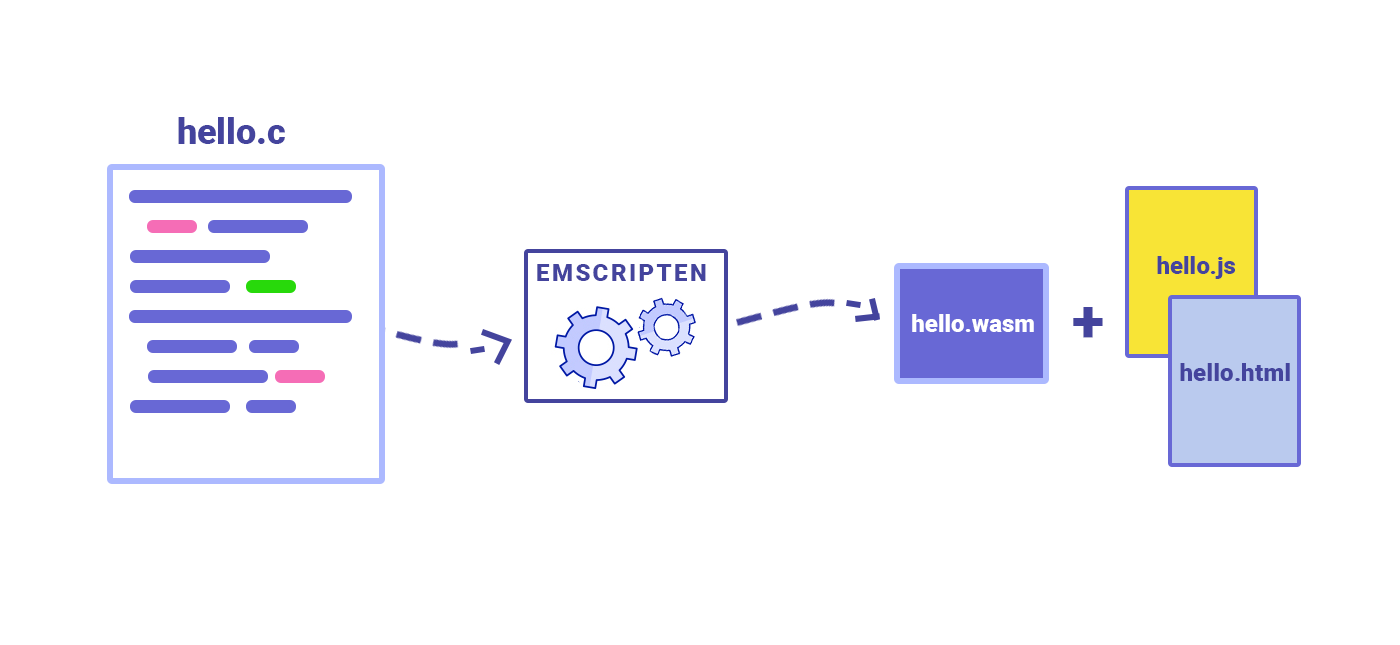
Pre-Optimized: When compiling C++ to Wasm, the heavy lifting of Lexical Analysis, Parsing, and Semantic Analysis has already been done on the developer’s machine. The browser receives a highly compressed binary, saving massive amounts of network bandwidth and parsing time.
The Final Mile (JIT Translation): The
.wasmfile is essentially a universal Intermediate Representation (IR). When it hits the browser, the browser’s engine (like Google’s V8) only has to do one thing: translate the Wasm bytecode into the local device’s specific machine code. Because Wasm is statically typed and already optimized, this final translation happens almost instantly.Memory Safe: Wasm executes inside a sandboxed environment within the browser. It cannot access the user’s local file system or hardware directly, preserving the strict security models of the web.
𝐋𝐞𝐚𝐫𝐧 𝐭𝐨 𝐛𝐮𝐢𝐥𝐝 𝐆𝐢𝐭, 𝐃𝐨𝐜𝐤𝐞𝐫, 𝐑𝐞𝐝𝐢𝐬, 𝐇𝐓𝐓𝐏 𝐬𝐞𝐫𝐯𝐞𝐫𝐬, 𝐚𝐧𝐝 𝐜𝐨𝐦𝐩𝐢𝐥𝐞𝐫𝐬, 𝐟𝐫𝐨𝐦 𝐬𝐜𝐫𝐚𝐭𝐜𝐡. Get 40% OFF CodeCrafters: https://app.codecrafters.io/join?via=the-coding-gopher
3. The Engineering Trade-offs. Wasm vs. JavaScript
A common misconception is that WebAssembly was built to replace JavaScript. It was not. They are fundamentally designed for different workloads and operate side-by-side.
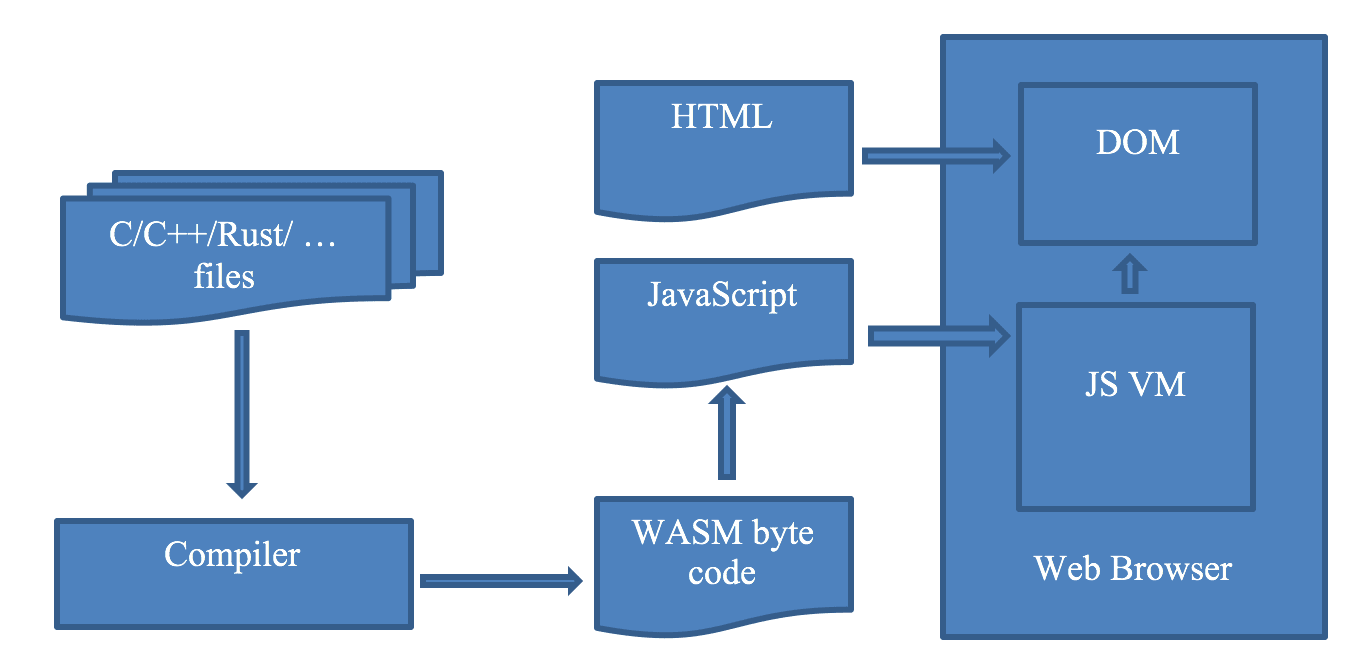
The DOM Bottleneck. Currently, WebAssembly cannot directly manipulate the Document Object Model (DOM) — the structure that controls what you see on a webpage (like buttons, text, and form fields).
If your Wasm code needs to update a button’s text, it must ask JavaScript to do it. Crossing this “bridge” between Wasm and JavaScript introduces latency. Therefore, using WebAssembly to build a simple UI dashboard will actually make your application slower.
The Division of Labor. Modern web architecture delegates tasks based on efficiency:
JavaScript: Handles the UI, event listeners, network requests, and DOM manipulation.
WebAssembly: Acts as a background math engine. It handles image processing, physics calculations, audio encoding, or massive data sorting, returning the final computed output back to JavaScript.
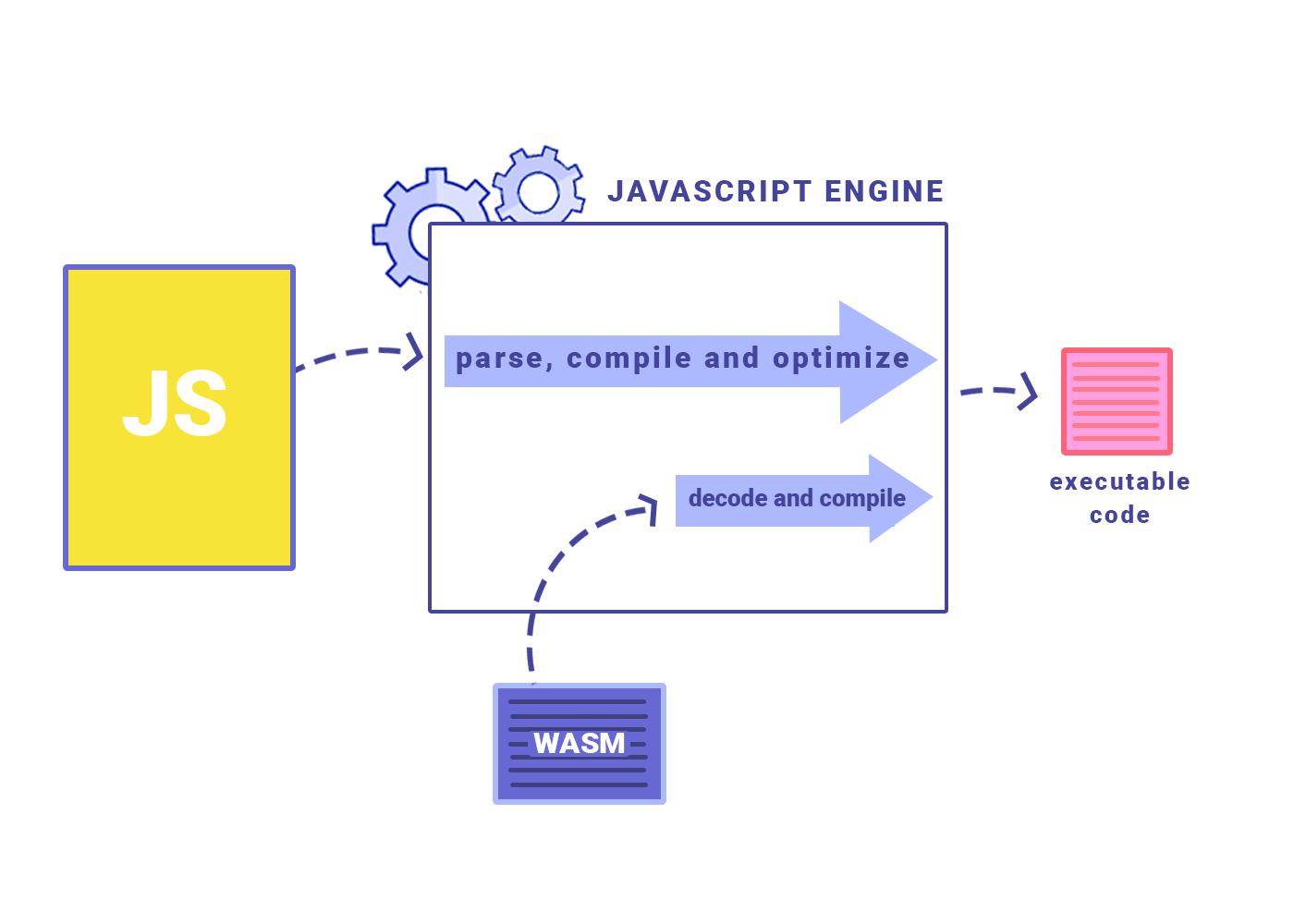
WebAssembly (WASM) achieves near-native performance on the web by streamlining the execution process compared to traditional JavaScript. While JavaScript must be downloaded as text, parsed into an abstract syntax tree (AST), and then compiled into binary, WASM is delivered in a compact binary format that decodes much faster.
Because WASM is statically typed, browser engines can skip the type speculation required for dynamically typed JavaScript, allowing for more predictable and efficient compilation. Additionally, most optimizations are performed at build-time rather than during execution, and manual memory management—similar to C or C++—eliminates the performance overhead of automatic garbage collection. Together, these efficiencies allow WASM to execute intensive tasks at speeds that are often just 20% slower than native code.
4. Real-World Implementations
By removing the JavaScript CPU bottleneck, WebAssembly allows engineers to run desktop-grade applications entirely inside a standard web browser.
Figma: The collaborative design tool is largely written in C++ and compiled to WebAssembly. This allows it to render thousands of vector graphics on a 2D canvas at 60 frames per second inside the browser.
AutoCAD: A massive, decades-old C++ codebase that was previously restricted to heavy desktop installations was successfully compiled to Wasm, allowing users to view and edit complex CAD files natively on the web.
Browser-Based Gaming: Game engines like Unity and Unreal Engine can export directly to WebAssembly, allowing complex 3D games to run without requiring users to download executables or plugins.